
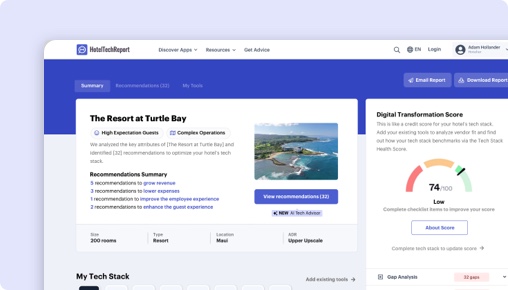
Sorry, this functionality is only available for verified hoteliers
The project dashboard is a free tool that is only available to verified hoteliers to make adopting new technology easier by streamlining their research and simplifying their communication workflow.

Microsoft 对比 Unifocus:按酒店细分市场排名
各产品在不同物业规模、类型和区域的 排班与劳动力管理 供应商中的排名——基于各细分市场中酒店从业者的经验证评价。
按酒店规模
| 细分市场 |
 Microsoft Microsoft
|
 Unifocus Unifocus
|
|---|---|---|
| 小型(10-24 间客房) | — | #4 2 条评价 |
| 中型(25-74 间客房) ▾ | — | #5 10 条评价 |
| 大型(75-199 间客房) ▾ | — | #4 17 条评价 |
| 超大型(200+ 间客房) ▾ | — | #4 7 条评价 |
按物业类型
| 细分市场 |
Microsoft
|
Unifocus
|
|---|---|---|
| 精品酒店 ▾ | — | #5 6 条评价 |
| 豪华酒店 ▾ | — | #4 19 条评价 |
| 品牌/连锁酒店 ▾ | — | #4 17 条评价 |
| 长住酒店 ▾ | — | #4 5 条评价 |
按区域
| 细分市场 |
Microsoft
|
Unifocus
|
|---|---|---|
| 北美 ▾ | — | #4 34 条评价 |
| 欧洲 | — | #2 3 条评价 |
| 亚太 | — | #1 0 条评价 |
The Decision
Choosing the right workforce management software for your hotel hinges on identifying your operational priorities and user needs. Microsoft Shifts App by Microsoft offers a streamlined, mobile-first scheduling tool integrated within Microsoft Teams, primarily tailored for frontline teams. Conversely, Unifocus is a dedicated hospitality workforce platform with a broad feature set aimed at automating labor forecasting, scheduling, and department communication.
Both products aim to improve staff coordination, but their core approaches differ significantly. Microsoft Shifts emphasizes simple scheduling and communication for Firstline Workers, while Unifocus targets comprehensive labor management, forecasting, and analytics. Do you need a lightweight scheduling tool or a robust operational platform?
Is Microsoft Shifts App or Unifocus Better for Hotels?
Microsoft Shifts App primarily serves hotels with frontline, operational teams that already rely on Microsoft Teams for communication. It offers basic scheduling, shift swapping, and messaging features, but lacks advanced labor forecasting or detailed analytics.
Unifocus, on the other hand, is designed for hotels seeking to optimize labor costs and improve operational efficiency through predictive scheduling, detailed reporting, and department collaboration tools. It supports large and complex hotel operations with features like automated labor monitoring and benchmarking.
If your hotel needs a simple, integrated team communication tool, Microsoft Shifts might suffice. For more comprehensive workforce planning and analytics, Unifocus is the clearer choice. Which set of features aligns best with your current priorities?
Unifocus vs Microsoft Shifts App: Which Should Your Hotel Choose?
If your hotel requires detailed labor forecasting, extensive analytics, and automation, go with Unifocus. It’s better suited for hotels managing large, diverse teams that need to forecast staffing needs accurately and streamline operations across multiple departments.
If your team mainly needs a basic scheduling and communication tool integrated into Microsoft Teams, choose Microsoft Shifts. It’s ideal for smaller properties or hotels that want quick, in-app schedule updates without the complexity of advanced labor features.
For hotels with complex staffing needs, Unifocus’s 14 exclusive features—including labor standards, auto scheduling, and benchmarking—outpace Microsoft Shifts’ simpler approach. Conversely, if your focus is on quick team communication, Microsoft’s app offers a straightforward solution.
Is Microsoft Shifts App or Unifocus Easier to Use?
Microsoft Shifts has a user rating of 0/5 on ease of use, with no recent reviews, indicating a lack of data to judge its intuitiveness. Its primary appeal is simplicity—if your team already uses Microsoft Teams, adoption may be straightforward, but some users report limited functionality.
Unifocus boasts a 4.01/5 rating for ease of use, with recent reviews praising its intuitive interface despite some noted sluggishness. Users highlight its straightforward navigation, especially after onboarding, with many appreciating the mobile app for on-the-go management.
Edge: Unifocus.
Which Has Better Features: Microsoft Shifts App or Unifocus?
Microsoft Shifts offers basic scheduling, shift swapping, messaging, and document sharing within Microsoft Teams. It does not include features like labor standards, auto scheduling, or analytics.
Unifocus provides 14 unique features, such as labor standards, automated labor monitoring, tip pooling, mobile app, reporting & analytics, shift swapping, and benchmarking. These features enable comprehensive workforce management with real-time insights and automation.
Given its feature depth, Unifocus is the more capable platform for complex hotel operations. Edge: Unifocus.
Which Has Better Customer Support: Microsoft Shifts App or Unifocus?
Microsoft Shifts has no available review data on support quality, making it difficult to assess. Its integration within Microsoft Teams suggests support is tied to Microsoft’s broader customer service, which varies.
Unifocus’s reviews show a support rating of 4.19/5, with users citing effective on-site training and responsive assistance. Reviewers describe its support as proactive, especially during onboarding, which is critical for complex system deployment.
Edge: Unifocus.
Which Has More Integrations: Microsoft Shifts App or Unifocus?
Microsoft Shifts, being part of Microsoft Teams, does not list verified third-party integrations, possibly limiting its connectivity with other hospitality systems.
Unifocus integrates with 32 verified partners, including PMS, payroll, and third-party hospitality systems like WorkRecords, Kronos, Otelier, and others. This extensive integration allows for smoother data flow and operational coherence.
Edge: Unifocus.
Which Do Hoteliers Rate Higher: Microsoft Shifts App or Unifocus?
Microsoft Shifts has no recent or overall review ratings, indicating low or no active user feedback for hotel-specific use.
Unifocus’s reviews average 4.25/5, with hoteliers praising its user-friendly interface, labor forecasting, and department communication features. Hotels in resorts and branded segments rate it slightly higher (around 4.3/5), reflecting satisfaction among larger or more complex properties.
Edge: Unifocus.
How Much Do Microsoft Shifts App and Unifocus Cost?
Microsoft Shifts does not publish pricing details, which suggests it may be included in broader Microsoft 365 plans or customized per enterprise.
Unifocus’s pricing is also not publicly listed, but its model is typically subscription-based without a trial, implying costs vary depending on hotel size and feature needs. Both lack transparent pricing, so a direct comparison remains difficult.
What Type of Hotel Should Use Microsoft Shifts?
- Hotels that operate with small frontline teams already embedded within Microsoft Teams.
- Teams that prioritize quick, simple scheduling and communication.
- Hotels with limited staffing complexity, needing minimal forecasting.
Not ideal if your hotel requires extensive labor forecasting, analytics, or department-level management.
What Type of Hotel Should Use Unifocus?
- Hotels with large or multi-department teams that need detailed forecasting.
- Resorts or branded hotels managing complex schedules and labor costs.
- Hotels seeking automation, real-time analytics, and benchmarking.
- Teams that value integrated communication and task management.
Not ideal if your hotel requires a lightweight, basic scheduling tool without extensive automation.
Unifocus vs Microsoft Shifts: The Bottom Line for Hotels
Unifocus stands out as the more comprehensive workforce management platform, especially suited for hotels with complex operational needs. Its feature set, integrations, and recent reviews make it the stronger choice for large or multi-property hotels.
Microsoft Shifts offers a straightforward scheduling and communication tool embedded within Microsoft Teams, best for smaller properties with minimal staffing complexity. Its simplicity might be appealing, but it lacks the depth necessary for strategic workforce planning.
For operational excellence and scalability, choose Unifocus. If your hotel needs quick, simple schedule updates within Microsoft Teams, Microsoft Shifts may suffice—but only if your needs are very basic.
This comparison should help you make an informed decision aligned with your hotel’s operational scale and goals.
功能对比:Microsoft Shifts App 与 Unifocus
这些是每个供应商配置的功能,按功能组进行整理——与供应商后台中显示的数据相同。展开任意功能组即可并排比较功能。
| 功能 |
Microsoft
|
Unifocus
|
|---|---|---|
|
▾
轮班和调度
|
|
|
| 换班 | ||
| 自动调度 | ||
| 时钟应用程序 | ||
| 动态调度 | ||
| 劳工标准 | ||
|
▾
时间跟踪
|
|
|
| 时钟应用程序 | ||
|
▾
分析和基准测试
|
|
|
| 基准测试 | ||
| 报告与分析 | ||
| 企业知名度 | ||
| 自动化劳动监测 | ||
| 劳工标准 | ||
| 入住率预测整合 | ||
|
▾
任务和清单
|
|
|
| 任务和待办事项列表 | ||
|
▾
消息传递和通信
|
|
|
| 团队沟通 | ||
| 移动应用 | ||
|
▾
福利管理
|
|
|
| 福利应计 | ||
| 提示池 |
Microsoft 对比 Unifocus:总结
酒店从业者喜爱的方面
用户称赞该软件强大的劳动力管理功能,包括规划、调度和分析劳动力需求。它对于管理小型和大型业务都特别有用,能够从各种系统中提取数据以简化预测。
许多评论者对 UniFocus 的用户友好界面表示赞赏,并强调其直观的前端和井然有序的后端。用户发现它易于导航和管理任务(如排班和劳动力管理),新经理和主管也可... 许多评论者对 UniFocus 的用户友好界面表示赞赏,并强调其直观的前端和井然有序的后端。用户发现它易于导航和管理任务(如排班和劳动力管理),新经理和主管也可以轻松上手。
虽然该软件在现场培训和支持方面获得高分,但用户认为最初的在线培训还有待改进。现场培训被强调为高效且引人入胜。
酒店从业者提出异议的方面
一些用户表示需要用户界面中有更多的自定义选项,以及需要能够访问扩展的报告历史记录,而无需以特定的时间间隔生成和保存报告。
许多评论者对 UniFocus 软件的速度慢和响应能力差表示不满。在工资审批等高峰时段,这个问题尤其严重。
独特功能
评分差异最大的方面
关于 Microsoft Shifts App 与 Unifocus 的常见问题
Microsoft Shifts App 能否替代 Unifocus?
这取决于您的需求。Microsoft Shifts App 和 Unifocus 共享许多核心 Scheduling & Workforce Management 功能,但各有独特的能力。Microsoft Shifts App 提供 0 个经验证的集成合作伙伴,而 Unifocus 提供 32 个。在切换之前,请查看上方的功能对比以了解它们的差异。
哪个更适合小型或独立酒店?
小型酒店应优先考虑易用性和快速入职。Unifocus 在易用性方面领先,评分为 4.0/5 对比 0.0/5。寻找透明定价以及试用或演示选项。在各产品页面上按物业规模筛选评价,了解与您类似的酒店的反馈。
Microsoft Shifts App 或 Unifocus 是否提供免费方案?
Microsoft Shifts App:否。Unifocus:否。 两款产品目前均不提供免费版。大多数 Scheduling & Workforce Management 供应商提供演示或试用——在做出承诺之前,请分别向各供应商申请体验。
HTR 如何评估和排名 Microsoft Shifts App 和 Unifocus?
HT Score 是一个综合排名,考虑 4 个标准组和十多个变量,帮助酒店从业者客观比较酒店科技产品。Microsoft 的 HT Score 为 0,Unifocus 的为 74。以下是评分的计算方式。
| 标准组 | 权重 | 衡量内容 |
|---|---|---|
| 客户评分与评价 |
|
用户对该产品的推荐度如何? 评分分数、评价数量、声量份额、评价深度、评价时效性、成功案例 ▾ 权重最高的因素。分析平均满意度评分(推荐可能性、易用性、支持、投资回报率)、相对于同类产品的评价总数、评价时效性(最近 6 个月内至少 20 条评价)以及跨独立酒店客户的声量份额以检测选择偏差。 |
| 合作伙伴生态系统 |
|
技术合作伙伴对该公司的推荐度如何? 合作伙伴推荐、集成数量、集成质量 ▾ 评估合作伙伴推荐作为专家信心投票、经验证集成的数量以及生态系统质量——集成合作伙伴的平均 HT Score。拥有更高质量集成生态系统的产品更有可能提供互联互通的技术栈。 |
| 以客户为中心 |
|
该组织以客户为中心的程度如何? 认证支持、评价一致性、资料完整性 ▾ 评估公司是否获得 HTR 客户支持认证、是否保持持续的评价收集(反馈驱动文化的指标)以及产品资料是否完整,包括功能、截图、定价和特性。 |
| 覆盖范围、持久力与资源 |
|
该公司的覆盖范围和资源有多广泛? 地理覆盖、持久力、公司资源、趋势评分 ▾ 衡量全球覆盖(服务的国家和区域)、经营年限作为稳定性指标、团队规模作为资源指标,以及基于近十二个月买家咨询、评价、合作伙伴推荐和媒体活动的趋势评分。 |
客户评分和评价是 HT Score 算法中最重要的因素。HTR 不接受付费以提高排名。所有评价均经过验证——只有经确认从属关系的酒店行业从业者才能提交评分。 查看完整 HT Score 评估方法 →
酒店从业者还在阅读哪些 排班与劳动力管理 对比?
探索更多基于经验证酒店从业者评价的一对一对比。
获取您的免费人工智能分析师报告
根据您的房产情况量身定制的推荐方案


