
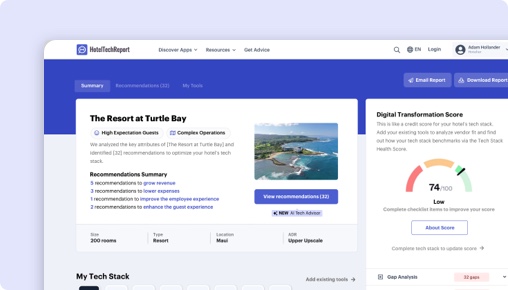
Sorry, this functionality is only available for verified hoteliers
The project dashboard is a free tool that is only available to verified hoteliers to make adopting new technology easier by streamlining their research and simplifying their communication workflow.

Microsoft Shifts App vs. Unifocus:
Welke past bij u?

Samenvatting
We hebben 40 geverifieerde hotelierbeoordelingen geanalyseerd, functiesets, prijzen en praktijkcasestudies vergeleken om te bepalen waar elk platform uitblinkt. De juiste keuze hangt af van uw type accommodatie en prioriteiten:
Microsoft blinkt uit .
Unifocus blinkt uit in ease of use and customer support — vooral voor brand accommodaties (4.3/5) , met exclusieve functies zoals Mobile App and Reporting & Analytics.
Hoe verhoudt Microsoft Shifts App zich tot Unifocus?
Zij-aan-zij beoordelingen op basis van 40 geverifieerde hotelierbeoordelingen op HTR.
| HTScore |
|
|
| Waarschijnlijkheid om aan te bevelen |
|
|
| Gebruiksgemak |
|
|
| Klantenondersteuning |
|
|
| Prijs-kwaliteitverhouding |
|
|
| Vanafprijs | Contact sales | Contact sales |
| Geverifieerde beoordelingen | 0 | 40 |
Wat zijn de voor- en nadelen van Microsoft Shifts App vs Unifocus?
Na analyse van 40 geverifieerde beoordelingen waarderen Microsoft-gebruikers vooral de , terwijl Unifocus-gebruikers de arbeidsmanagement, gebruiksvriendelijke interface, opleiding en ondersteuning benadrukken. Klik op een thema om te zien wat beoordelaars zeggen.
|
Microsoft
|
Unifocus
|
|---|---|
| Voordelen | |
|
+
Arbeidsmanagement
▾
|
|
|
+
Gebruiksvriendelijke interface
▾
|
|
|
+
Opleiding en ondersteuning
▾
|
|
|
+
Naadloze integratie
▾
|
|
| Nadelen | |
|
−
Aanpassingsbehoeften
▾
|
|
|
−
Snelheid en reactievermogen
▾
|
|
|
−
Kritiek op de nieuwe versie
▾
|
|
Microsoft vs Unifocus: Ranglijst per hotelsegment
Hoe elk product scoort onder Planning en personeelsbeheer-leveranciers voor verschillende accommodatiegroottes, -typen en regio's — op basis van geverifieerde beoordelingen van hoteliers in elk segment.
Op hotelgrootte
| Segment |
Microsoft
|
Unifocus
|
|---|---|---|
| Klein (10-24 kamers) | — | #4 2 beoordelingen |
| Middelgroot (25-74 kamers) ▾ | — | #5 10 beoordelingen |
| Groot (75-199 kamers) ▾ | — | #4 17 beoordelingen |
| Extra groot (200+ kamers) ▾ | — | #4 7 beoordelingen |
Op accommodatietype
| Segment |
Microsoft
|
Unifocus
|
|---|---|---|
| Boutique ▾ | — | #5 6 beoordelingen |
| Luxe ▾ | — | #4 19 beoordelingen |
| Merk / Keten ▾ | — | #4 17 beoordelingen |
| Langverblijf ▾ | — | #4 5 beoordelingen |
Op regio
| Segment |
Microsoft
|
Unifocus
|
|---|---|---|
| Noord-Amerika ▾ | — | #4 34 beoordelingen |
| Europa | — | #2 3 beoordelingen |
| Azië-Pacific | — | #1 0 beoordelingen |
The Decision
Choosing the right workforce management software for your hotel hinges on identifying your operational priorities and user needs. Microsoft Shifts App by Microsoft offers a streamlined, mobile-first scheduling tool integrated within Microsoft Teams, primarily tailored for frontline teams. Conversely, Unifocus is a dedicated hospitality workforce platform with a broad feature set aimed at automating labor forecasting, scheduling, and department communication.
Both products aim to improve staff coordination, but their core approaches differ significantly. Microsoft Shifts emphasizes simple scheduling and communication for Firstline Workers, while Unifocus targets comprehensive labor management, forecasting, and analytics. Do you need a lightweight scheduling tool or a robust operational platform?
Is Microsoft Shifts App or Unifocus Better for Hotels?
Microsoft Shifts App primarily serves hotels with frontline, operational teams that already rely on Microsoft Teams for communication. It offers basic scheduling, shift swapping, and messaging features, but lacks advanced labor forecasting or detailed analytics.
Unifocus, on the other hand, is designed for hotels seeking to optimize labor costs and improve operational efficiency through predictive scheduling, detailed reporting, and department collaboration tools. It supports large and complex hotel operations with features like automated labor monitoring and benchmarking.
If your hotel needs a simple, integrated team communication tool, Microsoft Shifts might suffice. For more comprehensive workforce planning and analytics, Unifocus is the clearer choice. Which set of features aligns best with your current priorities?
Unifocus vs Microsoft Shifts App: Which Should Your Hotel Choose?
If your hotel requires detailed labor forecasting, extensive analytics, and automation, go with Unifocus. It’s better suited for hotels managing large, diverse teams that need to forecast staffing needs accurately and streamline operations across multiple departments.
If your team mainly needs a basic scheduling and communication tool integrated into Microsoft Teams, choose Microsoft Shifts. It’s ideal for smaller properties or hotels that want quick, in-app schedule updates without the complexity of advanced labor features.
For hotels with complex staffing needs, Unifocus’s 14 exclusive features—including labor standards, auto scheduling, and benchmarking—outpace Microsoft Shifts’ simpler approach. Conversely, if your focus is on quick team communication, Microsoft’s app offers a straightforward solution.
Is Microsoft Shifts App or Unifocus Easier to Use?
Microsoft Shifts has a user rating of 0/5 on ease of use, with no recent reviews, indicating a lack of data to judge its intuitiveness. Its primary appeal is simplicity—if your team already uses Microsoft Teams, adoption may be straightforward, but some users report limited functionality.
Unifocus boasts a 4.01/5 rating for ease of use, with recent reviews praising its intuitive interface despite some noted sluggishness. Users highlight its straightforward navigation, especially after onboarding, with many appreciating the mobile app for on-the-go management.
Edge: Unifocus.
Which Has Better Features: Microsoft Shifts App or Unifocus?
Microsoft Shifts offers basic scheduling, shift swapping, messaging, and document sharing within Microsoft Teams. It does not include features like labor standards, auto scheduling, or analytics.
Unifocus provides 14 unique features, such as labor standards, automated labor monitoring, tip pooling, mobile app, reporting & analytics, shift swapping, and benchmarking. These features enable comprehensive workforce management with real-time insights and automation.
Given its feature depth, Unifocus is the more capable platform for complex hotel operations. Edge: Unifocus.
Which Has Better Customer Support: Microsoft Shifts App or Unifocus?
Microsoft Shifts has no available review data on support quality, making it difficult to assess. Its integration within Microsoft Teams suggests support is tied to Microsoft’s broader customer service, which varies.
Unifocus’s reviews show a support rating of 4.19/5, with users citing effective on-site training and responsive assistance. Reviewers describe its support as proactive, especially during onboarding, which is critical for complex system deployment.
Edge: Unifocus.
Which Has More Integrations: Microsoft Shifts App or Unifocus?
Microsoft Shifts, being part of Microsoft Teams, does not list verified third-party integrations, possibly limiting its connectivity with other hospitality systems.
Unifocus integrates with 32 verified partners, including PMS, payroll, and third-party hospitality systems like WorkRecords, Kronos, Otelier, and others. This extensive integration allows for smoother data flow and operational coherence.
Edge: Unifocus.
Which Do Hoteliers Rate Higher: Microsoft Shifts App or Unifocus?
Microsoft Shifts has no recent or overall review ratings, indicating low or no active user feedback for hotel-specific use.
Unifocus’s reviews average 4.25/5, with hoteliers praising its user-friendly interface, labor forecasting, and department communication features. Hotels in resorts and branded segments rate it slightly higher (around 4.3/5), reflecting satisfaction among larger or more complex properties.
Edge: Unifocus.
How Much Do Microsoft Shifts App and Unifocus Cost?
Microsoft Shifts does not publish pricing details, which suggests it may be included in broader Microsoft 365 plans or customized per enterprise.
Unifocus’s pricing is also not publicly listed, but its model is typically subscription-based without a trial, implying costs vary depending on hotel size and feature needs. Both lack transparent pricing, so a direct comparison remains difficult.
What Type of Hotel Should Use Microsoft Shifts?
- Hotels that operate with small frontline teams already embedded within Microsoft Teams.
- Teams that prioritize quick, simple scheduling and communication.
- Hotels with limited staffing complexity, needing minimal forecasting.
Not ideal if your hotel requires extensive labor forecasting, analytics, or department-level management.
What Type of Hotel Should Use Unifocus?
- Hotels with large or multi-department teams that need detailed forecasting.
- Resorts or branded hotels managing complex schedules and labor costs.
- Hotels seeking automation, real-time analytics, and benchmarking.
- Teams that value integrated communication and task management.
Not ideal if your hotel requires a lightweight, basic scheduling tool without extensive automation.
Unifocus vs Microsoft Shifts: The Bottom Line for Hotels
Unifocus stands out as the more comprehensive workforce management platform, especially suited for hotels with complex operational needs. Its feature set, integrations, and recent reviews make it the stronger choice for large or multi-property hotels.
Microsoft Shifts offers a straightforward scheduling and communication tool embedded within Microsoft Teams, best for smaller properties with minimal staffing complexity. Its simplicity might be appealing, but it lacks the depth necessary for strategic workforce planning.
For operational excellence and scalability, choose Unifocus. If your hotel needs quick, simple schedule updates within Microsoft Teams, Microsoft Shifts may suffice—but only if your needs are very basic.
This comparison should help you make an informed decision aligned with your hotel’s operational scale and goals.
Functievergelijking: Microsoft Shifts App vs Unifocus
Dit zijn de functies die elke leverancier heeft geconfigureerd, geordend per functiegroep — dezelfde gegevens als in het leveranciersdashboard. Vouw een groep uit om functies naast elkaar te vergelijken.
| Functie |
Microsoft
|
Unifocus
|
|---|---|---|
|
▾
Ploegen en planning
|
|
|
| Shift Swappen | ||
| Automatische planning | ||
| Tijdklok-app | ||
| Dynamische planning | ||
| Arbeidsnormen | ||
|
▾
Tijdregistratie
|
|
|
| Tijdklok-app | ||
|
▾
Analyse en benchmarking
|
|
|
| Benchmarking | ||
| Rapportage en analyse | ||
| Bedrijfszichtbaarheid | ||
| Geautomatiseerde arbeidsbewaking | ||
| Arbeidsnormen | ||
| Integratie van bezettingsprognose | ||
|
▾
Taken & Checklists
|
|
|
| Taken en takenlijsten | ||
|
▾
Berichten en communicatie
|
|
|
| Teamcommunicatie | ||
| Applicatie voor de mobiele telefoon | ||
|
▾
Beheer van voordelen
|
|
|
| Opgebouwde uitkeringen | ||
| Tip poolen |
Microsoft vs Unifocus: De conclusie
Wat hoteliers waarderen
Gebruikers prijzen de software voor zijn robuuste arbeidsbeheermogelijkheden, waaronder planning, scheduling en analyse van arbeidsbehoeften. Het is v... Gebruikers prijzen de software voor zijn robuuste arbeidsbeheermogelijkheden, waaronder planning, scheduling en analyse van arbeidsbehoeften. Het is vooral handig voor het beheren van zowel kleine als grootschalige operaties, met de mogelijkheid om gegevens uit verschillende systemen te halen om prognoses te stroomlijnen.
Veel reviewers waarderen de gebruiksvriendelijke interface van UniFocus, met nadruk op de intuïtieve front-end en georganiseerde back-end. Gebruikers... Veel reviewers waarderen de gebruiksvriendelijke interface van UniFocus, met nadruk op de intuïtieve front-end en georganiseerde back-end. Gebruikers vinden het makkelijk om te navigeren en taken zoals planning en arbeidsbeheer te beheren, waardoor het toegankelijk is voor nieuwe managers en supervisors.
Hoewel de software hoge cijfers krijgt voor on-site training en support, vinden gebruikers dat de initiële online training verbeterd kan worden. On-si... Hoewel de software hoge cijfers krijgt voor on-site training en support, vinden gebruikers dat de initiële online training verbeterd kan worden. On-site training wordt benadrukt als zeer effectief en boeiend.
Waar hoteliers kritiek op hebben
Sommige gebruikers geven aan dat ze behoefte hebben aan meer aanpassingsopties in de gebruikersinterface en de mogelijkheid om toegang te krijgen tot... Sommige gebruikers geven aan dat ze behoefte hebben aan meer aanpassingsopties in de gebruikersinterface en de mogelijkheid om toegang te krijgen tot de uitgebreide rapportagegeschiedenis zonder dat ze op specifieke tijdstippen rapporten hoeven te genereren en op te slaan.
Een aantal reviewers uiten hun frustratie over de trage snelheid en het gebrek aan responsiviteit van de UniFocus-software. Dit is met name problemati... Een aantal reviewers uiten hun frustratie over de trage snelheid en het gebrek aan responsiviteit van de UniFocus-software. Dit is met name problematisch tijdens piekmomenten zoals goedkeuring van de salarisadministratie.
Unieke mogelijkheden
Waar de beoordelingen het meest uiteenlopen
Veelgestelde vragen over Microsoft Shifts App vs Unifocus
Kan Microsoft Shifts App Unifocus vervangen?
Dat hangt af van uw eisen. Microsoft Shifts App en Unifocus delen veel kern-Scheduling & Workforce Management-functies, maar elk heeft unieke mogelijkheden. Microsoft Shifts App biedt 0 geverifieerde integratiepartners, terwijl Unifocus er 32 biedt. Bekijk de functievergelijking hierboven om te zien waar ze verschillen voordat u overstapt.
Welke is beter voor kleine of onafhankelijke hotels?
Kleine hotels moeten prioriteit geven aan gebruiksgemak en snelle onboarding. Unifocus scoort het hoogst op gebruiksgemak met 4.0/5 vs 0.0/5. Let op transparante prijzen en de mogelijkheid van een proefperiode of demo. Filter beoordelingen op elke productpagina op accommodatiegrootte om te horen van hotels zoals het uwe.
Bieden Microsoft Shifts App of Unifocus een gratis abonnement aan?
Microsoft Shifts App: Nee. Unifocus: Nee. Geen van beide producten biedt momenteel een gratis abonnement aan. De meeste Scheduling & Workforce Management-leveranciers bieden demo's of proefperiodes aan — vraag er bij beide een aan om te evalueren voordat u zich vastlegt.
Hoe evalueert en rangschikt HTR Microsoft Shifts App en Unifocus?
De HT Score is een samengestelde ranglijst die 4 criteriagroepen en meer dan tien variabelen meeweegt om hoteliers te helpen hoteltechnologieproducten objectief te vergelijken. Microsoft heeft een HT Score van 0 en Unifocus heeft 74. Zo wordt de score berekend.
| Criteriagroep | Weging | Wat het meet |
|---|---|---|
| Klantbeoordelingen & reviews |
|
Hoe hoog beoordelen gebruikers dit product? Beoordelingsscore, reviewvolume, marktaandeel, reviewdiepte, reviewrecentheid, succesverhalen ▾ De zwaarst gewogen factor. Analyseert gemiddelde tevredenheidsbeoordelingen (waarschijnlijkheid om aan te bevelen, gebruiksgemak, ondersteuning, ROI), het totale aantal reviews ten opzichte van categoriegenoten, recentheid van reviews (minimaal 20 reviews in de afgelopen 6 maanden) en marktaandeel over unieke hotelklanten om selectiebias te detecteren. |
| Partnerecosysteem |
|
Hoe hoog beoordelen technologiepartners dit bedrijf? Partneraanbevelingen, integratieaantal, integratiekwaliteit ▾ Evalueert partneraanbevelingen als expertstemmen van vertrouwen, het aantal geverifieerde integraties en ecosysteemkwaliteit — de gemiddelde HT Scores van integratiepartners. Producten met een kwalitatief beter integratie-ecosysteem leveren waarschijnlijker een verbonden technologiearchitectuur. |
| Klantgerichtheid |
|
Hoe klantgericht is deze organisatie? Gecertificeerde ondersteuning, reviewconsistentie, profielvolledigheid ▾ Beoordeelt of het bedrijf HTR Customer Support-certificering heeft verdiend, consistente reviewverzameling in de loop der tijd onderhoudt (een indicator van feedbackgedreven cultuur) en productprofielen compleet houdt met mogelijkheden, schermafbeeldingen, prijzen en functies. |
| Bereik, stabiliteit & middelen |
|
Hoe uitgebreid is het bereik en de middelen van dit bedrijf? Geografisch bereik, stabiliteit, bedrijfsmiddelen, trendscore ▾ Meet wereldwijde aanwezigheid (bediende landen en regio's), aantal jaren in bedrijf als stabiliteitsindicator, teamgrootte als middelenproxy en een trendscore op basis van kopersaanvragen, reviews, partneraanbevelingen en persactiviteit in de afgelopen twaalf maanden. |
Klantbeoordelingen en reviews zijn veruit de belangrijkste factor in het HT Score-algoritme. HTR accepteert geen betaling voor hogere ranglijstposities. Alle reviews zijn geverifieerd — alleen professionals uit de hotelbranche met bevestigde affiliaties kunnen beoordelingen indienen. Bekijk de volledige HT Score-methodologie →
Welke andere Planning en personeelsbeheer-vergelijkingen lezen hoteliers?
Ontdek meer directe vergelijkingen op basis van geverifieerde hotelierbeoordelingen.

Inhoud
Ontvang uw gratis AI-analyserapport
Aanbevelingen op maat, afgestemd op uw woning.


