

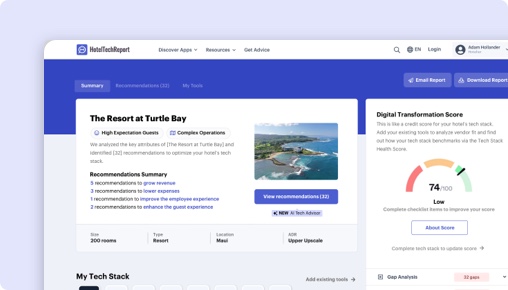
申し訳ございません。この機能は認証済みのホテル運営者のみご利用いただけます
プロジェクトダッシュボードは、認証済みのホテル運営者のみが利用できる無料ツールです。調査を効率化し、コミュニケーションの流れを簡素化することで、新しいテクノロジーの導入を容易にします。

Click Maint vs. hub OS Maintenance:
あなたに最適なのはどちら?
要点
281件の認証済みホテル経営者レビューを分析し、機能セット、料金、実際の導入事例を比較して、各プラットフォームの強みを明らかにしました。最適な選択は、施設の種類と優先事項によって異なります:
Click Maint は在庫傾向分析などの独自機能で際立っています。
hub OS はハウスキーピング、メンテナンス、フロントオフィス間の集中コミュニケーションにおいて優れており、特にRVパーク・キャンプ場施設(5.0/5)に適しています。
Click Maintとhub OS Maintenanceの比較
HTRの281件の認証済みホテル経営者レビューに基づく並列評価。
| HTScore |
|
|
| 推奨度 |
|
|
| 使いやすさ |
|
|
| カスタマーサポート |
|
|
| コストパフォーマンス |
|
|
| 開始価格 | $200/月〜 | $300/月〜 |
| 認証済みレビュー | 5 | 276 |
Click Maintとhub OS Maintenanceの長所と短所は?
281件の認証済みレビューを分析した結果、Click Maintのユーザーはを最も評価し、hub OSのユーザーはハウスキーピング、メンテナンス、フロントオフィス間の集中コミュニケーション, レポーティング、履歴、分析, リアルタイムの作業指示および故障追跡を高く評価しています。各テーマをクリックすると、レビュー投稿者の声をご覧いただけます。
 Click Maint |
 hub OS |
|---|---|
| 長所 | |
|
+
ハウスキーピング、メンテナンス、フロントオフィス間の集中コミュニケーション
▾
|
|
|
+
レポーティング、履歴、分析
▾
|
|
|
+
リアルタイムの作業指示および故障追跡
▾
|
|
|
+
予防保全のスケジューリングとチェックリスト
▾
|
|
| 短所 | |
|
−
ワークフローの柔軟性とカスタマイズ性
▾
|
|
|
−
タスクの優先順位付け、延期、および承認管理
▾
|
|
Click Maint vs hub OS:ホテルセグメント別ランキング
各セグメントのホテル経営者による認証済みレビューに基づく、施設規模・タイプ・地域別のホテルメンテナンスソフトウェアベンダー内ランキング。
ホテル規模別
| セグメント |
Click Maint
|
hub OS
|
|---|---|---|
| 小規模(10〜24室) ▾ | — | #4 15件のレビュー |
| 中規模(25〜74室) ▾ | #10 3件のレビュー | #4 106件のレビュー |
| 大規模(75〜199室) ▾ | #11 1件のレビュー | #3 69件のレビュー |
| 特大規模(200室以上) | #10 1件のレビュー | #6 4件のレビュー |
施設タイプ別
| セグメント |
Click Maint
|
hub OS
|
|---|---|---|
| ブティック ▾ | #10 4件のレビュー | #3 94件のレビュー |
| ラグジュアリー ▾ | — | #4 73件のレビュー |
| ブランド/チェーン ▾ | #10 3件のレビュー | #6 84件のレビュー |
| 長期滞在型 ▾ | — | #6 11件のレビュー |
地域別
| セグメント |
Click Maint
|
hub OS
|
|---|---|---|
| 北米 ▾ | #10 5件のレビュー | #8 10件のレビュー |
| ヨーロッパ ▾ | — | #3 159件のレビュー |
| アジア太平洋 | — | #4 3件のレビュー |
| 中東 ▾ | — | #3 6件のレビュー |
Is Click Maint or hub OS Better for Hotels?
Click Maint and hub OS both target hotel maintenance management but diverge significantly in scale, maturity, and feature depth. Click Maint, launched in 2023 with 12 employees, is a newer, simpler solution emphasizing ease of use, affordability, and mobile-first access. Its user base is mostly boutique hotels, supported by 5 reviews averaging 4.5/5. In contrast, hub OS, founded in 2015 with 60 employees, serves a broader hotel segment including branded, city center, luxury, and resort properties, backed by 276 reviews averaging 4.7/5 overall and 4.5/5 in the last six months.
Both products solve the core problem of managing maintenance requests, work orders, preventive maintenance, and asset tracking in hotels. They enable faster issue resolution, reduce downtime, and improve guest readiness through mobile apps and real-time communication. However, hub OS offers deeper integration with hotel departments and a larger ecosystem, addressing complex workflows at scale, while Click Maint prioritizes simplicity and quick implementation suited to smaller or less complex properties.
Click Maint vs hub OS: Which Should Your Hotel Choose?
If your hotel is a small to mid-sized boutique property or a limited-service hotel prioritizing straightforward, easy-to-use maintenance software with rapid team adoption, Click Maint is the better fit. This is supported by its 4.8/5 ease-of-use rating across 5 reviews and reviewer praise highlighting simple training and mobile access for all staff. However, this data is limited and lacks extensive segment diversity.
If you run a branded, city center, luxury, or resort property with complex maintenance needs, multiple departments, and a desire for integrated workflows across housekeeping and front desk, hub OS is better supported. Its 276 reviews with consistent 4.7/5 ratings across segments such as branded hotels (116 reviews), city center hotels (117 reviews), and luxury hotels (94 reviews) demonstrate broad adoption. Reviewers emphasize real-time notifications, task prioritization, asset tracking via QR codes, and compliance features, critical for larger properties.
For hotel types with fewer than 10 reviews (e.g., extended stay, motels using hub OS), the data is less conclusive, so operator discretion is advised.
Is Click Maint or hub OS Easier to Use?
Both products earn an identical 4.8/5 ease-of-use rating. Reviewers of Click Maint highlight its straightforward mobile and web interfaces, describing it as “the most user friendly CMMS system I ever used,” and praise easy staff training and involvement. The app’s simplicity supports quick adoption by maintenance teams without steep learning curves.
hub OS users also find the system easy to understand and operate, especially valuing mobile app usability for diverse teams including older staff. One reviewer noted, “Easy to understand for everyone involved,” and highlighted straightforward decision-making and follow-up. Some hub OS users want improvements in website navigation for maintenance departments but confirm the mobile experience is positive.
Onboarding ratings are nearly identical (Click Maint 4.8/5, hub OS 4.7/5), with no reviewer concerns about ramp-up time on either side.
Edge: Even.
Which Has Better Features: Click Maint or hub OS?
hub OS and Click Maint share 9 core maintenance features, including work order management, preventive maintenance scheduling, inspections, and mobile access. Click Maint offers one unique feature hub OS lacks: Inventory Trend Analysis, which helps track inventory consumption trends and supports more strategic purchasing decisions. This can be helpful for hotels seeking basic inventory insights alongside maintenance.
hub OS, however, provides a more comprehensive feature set for hotel-specific workflows. It includes real-time fault reporting with photos, QR code asset identification, automated escalation for critical issues, multi-department integration (housekeeping, front desk, guest experience), and compliance management for mandatory inspections. These features enhance operational control and reduce communication silos, especially valuable in larger or branded hotels.
Although Click Maint focuses on simplicity, hub OS’s richer feature set supports complex maintenance operations, proactive issue prevention, and operational transparency. The absence of equivalent customization and integration capabilities in Click Maint limits its suitability for hotels needing advanced workflows.
Edge: hub OS.
Which Has Better Customer Support: Click Maint or hub OS?
Customer support ratings are close: Click Maint scores a perfect 5/5 but based on only 5 reviews, while hub OS averages 4.7/5 across 276 reviews. Both products receive high onboarding satisfaction (4.8 vs 4.7).
Reviewers of Click Maint commend the team as supportive and responsive, emphasizing ease of training and user involvement. hub OS users also praise responsive service, noting “availability and service” and “fluid and close relationship” with the vendor. Some hub OS users mention the need for faster development of requested enhancements but confirm support is attentive.
Given the volume and consistency of hub OS reviews, its support rating carries more weight, though neither product raises concerns about poor service.
Edge: Even.
Which Has More Integrations: Click Maint or hub OS?
hub OS offers 24 verified integrations with hotel technology partners, including Oracle Hospitality, Mews, Infor, and Signify, which support broader hotel operations beyond maintenance. These integrations enable data sharing and cohesive workflows across PMS, housekeeping, and other departments.
Click Maint has no verified integrations currently. This limits its ability to connect with existing hotel systems and centralize operations.
For hotels needing integration with PMS or other platforms to improve cross-department coordination and data visibility, hub OS is clearly advantageous.
Edge: hub OS.
Which Do Hoteliers Rate Higher: Click Maint or hub OS?
Both products have high overall ratings but differ in review volume and recency. hub OS maintains a 4.7/5 overall from 276 reviews, with 4.5/5 in the last six months from 87 recent reviews, demonstrating stable satisfaction. Click Maint holds 4.5/5 from 5 reviews, with 2 recent reviews too few for a reliable current rating.
Segment ratings favor hub OS across most hotel types with at least 5 reviews. For boutique hotels, Click Maint scores 4.5/5 (4 reviews) versus hub OS’s 4.7/5 (106 reviews). In branded hotels, hub OS’s 4.7/5 rating based on 116 reviews surpasses Click Maint’s 4.5/5 from 3 reviews. For resorts, hub OS (4.7/5, 77 reviews) slightly outpaces Click Maint (4.5/5, 3 reviews).
Click Maint’s limited review count means its ratings are less representative. hub OS’s broad, recent, and stable rating data gives a more reliable picture of user satisfaction.
Edge: Even.
How Much Do Click Maint and hub OS Cost?
Click Maint starts at a base price of $200.00 with no additional implementation fees, monthly flat fees, or per-room charges. Pricing is simple and transparent but lacks a free trial.
hub OS’s base price is higher at $300.00, also without implementation fees or per-room pricing. Like Click Maint, hub OS does not offer a trial period.
The $100 difference could be relevant for budget-conscious smaller hotels, but hub OS’s richer feature set and integrations justify the premium for larger or complex operations.
What Type of Hotel Should Use Click Maint?
- Hotels that prioritize quick, easy-to-use maintenance software with minimal training, supported by 4.8/5 ease-of-use ratings.
- Boutique and limited-service hotels, which make up 60% and 40% of Click Maint’s user base respectively.
- Teams that require straightforward mobile access to submit and manage work orders without complexity.
- Properties with simple maintenance needs that do not require integration with PMS or other hotel systems.
- Hotels seeking an affordable, no-frills solution with transparent pricing starting at $200/month.
Not ideal if:
- Your property demands integration with other hotel systems like Oracle Hospitality or Mews.
- You need advanced preventive maintenance workflows, asset tracking with QR codes, or multi-department coordination.
- You operate multiple properties requiring unified profiles or complex customization.
- Your team requires extensive reporting and inventory management beyond basic trend analysis.
What Type of Hotel Should Use hub OS?
- Branded, city center, luxury, and resort hotels with complex maintenance workflows and larger teams.
- Hotels that benefit from integrated communication across housekeeping, front desk, and guest experience departments.
- Properties seeking real-time fault reporting with photos, automatic escalation, and compliance tracking.
- Hotels requiring extensive asset management with QR code scanning and detailed maintenance history.
- Operators who prioritize data-driven decision making with detailed reporting and analytics.
Not ideal if:
- Your property is small or operates with limited maintenance complexity and prefers a simpler, more affordable solution.
- You require rapid onboarding without customization or adapting workflows to software.
- You need a no-frills CMMS without integrations or extensive features.
Click Maint vs hub OS: The Bottom Line for Hotels
The core difference between Click Maint and hub OS lies in scale and sophistication. Click Maint is a newer, simpler, and more affordable CMMS focused on ease of use and quick implementation for smaller or boutique hotels. hub OS is a mature, feature-rich platform designed to integrate maintenance with hotel operations at scale, favored by a broad range of hotel types including branded and luxury properties.
Choose Click Maint if you seek a straightforward, mobile-first maintenance tool with easy staff adoption and an inventory trend feature, supported by 4.8/5 ease-of-use ratings and a $200 starting price. It fits boutique and limited-service hotels with limited integration needs.
Choose hub OS if your hotel requires complex preventive maintenance planning, real-time multi-department communication, asset tracking with QR codes, and strong integration with hotel systems like Oracle Hospitality and Mews. Its 4.7/5 overall rating across 276 reviews and 24 integrations make it suited for branded, city center, luxury, and resort hotels that need comprehensive operational control.
Click Maintとhub OS Maintenanceの費用は?
ホテルメンテナンスソフトウェア の料金はわかりにくいことが多いです。各ベンダーの公開料金データから判明している情報をまとめました。施設の規模に合わせたカスタム見積もりを必ずご依頼ください。
|
Click Maint
|
hub OS
|
|
|---|---|---|
| 開始価格 | $200/月〜 | $300/月〜 |
機能比較:Click Maint と hub OS Maintenance
これらは各ベンダーが設定した機能で、機能グループごとに整理されており、ベンダーダッシュボードに表示されるデータと同じです。グループを展開すると、機能を並べて比較できます。
| 機能 |
Click Maint
|
hub OS
|
|---|---|---|
|
▾
資産保全
|
|
|
| プールの化学測定値 | ||
| 予防保守計画のマッピング | ||
| CapEXの予算と予測 | ||
|
▾
検査とチェックリスト
|
|
|
| カスタム検査 | ||
| 資産保守ログ | ||
|
▾
メッセージングとコミュニケーション
|
|
|
| 通知 | ||
| モバイルアプリ | ||
|
▾
タスク管理
|
|
|
| 定期的なタスク | ||
| 作業指示と発券 | ||
|
▾
ワークフローの自動化
|
|
|
| 定期的なタスク | ||
| 予防保守計画のマッピング | ||
| 作業指示と発券 | ||
|
▾
分析とレポート
|
|
|
| 在庫傾向分析 | ||
| 資産保守ログ | ||
| CapEXの予算と予測 |
Click Maint vs hub OS:まとめ
ホテル経営者が高く評価する点
Hub OSの大きな特徴は、複数の部門を一つの共有ワークフローに統合し、全員が客室の状況、リクエスト、完了状況を確認できることです。レビュアーはこれにより電... Hub OSの大きな特徴は、複数の部門を一つの共有ワークフローに統合し、全員が客室の状況、リクエスト、完了状況を確認できることです。レビュアーはこれにより電話のやり取りが減り、責任の明確化が進み、ハウスキーピング、メンテナンス、受付間の引き継ぎがよりスムーズになると述べています。ホテル側はこれを客室をゲスト対応可能な状態に保ち、サービスの連携を向上させる手段と捉えています。
Hub OSは、ホテルに対して客室やメンテナンスの履歴を使いやすく提供し、監督や計画を支援するレポートを提供する点で高く評価されています。ユーザーは故障、点... Hub OSは、ホテルに対して客室やメンテナンスの履歴を使いやすく提供し、監督や計画を支援するレポートを提供する点で高く評価されています。ユーザーは故障、点検、メンテナンス記録を一元管理できることを好んでいますが、より良いフィルタリング、エクスポート、ダッシュボードの柔軟性、過去の問題へのアクセスの容易さを求める声も多いです。ホテルマネージャーにとっては、より強力な分析機能が意思決定や生産性の追跡を改善するでしょう。
ユーザーはHub OSがスタッフにリアルタイムで修理の報告、受信、追跡を可能にすることでメンテナンスを迅速化するとよく述べています。これにより対応時間が短縮... ユーザーはHub OSがスタッフにリアルタイムで修理の報告、受信、追跡を可能にすることでメンテナンスを迅速化するとよく述べています。これにより対応時間が短縮され、重複した追跡が減り、部門間のチーム連携が速くなります。ホテル運営においては、未解決の客室問題が減り、客室の回転が速くなることを意味します。
ホテル経営者が指摘する課題
共通の指摘として、Hub OSは導入直後から使いやすいものの、ホテル固有のワークフローに対応するための柔軟性が不足しているという点があります。レビュアーは、... 共通の指摘として、Hub OSは導入直後から使いやすいものの、ホテル固有のワークフローに対応するための柔軟性が不足しているという点があります。レビュアーは、ラベル、レポート、ダッシュボード、チェックリスト、タスクタイプ、権限設定、部屋ごとのプロセスのカスタマイズ性向上を求めています。システムをより簡単に適応できる機能があれば、ホテルは自社の運用構造に合わせてソフトウェアを調整でき、ツールに合わせて手順を変更する必要がなくなります。
複数のレビュアーが、タスクの優先順位、作業の延期、そして誰がリクエストを承認またはキャンセルできるかの決定に関して、より強力な管理機能を求めています。... 複数のレビュアーが、タスクの優先順位、作業の延期、そして誰がリクエストを承認またはキャンセルできるかの決定に関して、より強力な管理機能を求めています。これらの機能は、緊急修理と優先度の低い作業の管理や、不必要な手戻りを避けるために重要だと述べています。ここでの管理強化は、メンテナンスマネージャーがサービスレベルを維持し、スケジュールを現実的に保つのに役立ちます。
高評価の分野
Click Maint vs hub OS Maintenanceに関するよくある質問
Click Maintはhub OS Maintenanceの代わりになりますか?
お客様の要件次第です。Click Maintとhub OS Maintenanceは多くの主要なHotel Maintenance Software機能を共有していますが、それぞれに独自の機能があります。Click Maintは0件の認証済み連携パートナーを持ち、hub OS Maintenanceは24件を持っています。切り替え前に、上記の機能比較で違いをご確認ください。
小規模または独立系ホテルにはどちらが適していますか?
小規模ホテルは使いやすさと迅速なオンボーディングを優先すべきです。Click Maintは使いやすさで4.8/5対4.8/5とリードしています。透明性のある料金設定とトライアルまたはデモのオプションを探しましょう。各製品ページで施設規模別にレビューをフィルタリングして、同様のホテルからの声を確認してください。
Click Maintまたはhub OS Maintenanceに無料プランはありますか?
Click Maint:いいえ。hub OS Maintenance:いいえ。 どちらの製品も現在無料プランを提供していません。ほとんどのHotel Maintenance Softwareベンダーはデモまたはトライアルを提供しています — 契約する前に各社にご依頼ください。
HTRはClick Maintとhub OS Maintenanceをどのように評価・ランク付けしていますか?
HT Scoreは、ホテル経営者がホテルテクノロジー製品を客観的に比較できるよう、4個の基準グループと十数の変数を考慮した総合ランキングです。Click MaintのHT Scoreは0、hub OSは94です。以下がスコアの算出方法です。
| 基準グループ | ウェイト | 測定内容 |
|---|---|---|
| 顧客評価とレビュー |
|
ユーザーはこの製品をどの程度推奨していますか? 評価スコア、レビュー数、シェアオブボイス、レビューの深さ、レビューの新しさ、成功事例 ▾ 最も重みの大きい要素です。平均満足度評価(推奨度、使いやすさ、サポート、ROI)、カテゴリー内の競合に対するレビュー総数、レビューの新しさ(直近6か月間に20件以上のレビュー)、固有のホテルクライアント全体のシェアオブボイスを分析して選択バイアスを検出します。 |
| パートナーエコシステム |
|
テクノロジーパートナーはこの企業をどの程度推奨していますか? パートナー推奨、連携数、連携品質 ▾ パートナー推奨を専門家の信頼票として評価し、認証済み連携の数、エコシステムの品質 — 連携パートナーの平均HT Scoreを評価します。より高品質な連携エコシステムを持つ製品は、接続されたテックスタックを提供する可能性が高くなります。 |
| 顧客中心主義 |
|
この組織はどの程度顧客中心ですか? 認定サポート、レビューの一貫性、プロフィールの完全性 ▾ 企業がHTRカスタマーサポート認定を取得しているか、長期にわたり一貫したレビュー収集を維持しているか(フィードバック主導の文化の指標)、機能、スクリーンショット、料金、特徴を含む完全な製品プロフィールを維持しているかを評価します。 |
| リーチ、継続性、リソース |
|
この企業のリーチとリソースはどの程度広範ですか? 地理的リーチ、継続性、企業リソース、トレンドスコア ▾ グローバルプレゼンス(対応国・地域)、安定性の指標としての事業年数、リソースの指標としてのチーム人数、直近12か月の購入者からの問い合わせ・レビュー・パートナー推奨・プレス活動に基づくトレンドスコアを測定します。 |
顧客評価とレビューは、HT Scoreアルゴリズムにおいて最も重要な要素です。HTRはランキング向上のための支払いを受け付けていません。すべてのレビューは認証済みです — 所属が確認されたホテル業界の実務者のみが評価を投稿できます。 HT Scoreの詳細な算出方法を見る →
ホテル経営者が読んでいるその他のホテルメンテナンスソフトウェア比較
認証済みホテル経営者レビューに基づく、その他の一対一比較をご覧ください。


無料のAIアナリストレポートを入手しよう
お客様の施設に合わせたカスタム提案


