
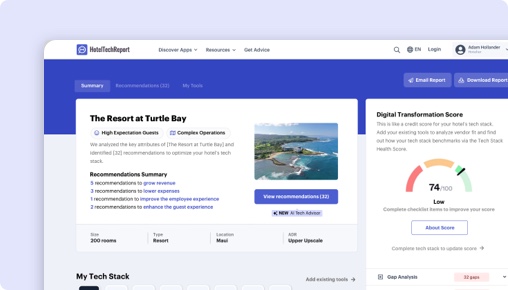
Sorry, this functionality is only available for verified hoteliers
The project dashboard is a free tool that is only available to verified hoteliers to make adopting new technology easier by streamlining their research and simplifying their communication workflow.

Microsoft Shifts AppとUnifocusの長所と短所は?
40件の認証済みレビューを分析した結果、Microsoftのユーザーはを最も評価し、Unifocusのユーザーは労務管理, ユーザーフレンドリーなインターフェース, トレーニングとサポートを高く評価しています。各テーマをクリックすると、レビュー投稿者の声をご覧いただけます。
 Microsoft
|
 Unifocus
|
|---|---|
| 長所 | |
|
+
労務管理
▾
|
|
|
+
ユーザーフレンドリーなインターフェース
▾
|
|
|
+
トレーニングとサポート
▾
|
|
|
+
シームレスな統合
▾
|
|
| 短所 | |
|
−
カスタマイズのニーズ
▾
|
|
|
−
スピードと応答性
▾
|
|
|
−
新バージョンに対する批判
▾
|
|
Microsoft vs Unifocus:ホテルセグメント別ランキング
各セグメントのホテル経営者による認証済みレビューに基づく、施設規模・タイプ・地域別のスケジュール管理と人員管理ベンダー内ランキング。
ホテル規模別
| セグメント |
Microsoft
|
Unifocus
|
|---|---|---|
| 小規模(10〜24室) | — | #4 2件のレビュー |
| 中規模(25〜74室) ▾ | — | #5 10件のレビュー |
| 大規模(75〜199室) ▾ | — | #4 17件のレビュー |
| 特大規模(200室以上) ▾ | — | #4 7件のレビュー |
施設タイプ別
| セグメント |
Microsoft
|
Unifocus
|
|---|---|---|
| ブティック ▾ | — | #5 6件のレビュー |
| ラグジュアリー ▾ | — | #4 19件のレビュー |
| ブランド/チェーン ▾ | — | #4 17件のレビュー |
| 長期滞在型 ▾ | — | #4 5件のレビュー |
地域別
| セグメント |
Microsoft
|
Unifocus
|
|---|---|---|
| 北米 ▾ | — | #4 34件のレビュー |
| ヨーロッパ | — | #2 3件のレビュー |
| アジア太平洋 | — | #1 0件のレビュー |
The Decision
Choosing the right workforce management software for your hotel hinges on identifying your operational priorities and user needs. Microsoft Shifts App by Microsoft offers a streamlined, mobile-first scheduling tool integrated within Microsoft Teams, primarily tailored for frontline teams. Conversely, Unifocus is a dedicated hospitality workforce platform with a broad feature set aimed at automating labor forecasting, scheduling, and department communication.
Both products aim to improve staff coordination, but their core approaches differ significantly. Microsoft Shifts emphasizes simple scheduling and communication for Firstline Workers, while Unifocus targets comprehensive labor management, forecasting, and analytics. Do you need a lightweight scheduling tool or a robust operational platform?
Is Microsoft Shifts App or Unifocus Better for Hotels?
Microsoft Shifts App primarily serves hotels with frontline, operational teams that already rely on Microsoft Teams for communication. It offers basic scheduling, shift swapping, and messaging features, but lacks advanced labor forecasting or detailed analytics.
Unifocus, on the other hand, is designed for hotels seeking to optimize labor costs and improve operational efficiency through predictive scheduling, detailed reporting, and department collaboration tools. It supports large and complex hotel operations with features like automated labor monitoring and benchmarking.
If your hotel needs a simple, integrated team communication tool, Microsoft Shifts might suffice. For more comprehensive workforce planning and analytics, Unifocus is the clearer choice. Which set of features aligns best with your current priorities?
Unifocus vs Microsoft Shifts App: Which Should Your Hotel Choose?
If your hotel requires detailed labor forecasting, extensive analytics, and automation, go with Unifocus. It’s better suited for hotels managing large, diverse teams that need to forecast staffing needs accurately and streamline operations across multiple departments.
If your team mainly needs a basic scheduling and communication tool integrated into Microsoft Teams, choose Microsoft Shifts. It’s ideal for smaller properties or hotels that want quick, in-app schedule updates without the complexity of advanced labor features.
For hotels with complex staffing needs, Unifocus’s 14 exclusive features—including labor standards, auto scheduling, and benchmarking—outpace Microsoft Shifts’ simpler approach. Conversely, if your focus is on quick team communication, Microsoft’s app offers a straightforward solution.
Is Microsoft Shifts App or Unifocus Easier to Use?
Microsoft Shifts has a user rating of 0/5 on ease of use, with no recent reviews, indicating a lack of data to judge its intuitiveness. Its primary appeal is simplicity—if your team already uses Microsoft Teams, adoption may be straightforward, but some users report limited functionality.
Unifocus boasts a 4.01/5 rating for ease of use, with recent reviews praising its intuitive interface despite some noted sluggishness. Users highlight its straightforward navigation, especially after onboarding, with many appreciating the mobile app for on-the-go management.
Edge: Unifocus.
Which Has Better Features: Microsoft Shifts App or Unifocus?
Microsoft Shifts offers basic scheduling, shift swapping, messaging, and document sharing within Microsoft Teams. It does not include features like labor standards, auto scheduling, or analytics.
Unifocus provides 14 unique features, such as labor standards, automated labor monitoring, tip pooling, mobile app, reporting & analytics, shift swapping, and benchmarking. These features enable comprehensive workforce management with real-time insights and automation.
Given its feature depth, Unifocus is the more capable platform for complex hotel operations. Edge: Unifocus.
Which Has Better Customer Support: Microsoft Shifts App or Unifocus?
Microsoft Shifts has no available review data on support quality, making it difficult to assess. Its integration within Microsoft Teams suggests support is tied to Microsoft’s broader customer service, which varies.
Unifocus’s reviews show a support rating of 4.19/5, with users citing effective on-site training and responsive assistance. Reviewers describe its support as proactive, especially during onboarding, which is critical for complex system deployment.
Edge: Unifocus.
Which Has More Integrations: Microsoft Shifts App or Unifocus?
Microsoft Shifts, being part of Microsoft Teams, does not list verified third-party integrations, possibly limiting its connectivity with other hospitality systems.
Unifocus integrates with 32 verified partners, including PMS, payroll, and third-party hospitality systems like WorkRecords, Kronos, Otelier, and others. This extensive integration allows for smoother data flow and operational coherence.
Edge: Unifocus.
Which Do Hoteliers Rate Higher: Microsoft Shifts App or Unifocus?
Microsoft Shifts has no recent or overall review ratings, indicating low or no active user feedback for hotel-specific use.
Unifocus’s reviews average 4.25/5, with hoteliers praising its user-friendly interface, labor forecasting, and department communication features. Hotels in resorts and branded segments rate it slightly higher (around 4.3/5), reflecting satisfaction among larger or more complex properties.
Edge: Unifocus.
How Much Do Microsoft Shifts App and Unifocus Cost?
Microsoft Shifts does not publish pricing details, which suggests it may be included in broader Microsoft 365 plans or customized per enterprise.
Unifocus’s pricing is also not publicly listed, but its model is typically subscription-based without a trial, implying costs vary depending on hotel size and feature needs. Both lack transparent pricing, so a direct comparison remains difficult.
What Type of Hotel Should Use Microsoft Shifts?
- Hotels that operate with small frontline teams already embedded within Microsoft Teams.
- Teams that prioritize quick, simple scheduling and communication.
- Hotels with limited staffing complexity, needing minimal forecasting.
Not ideal if your hotel requires extensive labor forecasting, analytics, or department-level management.
What Type of Hotel Should Use Unifocus?
- Hotels with large or multi-department teams that need detailed forecasting.
- Resorts or branded hotels managing complex schedules and labor costs.
- Hotels seeking automation, real-time analytics, and benchmarking.
- Teams that value integrated communication and task management.
Not ideal if your hotel requires a lightweight, basic scheduling tool without extensive automation.
Unifocus vs Microsoft Shifts: The Bottom Line for Hotels
Unifocus stands out as the more comprehensive workforce management platform, especially suited for hotels with complex operational needs. Its feature set, integrations, and recent reviews make it the stronger choice for large or multi-property hotels.
Microsoft Shifts offers a straightforward scheduling and communication tool embedded within Microsoft Teams, best for smaller properties with minimal staffing complexity. Its simplicity might be appealing, but it lacks the depth necessary for strategic workforce planning.
For operational excellence and scalability, choose Unifocus. If your hotel needs quick, simple schedule updates within Microsoft Teams, Microsoft Shifts may suffice—but only if your needs are very basic.
This comparison should help you make an informed decision aligned with your hotel’s operational scale and goals.
機能比較:Microsoft Shifts App と Unifocus
これらは各ベンダーが設定した機能で、機能グループごとに整理されており、ベンダーダッシュボードに表示されるデータと同じです。グループを展開すると、機能を並べて比較できます。
| 機能 |
Microsoft
|
Unifocus
|
|---|---|---|
|
▾
シフトとスケジューリング
|
|
|
| シフトスワッピング | ||
| 自動スケジューリング | ||
| タイムレコーダーアプリ | ||
| 動的スケジューリング | ||
| 労働基準 | ||
|
▾
時間追跡
|
|
|
| タイムレコーダーアプリ | ||
|
▾
分析とベンチマーク
|
|
|
| ベンチマーク | ||
| レポートと分析 | ||
| 企業の可視性 | ||
| 自動労働監視 | ||
| 労働基準 | ||
| 占有率予測の統合 | ||
|
▾
タスクとチェックリスト
|
|
|
| タスクとタスクリスト | ||
|
▾
メッセージングとコミュニケーション
|
|
|
| チームコミュニケーション | ||
| モバイルアプリ | ||
|
▾
福利厚生管理
|
|
|
| 利益の発生 | ||
| ヒントプーリング |
Microsoft vs Unifocus:まとめ
ホテル経営者が高く評価する点
ユーザーからは、計画、スケジュール、労働力ニーズの分析など、強力な労働管理機能を備えたこのソフトウェアが高く評価されています。さまざまなシステムからデ... ユーザーからは、計画、スケジュール、労働力ニーズの分析など、強力な労働管理機能を備えたこのソフトウェアが高く評価されています。さまざまなシステムからデータを取得して予測を合理化する機能を備えているため、小規模および大規模な業務の管理に特に役立ちます。
多くのレビュアーは、UniFocus のユーザーフレンドリーなインターフェースを高く評価しており、その直感的なフロントエンドと整理されたバックエンドを強調して... 多くのレビュアーは、UniFocus のユーザーフレンドリーなインターフェースを高く評価しており、その直感的なフロントエンドと整理されたバックエンドを強調しています。ユーザーは、スケジュール管理や労務管理などのタスクを簡単にナビゲートして管理できるため、新しいマネージャーやスーパーバイザーにとっても使いやすいと感じています。
このソフトウェアはオンサイト トレーニングとサポートで高い評価を得ていますが、ユーザーは最初のオンライン トレーニングに改善の余地があると感じています。... このソフトウェアはオンサイト トレーニングとサポートで高い評価を得ていますが、ユーザーは最初のオンライン トレーニングに改善の余地があると感じています。オンサイト トレーニングは、非常に効果的で魅力的であると評価されています。
ホテル経営者が指摘する課題
一部のユーザーは、ユーザー インターフェイスのカスタマイズ オプションを増やし、特定の間隔でレポートを生成して保存せずに拡張レポート履歴にアクセスできる... 一部のユーザーは、ユーザー インターフェイスのカスタマイズ オプションを増やし、特定の間隔でレポートを生成して保存せずに拡張レポート履歴にアクセスできる機能が必要であると述べています。
多くのレビュー担当者は、UniFocus ソフトウェアの速度が遅く、応答性が低いことに不満を述べています。これは、給与承認などのピーク時には特に問題となります... 多くのレビュー担当者は、UniFocus ソフトウェアの速度が遅く、応答性が低いことに不満を述べています。これは、給与承認などのピーク時には特に問題となります。
独自の機能
評価が最も分かれる分野
Microsoft Shifts App vs Unifocusに関するよくある質問
Microsoft Shifts AppはUnifocusの代わりになりますか?
お客様の要件次第です。Microsoft Shifts AppとUnifocusは多くの主要なScheduling & Workforce Management機能を共有していますが、それぞれに独自の機能があります。Microsoft Shifts Appは0件の認証済み連携パートナーを持ち、Unifocusは32件を持っています。切り替え前に、上記の機能比較で違いをご確認ください。
小規模または独立系ホテルにはどちらが適していますか?
小規模ホテルは使いやすさと迅速なオンボーディングを優先すべきです。Unifocusは使いやすさで4.0/5対0.0/5とリードしています。透明性のある料金設定とトライアルまたはデモのオプションを探しましょう。各製品ページで施設規模別にレビューをフィルタリングして、同様のホテルからの声を確認してください。
Microsoft Shifts AppまたはUnifocusに無料プランはありますか?
Microsoft Shifts App:いいえ。Unifocus:いいえ。 どちらの製品も現在無料ティアを提供していません。ほとんどのScheduling & Workforce Managementベンダーはデモまたはトライアルを提供しています — コミットする前に各社にご依頼ください。
HTRはMicrosoft Shifts AppとUnifocusをどのように評価・ランク付けしていますか?
HT Scoreは、ホテル経営者がホテルテクノロジー製品を客観的に比較できるよう、4個の基準グループと十数の変数を考慮した総合ランキングです。MicrosoftのHT Scoreは0、Unifocusは74です。以下がスコアの算出方法です。
| 基準グループ | ウェイト | 測定内容 |
|---|---|---|
| 顧客評価とレビュー |
|
ユーザーはこの製品をどの程度推奨していますか? 評価スコア、レビュー数、シェアオブボイス、レビューの深さ、レビューの新しさ、成功事例 ▾ 最も重みの大きい要素です。平均満足度評価(推奨度、使いやすさ、サポート、ROI)、カテゴリー内の競合に対するレビュー総数、レビューの新しさ(直近6か月間に20件以上のレビュー)、固有のホテルクライアント全体のシェアオブボイスを分析して選択バイアスを検出します。 |
| パートナーエコシステム |
|
テクノロジーパートナーはこの企業をどの程度推奨していますか? パートナー推奨、連携数、連携品質 ▾ パートナー推奨を専門家の信頼票として評価し、認証済み連携の数、エコシステムの品質 — 連携パートナーの平均HT Scoreを評価します。より高品質な連携エコシステムを持つ製品は、接続されたテックスタックを提供する可能性が高くなります。 |
| 顧客中心主義 |
|
この組織はどの程度顧客中心ですか? 認定サポート、レビューの一貫性、プロフィールの完全性 ▾ 企業がHTRカスタマーサポート認定を取得しているか、長期にわたり一貫したレビュー収集を維持しているか(フィードバック主導の文化の指標)、機能、スクリーンショット、料金、特徴を含む完全な製品プロフィールを維持しているかを評価します。 |
| リーチ、継続性、リソース |
|
この企業のリーチとリソースはどの程度広範ですか? 地理的リーチ、継続性、企業リソース、トレンドスコア ▾ グローバルプレゼンス(対応国・地域)、安定性の指標としての事業年数、リソースの指標としてのチーム人数、直近12か月の購入者からの問い合わせ・レビュー・パートナー推奨・プレス活動に基づくトレンドスコアを測定します。 |
顧客評価とレビューは、HT Scoreアルゴリズムにおいて最も重要な要素です。HTRはランキング向上のための支払いを受け付けていません。すべてのレビューは認証済みです — 所属が確認されたホテル業界の実務者のみが評価を投稿できます。 HT Scoreの詳細な算出方法を見る →
ホテル経営者が読んでいるその他のスケジュール管理と人員管理比較
認証済みホテル経営者レビューに基づく、その他の一対一比較をご覧ください。



無料のAIアナリストレポートを入手しよう
お客様の物件に合わせたカスタム提案


