
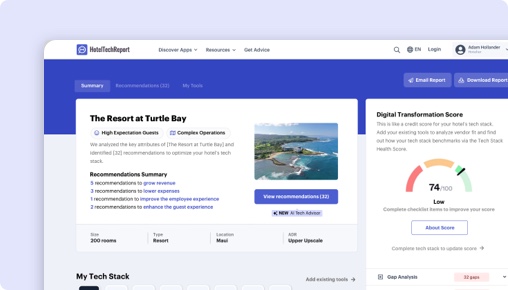
Sorry, this functionality is only available for verified hoteliers
The project dashboard is a free tool that is only available to verified hoteliers to make adopting new technology easier by streamlining their research and simplifying their communication workflow.

GuestSpace vs. TouchMenu:
あなたに最適なのはどちら?
まとめ
52件の認証済みホテル経営者レビューを分析し、機能セット、料金、実際の導入事例を比較して、各プラットフォームの強みを明らかにしました。最適な選択は、施設の種類と優先事項によって異なります:
GuestSpace 優れています user experienceに関して 、App downloadなどの独自機能を備えています.
TouchMenu 優れています ease of use and customer supportにおいて .
GuestSpaceとTouchMenuの比較
HTRの52件の認証済みホテル経営者レビューに基づく並列評価。
| HTScore |
|
|
| 推奨度 |
|
|
| 使いやすさ |
|
|
| カスタマーサポート |
|
|
| コストパフォーマンス |
|
|
| 開始価格 | From $600/mo | From $300/mo |
| 認証済みレビュー | 27 | 25 |
GuestSpaceとTouchMenuの長所と短所は?
52件の認証済みレビューを分析した結果、GuestSpaceのユーザーはuser experience, 通信機能, ゲスト向けセルフサービス機能を最も評価し、TouchMenuのユーザーはゲストエクスペリエンスの向上, 運用効率, 使いやすさを高く評価しています。各テーマをクリックすると、レビュー投稿者の声をご覧いただけます。
|
|
|
|---|---|
| 長所 | |
|
+
User Experience
▾
|
+
ゲストエクスペリエンスの向上
▾
|
|
+
通信機能
▾
|
+
運用効率
▾
|
|
+
ゲスト向けセルフサービス機能
▾
|
+
使いやすさ
▾
|
|
+
Online Check-In Automation
▾
|
+
サポートと応答性
▾
|
| 短所 | |
|
−
ロックシステムおよび予約システムとの統合
▾
|
−
既存システムとの統合
▾
|
|
−
カスタマイズ性と柔軟性
▾
|
|
|
−
分析とレポート作成
▾
|
|
GuestSpace vs TouchMenu:ホテルセグメント別ランキング
各セグメントのホテル経営者による認証済みレビューに基づく、施設規模・タイプ・地域別のホテルゲストアプリベンダー内ランキング。
ホテル規模別
| セグメント |
|
|
|---|---|---|
| 小規模(10〜24室) ▾ | — | #12 7件のレビュー |
| 中規模(25〜74室) ▾ | — | #10 13件のレビュー |
| 大規模(75〜199室) ▾ | — | #11 5件のレビュー |
施設タイプ別
| セグメント |
|
|
|---|---|---|
| ブティック ▾ | — | #12 12件のレビュー |
| ラグジュアリー ▾ | — | #10 17件のレビュー |
| ブランド/チェーン ▾ | — | #13 7件のレビュー |
| 長期滞在型 | — | #11 2件のレビュー |
地域別
| セグメント |
|
|
|---|---|---|
| 北米 | — | #18 1件のレビュー |
| ヨーロッパ ▾ | — | #10 22件のレビュー |
| アジア太平洋 | — | #10 2件のレビュー |
The Decision
Choosing between Drop.in Guest App and TouchMenu hinges on what your hotel needs most. Both aim to improve guest engagement and streamline operations but approach these goals differently. Drop.in primarily automates check-in and guest management through a digital web app, while TouchMenu focuses on elevating guest satisfaction via personalized services, ordering, and communication platforms.
Your decision should consider current operational gaps, guest experience priorities, and the tech infrastructure you already have. Do you want a robust self-check-in solution or a versatile guest communication platform? The answer depends on your hotel’s specific challenges and ambitions.
Is Drop.in or TouchMenu Better for Hotels?
Drop.in offers a comprehensive digital guest journey centered on automating check-in, digital keys, and upselling, making it ideal for hotels aiming to reduce front desk workload. TouchMenu, on the other hand, emphasizes service personalization and guest engagement through a multi-service platform, suited for hotels focused on enhancing on-site experiences.
Drop.in's strengths lie in its no-download web app that simplifies guest self-service, with recent reviews praising its impact on operational efficiency. TouchMenu’s appeal is its ability to integrate ordering, booking, and communication into one interface, which modern, tech-savvy hotels find invaluable.
Both products have similar overall scores (Drop.in: 78.25, TouchMenu: 77.35), but Drop.in has a slight edge in recent review volume and recency, making its data more reliable. When considering their focus areas, which aligns better with your hotel’s priorities?
Drop.in vs TouchMenu: Which Should Your Hotel Choose?
If your hotel needs to automate check-in, issue digital keys, and lower overhead, go with Drop.in. Its no-download web app and multi-system integrations facilitate faster check-ins and contactless access, especially beneficial for properties with high guest turnover or pre-arrival automation.
If your hotel prioritizes guest engagement through personalized services, food and beverage ordering, and on-site communication, TouchMenu is the better fit. Its platform enables seamless ordering, spa bookings, and messaging, ideal for hotels aiming to elevate their guest experience and increase ancillary revenues.
For hotels with a focus on front-desk automation and operational efficiency, Drop.in’s features are more aligned. Conversely, properties that want to foster a more interactive, service-driven environment should lean toward TouchMenu.
Is Drop.in or TouchMenu Easier to Use?
Drop.in’s user ratings show a solid 4.58/5 for ease of use, with positive feedback highlighting its intuitive, web-based interface. Users praise its smooth onboarding process (4.6/5), though some note that customization options in back-office management could improve.
TouchMenu outperforms slightly, boasting a 4.96/5 rating for ease of use and a nearly perfect onboarding score (4.96/5). Reviews emphasize its simple, fast, and complete system, making staff adoption straightforward and guest interactions hassle-free.
Edge: TouchMenu.
Which Has Better Features: Drop.in or TouchMenu?
Drop.in offers 11 shared features with TouchMenu but provides one unique feature: an app download option, allowing guests to install a dedicated app for even easier access. It also integrates with key systems like Goki and Stayntouch, and supports mobile check-in, digital keys, and upselling tools.
TouchMenu supports core features like ordering, booking, and messaging, with a focus on personalized services. It includes AI-powered insights and multi-channel communication but lacks the app download option present in Drop.in.
Drop.in’s additional app download feature gives it an edge, especially for hotels wanting a dedicated guest app. Overall, Drop.in’s integrations and customization options slightly outpace TouchMenu’s offerings.
Edge: Drop.in.
Which Has Better Customer Support: Drop.in or TouchMenu?
Drop.in’s support is rated 4.46/5, with users appreciating the responsiveness and helpfulness of their team. Some reviews mention that faster support response times would enhance their experience, particularly during pre-opening phases.
TouchMenu’s customer support receives a perfect 5/5 rating, with reviewers emphasizing its quick, proactive responses. Multiple comments highlight the team’s willingness to assist and resolve issues promptly, contributing to smoother implementation and ongoing use.
Edge: TouchMenu.
Which Has More Integrations: Drop.in or TouchMenu?
Both products support four verified integrations, including Mews, a common partner. Drop.in additionally partners with Flexipass, Stayntouch, and Goki, offering broader options for access management, PMS, and guest services.
TouchMenu’s unique integrations include Stripe for payments and Oracle Hospitality, providing extensive options for food service and point-of-sale solutions. For properties requiring multiple system connections, Drop.in’s range offers a slight advantage.
Edge: Drop.in.
Which Do Hoteliers Rate Higher: Drop.in or TouchMenu?
Drop.in’s recent reviews are limited but highly positive, with a 93% likelihood to recommend and a score of 78.25. Hoteliers praise its ability to reduce check-in times and support guest self-service, mainly in mid-market and property management segments.
TouchMenu boasts a higher likelihood to recommend at 98%, with a rating of 77.35. Its users, primarily in luxury and resort segments, appreciate the sleek interface and added revenue opportunities from upselling.
Overall, TouchMenu’s more recent and numerous reviews give it a slight edge in perceived value.
Edge: TouchMenu.
How Much Do Drop.in and TouchMenu Cost?
Drop.in charges a flat base price of $600 per month without a free trial or freemium option. Its pricing structure suggests a focus on larger or more integrated hotels seeking a comprehensive digital guest journey.
TouchMenu’s base price is $300 per month, also without a free trial, making it more accessible for smaller hotels or properties with tighter budgets. The pricing reflects its focus on guest services and operational automation.
Both products lack detailed tiered pricing or add-ons, so your choice depends on budget and required features.
What Type of Hotel Should Use Drop.in?
- Hotels that want to automate check-in, digital keys, and reduce front desk workload.
- Properties with high occupancy and turnover, like hotels in busy city centers or resorts.
- Hotels seeking to increase revenue through upselling pre-arrival and during stay.
- Properties with existing digital infrastructure that can integrate with Drop.in’s systems.
- Teams comfortable managing a web-based platform with some customization needs.
Not ideal if:
- Your hotel primarily relies on staff-led guest interactions.
- You need highly customizable communication or analytics features.
- Your property is small and prefers a lower-cost, simpler solution.
What Type of Hotel Should Use TouchMenu?
- Hotels focused on elevating guest experiences with personalized services.
- Properties that want to streamline food, spa, and activity bookings.
- Hotels seeking to boost ancillary revenues through upselling.
- Venues with tech-savvy guests who appreciate seamless digital interactions.
- Hotels with existing property management systems that integrate well with TouchMenu.
Not ideal if:
- Your hotel primarily needs check-in automation.
- You prefer a solution with extensive analytics or backend customization.
- Your property doesn’t prioritize guest engagement platforms or digital service offerings.
Drop.in vs TouchMenu: The Bottom Line for Hotels
Drop.in specializes in automating guest check-in, digital key issuance, and operational workflows, making it ideal for hotels aiming to reduce staffing costs and enhance contactless experiences. Its focus on self-service and integrations supports properties looking for a robust, scalable guest journey platform.
TouchMenu excels in fostering guest satisfaction through personalized, service-oriented features that simplify ordering and communication. It’s a strong choice for hotels emphasizing guest engagement, revenue growth, and seamless on-site services.
If your hotel’s priority is efficient check-in and operational efficiency, go with Drop.in. For a more service-centric, guest experience-focused approach, TouchMenu is the way to go.
GuestSpaceとTouchMenuの費用は?
ホテルゲストアプリ の料金はわかりにくいことが多いです。各ベンダーの公開料金データから判明している情報をまとめました。施設の規模に合わせたカスタム見積もりを必ずご依頼ください。
|
|
|
|
|---|---|---|
| Starting Price | From $600/mo | From $300/mo |
GuestSpaceにあってTouchMenuにない機能(およびその逆)は?
HTRの製品データベースによると、GuestSpaceとTouchMenuは11個の機能を共有しています。以下は主な違い — 一方にあって他方にない機能です。
| 機能 |
|
|
|---|---|---|
| アプリのダウンロード |
GuestSpace vs TouchMenu:まとめ
ホテル経営者が高く評価する点
The overall user experience of both guests and staff with DropIn is favorable due to its intuitive interface. This ease of use contributes to smooth a... The overall user experience of both guests and staff with DropIn is favorable due to its intuitive interface. This ease of use contributes to smooth adoption and effective utilization of its features.
DropInのコミュニケーション機能は高く評価されていますが、一部のユーザーは、ゲストとの交流をさらに強化するために、発信コミュニケーション機能の改善の余地... DropInのコミュニケーション機能は高く評価されていますが、一部のユーザーは、ゲストとの交流をさらに強化するために、発信コミュニケーション機能の改善の余地があると感じています。
セルフサービス機能を利用するゲストは、DropInによって実現される滞在の自由度が高まり、より快適な滞在を享受できます。これにより、ゲストの満足度は大幅に向... セルフサービス機能を利用するゲストは、DropInによって実現される滞在の自由度が高まり、より快適な滞在を享受できます。これにより、ゲストの満足度は大幅に向上します。また、利用者はこれを業務効率の向上にも繋がると考えています。
ホテル経営者が指摘する課題
DropInとMewsなどの予約システムとの連携機能、およびデジタルアクセスコード生成機能は非常に高く評価されています。この機能により、手動チェックインの必要性... DropInとMewsなどの予約システムとの連携機能、およびデジタルアクセスコード生成機能は非常に高く評価されています。この機能により、手動チェックインの必要性が減り、客室へのアクセスがより簡単かつ安全になります。
概ね好評だったものの、DropInプラットフォーム内でのカスタマイズオプション、特にゲストとのコミュニケーションやメニュー設定に関するオプションの拡充を求め... 概ね好評だったものの、DropInプラットフォーム内でのカスタマイズオプション、特にゲストとのコミュニケーションやメニュー設定に関するオプションの拡充を求める声が複数寄せられた。この分野の改善は、DropInの利便性をさらに高めるだろう。
独自の機能
ホテル経営者が高く評価する点
ユーザーは、タッチメニューが、シームレスな注文、パーソナライズされた体験、物理的なやり取りを伴わない簡単なコミュニケーションを通じて、現代のホスピタリ... ユーザーは、タッチメニューが、シームレスな注文、パーソナライズされた体験、物理的なやり取りを伴わない簡単なコミュニケーションを通じて、現代のホスピタリティにとって極めて重要な、ゲストの満足度を大幅に向上させるとよく言います。
レビュー担当者は、統合された注文機能と予約機能によって操作を簡素化した TouchMenu を高く評価しています。この自動化により、スタッフの直接的な関与の必要... レビュー担当者は、統合された注文機能と予約機能によって操作を簡素化した TouchMenu を高く評価しています。この自動化により、スタッフの直接的な関与の必要性が減り、運用効率が向上し、紙の使用が減ることで環境保護活動にも役立ちます。
多くのレビューで、TouchMenu のユーザーフレンドリーなインターフェースが強調されており、ゲストとスタッフのどちらも簡単にシステムを操作できます。直感的な... 多くのレビューで、TouchMenu のユーザーフレンドリーなインターフェースが強調されており、ゲストとスタッフのどちらも簡単にシステムを操作できます。直感的なデザインにより、使用上の障壁がなくなり、さまざまなユーザー グループで広く採用されるようになります。
ホテル経営者が指摘する課題
いくつかのレビューでは、このソフトウェアが既存のプロパティ管理システムやゲスト対応システムとの統合をサポートしており、さまざまなホテル機能にわたってシ... いくつかのレビューでは、このソフトウェアが既存のプロパティ管理システムやゲスト対応システムとの統合をサポートしており、さまざまなホテル機能にわたってシームレスな運用を維持するのに役立つ点が強調されています。
評価が最も分かれる分野
GuestSpace vs TouchMenuに関するよくある質問
GuestSpaceはTouchMenuの代わりになりますか?
お客様の要件次第です。GuestSpaceとTouchMenuは多くの主要なHotel Guest Apps機能を共有していますが、それぞれに独自の機能があります。GuestSpaceは4件の認証済み連携パートナーを持ち、TouchMenuは4件を持っています。切り替え前に、上記の機能比較で違いをご確認ください。
小規模または独立系ホテルにはどちらが適していますか?
小規模ホテルは使いやすさと迅速なオンボーディングを優先すべきです。TouchMenuは使いやすさで5.0/5対4.6/5とリードしています。透明性のある料金設定とトライアルまたはデモのオプションを探しましょう。各製品ページで施設規模別にレビューをフィルタリングして、同様のホテルからの声を確認してください。
GuestSpaceまたはTouchMenuに無料プランはありますか?
GuestSpace:いいえ。TouchMenu:いいえ。 どちらの製品も現在無料ティアを提供していません。ほとんどのHotel Guest Appsベンダーはデモまたはトライアルを提供しています — コミットする前に各社にご依頼ください。
HTRはGuestSpaceとTouchMenuをどのように評価・ランク付けしていますか?
HT Scoreは、ホテル経営者がホテルテクノロジー製品を客観的に比較できるよう、4個の基準グループと十数の変数を考慮した総合ランキングです。GuestSpaceのHT Scoreは78、TouchMenuは78です。以下がスコアの算出方法です。
| 基準グループ | ウェイト | 測定内容 |
|---|---|---|
| 顧客評価とレビュー |
|
ユーザーはこの製品をどの程度推奨していますか? 評価スコア、レビュー数、シェアオブボイス、レビューの深さ、レビューの新しさ、成功事例 ▾ 最も重みの大きい要素です。平均満足度評価(推奨度、使いやすさ、サポート、ROI)、カテゴリー内の競合に対するレビュー総数、レビューの新しさ(直近6か月間に20件以上のレビュー)、固有のホテルクライアント全体のシェアオブボイスを分析して選択バイアスを検出します。 |
| パートナーエコシステム |
|
テクノロジーパートナーはこの企業をどの程度推奨していますか? パートナー推奨、連携数、連携品質 ▾ パートナー推奨を専門家の信頼票として評価し、認証済み連携の数、エコシステムの品質 — 連携パートナーの平均HT Scoreを評価します。より高品質な連携エコシステムを持つ製品は、接続されたテックスタックを提供する可能性が高くなります。 |
| 顧客中心主義 |
|
この組織はどの程度顧客中心ですか? 認定サポート、レビューの一貫性、プロフィールの完全性 ▾ 企業がHTRカスタマーサポート認定を取得しているか、長期にわたり一貫したレビュー収集を維持しているか(フィードバック主導の文化の指標)、機能、スクリーンショット、料金、特徴を含む完全な製品プロフィールを維持しているかを評価します。 |
| リーチ、継続性、リソース |
|
この企業のリーチとリソースはどの程度広範ですか? 地理的リーチ、継続性、企業リソース、トレンドスコア ▾ グローバルプレゼンス(対応国・地域)、安定性の指標としての事業年数、リソースの指標としてのチーム人数、直近12か月の購入者からの問い合わせ・レビュー・パートナー推奨・プレス活動に基づくトレンドスコアを測定します。 |
顧客評価とレビューは、HT Scoreアルゴリズムにおいて最も重要な要素です。HTRはランキング向上のための支払いを受け付けていません。すべてのレビューは認証済みです — 所属が確認されたホテル業界の実務者のみが評価を投稿できます。 HT Scoreの詳細な算出方法を見る →
ホテル経営者が読んでいるその他のホテルゲストアプリ比較
認証済みホテル経営者レビューに基づく、その他の一対一比較をご覧ください。
パーソナライズされた製品推奨事項を取得する
製品推奨アドバイザー
