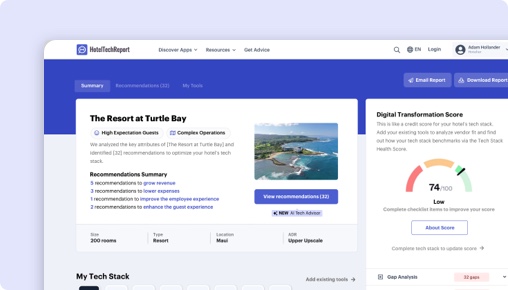
Sorry, this functionality is only available for verified hoteliers
The project dashboard is a free tool that is only available to verified hoteliers to make adopting new technology easier by streamlining their research and simplifying their communication workflow.

Criton vs. Hub OS Guest in Touch:
Which Is Right for You?

TLDR
We analyzed 51 verified hotelier reviews, compared feature sets, pricing, and real-world case studies to break down where each platform delivers. The right choice depends on your property type and priorities:
Criton shines , with exclusive features like Mobile Checkin and Guest Profiles.
hub OS shines in ease of use and ROI , with exclusive features like Web-app.
How Does Criton Compare to Hub OS Guest in Touch?
Side-by-side ratings based on 51 verified hotelier reviews on HTR.
| HTScore |
|
|
| Likelihood to Recommend |
|
|
| Ease of Use |
|
|
| Customer Support |
|
|
| Value for Money |
|
|
| Starting Price | Contact sales | Contact sales |
| Verified Reviews | 21 | 30 |
What Are the Pros and Cons of Criton vs Hub OS Guest in Touch?
After analyzing 51 verified reviews, Criton users most value its , while hub OS users highlight inter-department communication, maintenance management, user interface (ui). Click any theme to see what reviewers say.
|
Criton
|
hub OS
|
|---|---|
| Pros | |
|
+
Inter-department Communication
▾
|
|
|
+
Maintenance Management
▾
|
|
|
+
User Interface (UI)
▾
|
|
|
+
Customization
▾
|
|
| Cons | |
|
−
Technical Glitches
▾
|
|
|
−
Mobile Accessibility
▾
|
|
Criton vs hub OS: Rankings by Hotel Segment
How each product ranks among Hotel Guest Apps vendors for different property sizes, types, and regions — based on verified reviews from hoteliers in each segment.
By Hotel Size
| Segment |
Criton
|
hub OS
|
|---|---|---|
| Small (10-24 rooms) ▾ | #5 14 reviews | #14 1 reviews |
| Mid-Size (25-74 rooms) ▾ | #15 4 reviews | #6 19 reviews |
| Large (75-199 rooms) ▾ | #14 2 reviews | #3 7 reviews |
| X-Large (200+ rooms) | #25 0 reviews | #10 2 reviews |
By Property Type
| Segment |
Criton
|
hub OS
|
|---|---|---|
| Boutique ▾ | #14 7 reviews | #8 17 reviews |
| Luxury ▾ | #13 10 reviews | #9 13 reviews |
| Branded / Chain ▾ | #15 3 reviews | #5 14 reviews |
| Extended Stay | #9 3 reviews | #8 3 reviews |
By Region
| Segment |
Criton
|
hub OS
|
|---|---|---|
| North America | #10 2 reviews | #16 2 reviews |
| Europe ▾ | #11 18 reviews | #6 21 reviews |
| Asia Pacific | #19 0 reviews | #15 0 reviews |
| Middle East | — | #6 2 reviews |
The Decision
Choosing the right guest engagement platform is critical for your hotel’s digital transformation. Both Criton and Hub OS Guest in Touch aim to streamline communication and enhance guest experiences, but they do so with different focuses and capabilities. Criton offers a comprehensive mobile app solution packed with features, while Hub OS provides a web-based communication tool emphasizing operational efficiency. Which aligns better with your hotel’s goals?
Criton emphasizes branded, all-in-one mobile apps for contactless experiences, whereas Hub OS centers on real-time guest-staff communication via web apps. Are you seeking a robust mobile app ecosystem or a streamlined contactless communication channel?
Is Criton or Hub OS Better for Hotels?
Criton and Hub OS both address guest communication and operational needs, but they serve distinct purposes. Criton is a guest-facing app that replaces printed materials, offers mobile check-in, and provides in-room messaging—aimed at enhancing the guest journey and increasing revenue. Hub OS, by contrast, functions primarily as an internal communication tool that empowers staff to respond to guest requests, report issues, and coordinate across departments.
Criton’s platform is ideal if your team wants a branded mobile app that guests can access for all their needs, including digital check-ins and upselling. Hub OS excels if your focus is improving operational workflows, especially maintenance, housekeeping, and inter-department communication. Do you prioritize engaging guests directly through their devices, or do you want to optimize internal communication for smoother operations?
Criton’s high review count (21 reviews in the last 6 months) and a 4.71/5 overall rating with recent feedback make it the more current and trusted choice. Conversely, Hub OS has 27 reviews and a slightly lower rating of 4.69/5, but its reviews are more recent and consistently positive regarding operational improvements. Given the latest review activity, Criton’s platform is more validated at this point. Which approach better suits your current priorities?
Criton vs Hub OS: Which Should Your Hotel Choose?
If your hotel needs a guest-facing app that enhances the digital guest journey—offering mobile check-in, digital keys, and in-app messaging—Criton is the better choice. It provides tools to digitize guest information, support contactless services, and drive revenue through upselling, making it suitable for boutique hotels, resorts, and independent properties.
If your team prioritizes operational efficiency—streamlining maintenance, improving inter-department communication, and managing guest requests through a simple web interface—Hub OS is the smarter pick. Its features focus on incident management, housekeeping, and real-time staff coordination, ideal for large hotels, resorts, and properties with complex operations.
For properties seeking to boost guest engagement with a branded app, Criton is preferable. For those aiming to improve internal workflows, Hub OS offers more targeted support. What is your primary goal: engaging guests directly or optimizing internal processes?
Is Criton or Hub OS Easier to Use?
Criton’s platform maintains a user-friendly design, with a rating of 4.5/5 for ease of use, and onboarding rated at 4.36/5. Users describe Criton as simple to set up and update, with a friendly support team that makes content management straightforward. However, some users mention that customization options could improve, especially for the interface.
Hub OS scores even higher for usability, with a 4.87/5 rating. Its interface is praised for being intuitive and accessible to all hotel staff, including non-technical personnel. Users appreciate its real-time feedback features and ease of reporting issues, although some mention occasional crashes that could be improved.
Edge: Hub OS.
Which Has Better Features: Criton or Hub OS?
Criton offers a suite of eight features exclusive to its platform, including mobile check-in, digital room keys, guest profiles, in-app messaging, mobile checkout, hotel directory, app downloads, and payments. These tools enable a comprehensive digital guest experience that can replace printed materials and support contactless services.
Hub OS provides only one feature unique to its platform—its web-app interface—but it integrates deeply with operational processes like incident reporting, maintenance tracking, and guest request management. Both platforms share two core features: basic communication tools and analytics.
Criton’s richer feature set makes it more suitable for properties seeking full guest-facing app functionality. Hub OS’s focus on operational communication benefits hotels aiming to streamline staff workflows. Which features are more critical for your property’s success?
Edge: Criton.
Which Has Better Customer Support: Criton or Hub OS?
Criton’s customer support is rated 4.62/5, with reviews praising quick response times and helpful support staff. Users note that Criton’s team is committed to product development and support, although some mention that feature customization can take time to implement.
Hub OS outperforms slightly with a 4.74/5 rating, with reviews highlighting proactive support and responsiveness. Users appreciate the company’s involvement in resolving issues promptly and the platform’s ease of use, despite some reports of technical glitches.
Edge: Hub OS.
Which Has More Integrations: Criton or Hub OS?
Criton boasts 16 verified integrations with partners like RMS, Oracle Hospitality, and Mews, alongside several niche solutions such as Net Affinity and GuestRevu. It offers a good range of connectivity options to existing property management systems.
Hub OS leads with 23 verified partners, including major brands like Infor, Signify, and Newhotel, plus integrations with HiJiffy and Quinta. Its broader partner network facilitates more seamless connectivity, especially for properties with diverse tech stacks.
Edge: Hub OS.
Which Do Hoteliers Rate Higher: Criton or Hub OS?
Criton’s recent reviews reflect a high overall rating of 4.71/5, especially favored by boutique, independent, and resort properties. Hoteliers highlight its ease of creating a branded app, support for contactless services, and quick updates as key strengths.
Hub OS maintains a slightly lower overall rating of 4.69/5 but is highly rated among larger hotels and resorts, particularly for operational improvements and ease of staff use. Its recent reviews praise its impact on efficiency and maintenance workflows.
Given the more recent and numerous reviews, Hub OS holds a slight edge in current hoteliers’ ratings.
Edge: Hub OS.
How Much Do Criton and Hub OS Cost?
Neither Criton nor Hub OS publicly discloses specific pricing, emphasizing a custom approach based on property size and needs. Both operate on a subscription basis without trial offers or implementation fees, making cost comparisons challenging.
Expect to discuss tailored quotes directly with each vendor, focusing on your property’s scale and feature requirements.
What Type of Hotel Should Use Criton?
- Hotels that want a branded mobile app to replace printed materials and support contactless check-in.
- Properties aiming to increase guest engagement and revenue through upselling.
- Hotels that value flexibility in content updates and analytics.
- Boutique hotels, resorts, and independent properties with a focus on digital guest experiences.
Not ideal if your hotel primarily needs operational workflow management without significant guest-facing app features.
What Type of Hotel Should Use Hub OS?
- Hotels seeking to improve internal communication and operational workflows.
- Properties that prioritize maintenance management, incident reporting, and staff coordination.
- Hotels with multiple departments that benefit from real-time updates and task tracking.
- Large resorts and properties with complex operational needs.
Not ideal if your focus is on developing a comprehensive mobile guest app or in-app guest engagement features.
The Bottom Line for Hotels
Criton and Hub OS serve different hotel needs. Criton’s strength lies in its guest-facing mobile app capabilities, designed to create a contactless, engaging guest experience. Hub OS excels in operational efficiency, streamlining staff communication, and incident management.
Choose Criton if your priority is elevating the guest journey with a branded app offering mobile check-in, messaging, and upselling tools. Opt for Hub OS if your focus is internal process improvements, maintenance tracking, and real-time staff communication.
For properties valuing recent reviews and active user feedback, Hub OS’s current ratings and latest reviews make it the more proven choice. However, if your hotel is ready to invest in a fully branded guest app, Criton offers a versatile, feature-rich platform. Which direction aligns with your hotel’s strategic goals?
Which Features Does Criton Have That Hub OS Guest in Touch Doesn't (and Vice Versa)?
According to HTR's product database, Criton and Hub OS Guest in Touch share 2 features. Here are the key differences — features one has that the other lacks.
| Feature |
Criton
|
hub OS
|
|---|---|---|
| Guest Messaging | ||
| Guest Profiles | ||
| Hotel Directory | ||
| Local Recommendations | ||
| Mobile Checkin | ||
| Mobile Checkout | ||
| Web-app |
Criton vs hub OS: The Bottom Line
Ranks higher for
Unique capabilities
What hoteliers love
Hub OS excels in facilitating communication across various hotel departments. Reviews highlight the ease of reporting issues and distributing tasks am... Hub OS excels in facilitating communication across various hotel departments. Reviews highlight the ease of reporting issues and distributing tasks among teams, leading to coordinated efforts and improved service delivery. This feature has greatly enhanced the overall operational flow.
Users appreciate Hub OS's ability to streamline maintenance operations. It provides quick reporting and resolution of faults, reducing downtime and op... Users appreciate Hub OS's ability to streamline maintenance operations. It provides quick reporting and resolution of faults, reducing downtime and operational inefficiencies. The software allows teams to track and communicate maintenance issues in real-time, leading to faster problem-solving.
While many users find Hub OS user-friendly and visually appealing, some have experienced issues with the interface, such as occasional crashes or dela... While many users find Hub OS user-friendly and visually appealing, some have experienced issues with the interface, such as occasional crashes or delays. Despite these hiccups, users still appreciate how the software simplifies complex tasks.
Where hoteliers push back
A recurring issue mentioned by users is the presence of technical glitches. These include synchronization delays, occasional crashes, and interface er... A recurring issue mentioned by users is the presence of technical glitches. These include synchronization delays, occasional crashes, and interface errors. While these issues are generally resolved quickly, they can still disrupt hotel operations.
Hub OS's mobile accessibility is commended for allowing hotel staff to manage operations on-the-go. This feature is especially useful for reporting is... Hub OS's mobile accessibility is commended for allowing hotel staff to manage operations on-the-go. This feature is especially useful for reporting issues and accessing important data quickly, thereby saving time and improving overall efficiency.
Ranks higher for
Unique capabilities
Where the ratings diverge most
Frequently Asked Questions About Criton vs Hub OS Guest in Touch
Can Criton replace Hub OS Guest in Touch?
It depends on your requirements. Criton and Hub OS Guest in Touch share many core Hotel Guest Apps features, but each has unique capabilities. Criton offers 16 verified integration partners, while Hub OS Guest in Touch offers 23. Review the feature comparison above to see where they differ before switching.
Which is better for small or independent hotels?
Small hotels should prioritize ease of use and fast onboarding. Hub OS Guest in Touch leads in ease of use at 4.9/5 vs 4.5/5. Look for transparent pricing and a trial or demo option. Filter reviews on each product page by property size to hear from hotels like yours.
Do Criton or Hub OS Guest in Touch offer a free plan?
Criton: No. Hub OS Guest in Touch: No. Neither product currently offers a free tier. Most Hotel Guest Apps vendors offer demos or trials — request one from each to evaluate before committing.
How Does HTR Evaluate and Rank Criton and Hub OS Guest in Touch?
The HT Score is a composite ranking that considers 4 criteria groups and over a dozen variables to help hoteliers objectively compare hotel technology products. Criton has an HT Score of 0 and hub OS has 22. Here is how the score is calculated.
| Criteria Group | Weight | What It Measures |
|---|---|---|
| Customer Ratings & Reviews |
|
How highly do users recommend this product? Ratings Score, Review Volume, Share of Voice, Review Depth, Review Recency, Success Stories ▾ The most heavily weighted factor. Analyzes average satisfaction ratings (likelihood to recommend, ease of use, support, ROI), total review count relative to category peers, review recency (at least 20 reviews in the trailing 6 months), and share of voice across unique hotel clients to detect selection bias. |
| Partner Ecosystem |
|
How highly do tech partners recommend this company? Partner Recommendations, Integration Quantity, Integration Quality ▾ Evaluates partner recommendations as expert votes of confidence, the number of verified integrations, and ecosystem quality — the average HT Scores of integration partners. Products with higher-quality integration ecosystems are more likely to deliver a connected tech stack. |
| Customer Centricity |
|
How customer-centric is this organization? Certified Support, Review Consistency, Profile Completeness ▾ Assesses whether the company has earned HTR Customer Support Certification, maintains consistent review collection over time (an indicator of feedback-driven culture), and keeps product profiles complete with capabilities, screenshots, pricing, and features. |
| Reach, Staying Power & Resources |
|
How extensive is this company's reach and resourcing? Geographic Reach, Staying Power, Company Resources, Trending Score ▾ Measures global presence (countries and regions served), years in business as a stability proxy, team headcount as a resource proxy, and a trending score based on trailing-twelve-month buyer inquiries, reviews, partner recommendations, and press activity. |
Customer ratings and reviews are by far the most important factor in the HT Score algorithm. HTR does not accept payment for higher rankings. All reviews are verified — only hotel industry practitioners with confirmed affiliations can submit ratings. View full HT Score methodology →
What Other Hotel Guest Apps Comparisons Are Hoteliers Reading?
Explore more head-to-head comparisons based on verified hotelier reviews.





Contents
Get Your Free AI Analyst Report
Custom recommendations tailored to your property


Let´s lookup your hotel information
Still weighing your hotel guest apps options?
A few popular systems from our hotel guest apps guide — or let our AI score each one against your specific property in about two minutes.