
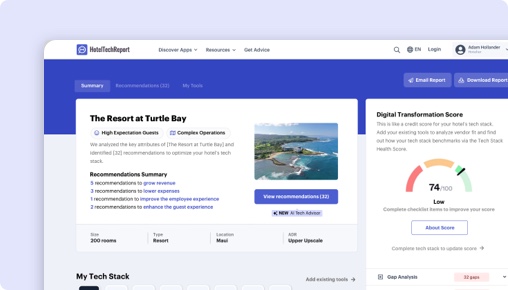
Sorry, this functionality is only available for verified hoteliers
The project dashboard is a free tool that is only available to verified hoteliers to make adopting new technology easier by streamlining their research and simplifying their communication workflow.

Microsoft Shifts App vs. Unifocus:
Which Is Right for You?

TLDR
We analyzed 40 verified hotelier reviews, compared feature sets, pricing, and real-world case studies to break down where each platform delivers. The right choice depends on your property type and priorities:
Microsoft shines .
Unifocus shines in ease of use and customer support — especially for brand properties (4.3/5) , with exclusive features like Mobile App and Reporting & Analytics.
How Does Microsoft Shifts App Compare to Unifocus?
Side-by-side ratings based on 40 verified hotelier reviews on HTR.
| HTScore |
|
|
| Likelihood to Recommend |
|
|
| Ease of Use |
|
|
| Customer Support |
|
|
| Value for Money |
|
|
| Starting Price | Contact sales | Contact sales |
| Verified Reviews | 0 | 40 |
What Are the Pros and Cons of Microsoft Shifts App vs Unifocus?
After analyzing 40 verified reviews, Microsoft users most value its , while Unifocus users highlight labor management, user-friendly interface, training and support. Click any theme to see what reviewers say.
|
Microsoft
|
Unifocus
|
|---|---|
| Pros | |
|
+
Labor Management
▾
|
|
|
+
User-Friendly Interface
▾
|
|
|
+
Training and Support
▾
|
|
|
+
Seamless Integration
▾
|
|
| Cons | |
|
−
Customization Needs
▾
|
|
|
−
Speed and Responsiveness
▾
|
|
|
−
New Version Criticisms
▾
|
|
Microsoft vs Unifocus: Rankings by Hotel Segment
How each product ranks among Scheduling & Workforce Management vendors for different property sizes, types, and regions — based on verified reviews from hoteliers in each segment.
By Hotel Size
| Segment |
Microsoft
|
Unifocus
|
|---|---|---|
| Small (10-24 rooms) | — | #4 2 reviews |
| Mid-Size (25-74 rooms) ▾ | — | #5 10 reviews |
| Large (75-199 rooms) ▾ | — | #4 17 reviews |
| X-Large (200+ rooms) ▾ | — | #4 7 reviews |
By Property Type
| Segment |
Microsoft
|
Unifocus
|
|---|---|---|
| Boutique ▾ | — | #5 6 reviews |
| Luxury ▾ | — | #4 19 reviews |
| Branded / Chain ▾ | — | #4 17 reviews |
| Extended Stay ▾ | — | #4 5 reviews |
By Region
| Segment |
Microsoft
|
Unifocus
|
|---|---|---|
| North America ▾ | — | #4 34 reviews |
| Europe | — | #2 3 reviews |
| Asia Pacific | — | #1 0 reviews |
The Decision
Choosing the right workforce management software for your hotel hinges on identifying your operational priorities and user needs. Microsoft Shifts App by Microsoft offers a streamlined, mobile-first scheduling tool integrated within Microsoft Teams, primarily tailored for frontline teams. Conversely, Unifocus is a dedicated hospitality workforce platform with a broad feature set aimed at automating labor forecasting, scheduling, and department communication.
Both products aim to improve staff coordination, but their core approaches differ significantly. Microsoft Shifts emphasizes simple scheduling and communication for Firstline Workers, while Unifocus targets comprehensive labor management, forecasting, and analytics. Do you need a lightweight scheduling tool or a robust operational platform?
Is Microsoft Shifts App or Unifocus Better for Hotels?
Microsoft Shifts App primarily serves hotels with frontline, operational teams that already rely on Microsoft Teams for communication. It offers basic scheduling, shift swapping, and messaging features, but lacks advanced labor forecasting or detailed analytics.
Unifocus, on the other hand, is designed for hotels seeking to optimize labor costs and improve operational efficiency through predictive scheduling, detailed reporting, and department collaboration tools. It supports large and complex hotel operations with features like automated labor monitoring and benchmarking.
If your hotel needs a simple, integrated team communication tool, Microsoft Shifts might suffice. For more comprehensive workforce planning and analytics, Unifocus is the clearer choice. Which set of features aligns best with your current priorities?
Unifocus vs Microsoft Shifts App: Which Should Your Hotel Choose?
If your hotel requires detailed labor forecasting, extensive analytics, and automation, go with Unifocus. It’s better suited for hotels managing large, diverse teams that need to forecast staffing needs accurately and streamline operations across multiple departments.
If your team mainly needs a basic scheduling and communication tool integrated into Microsoft Teams, choose Microsoft Shifts. It’s ideal for smaller properties or hotels that want quick, in-app schedule updates without the complexity of advanced labor features.
For hotels with complex staffing needs, Unifocus’s 14 exclusive features—including labor standards, auto scheduling, and benchmarking—outpace Microsoft Shifts’ simpler approach. Conversely, if your focus is on quick team communication, Microsoft’s app offers a straightforward solution.
Is Microsoft Shifts App or Unifocus Easier to Use?
Microsoft Shifts has a user rating of 0/5 on ease of use, with no recent reviews, indicating a lack of data to judge its intuitiveness. Its primary appeal is simplicity—if your team already uses Microsoft Teams, adoption may be straightforward, but some users report limited functionality.
Unifocus boasts a 4.01/5 rating for ease of use, with recent reviews praising its intuitive interface despite some noted sluggishness. Users highlight its straightforward navigation, especially after onboarding, with many appreciating the mobile app for on-the-go management.
Edge: Unifocus.
Which Has Better Features: Microsoft Shifts App or Unifocus?
Microsoft Shifts offers basic scheduling, shift swapping, messaging, and document sharing within Microsoft Teams. It does not include features like labor standards, auto scheduling, or analytics.
Unifocus provides 14 unique features, such as labor standards, automated labor monitoring, tip pooling, mobile app, reporting & analytics, shift swapping, and benchmarking. These features enable comprehensive workforce management with real-time insights and automation.
Given its feature depth, Unifocus is the more capable platform for complex hotel operations. Edge: Unifocus.
Which Has Better Customer Support: Microsoft Shifts App or Unifocus?
Microsoft Shifts has no available review data on support quality, making it difficult to assess. Its integration within Microsoft Teams suggests support is tied to Microsoft’s broader customer service, which varies.
Unifocus’s reviews show a support rating of 4.19/5, with users citing effective on-site training and responsive assistance. Reviewers describe its support as proactive, especially during onboarding, which is critical for complex system deployment.
Edge: Unifocus.
Which Has More Integrations: Microsoft Shifts App or Unifocus?
Microsoft Shifts, being part of Microsoft Teams, does not list verified third-party integrations, possibly limiting its connectivity with other hospitality systems.
Unifocus integrates with 32 verified partners, including PMS, payroll, and third-party hospitality systems like WorkRecords, Kronos, Otelier, and others. This extensive integration allows for smoother data flow and operational coherence.
Edge: Unifocus.
Which Do Hoteliers Rate Higher: Microsoft Shifts App or Unifocus?
Microsoft Shifts has no recent or overall review ratings, indicating low or no active user feedback for hotel-specific use.
Unifocus’s reviews average 4.25/5, with hoteliers praising its user-friendly interface, labor forecasting, and department communication features. Hotels in resorts and branded segments rate it slightly higher (around 4.3/5), reflecting satisfaction among larger or more complex properties.
Edge: Unifocus.
How Much Do Microsoft Shifts App and Unifocus Cost?
Microsoft Shifts does not publish pricing details, which suggests it may be included in broader Microsoft 365 plans or customized per enterprise.
Unifocus’s pricing is also not publicly listed, but its model is typically subscription-based without a trial, implying costs vary depending on hotel size and feature needs. Both lack transparent pricing, so a direct comparison remains difficult.
What Type of Hotel Should Use Microsoft Shifts?
- Hotels that operate with small frontline teams already embedded within Microsoft Teams.
- Teams that prioritize quick, simple scheduling and communication.
- Hotels with limited staffing complexity, needing minimal forecasting.
Not ideal if your hotel requires extensive labor forecasting, analytics, or department-level management.
What Type of Hotel Should Use Unifocus?
- Hotels with large or multi-department teams that need detailed forecasting.
- Resorts or branded hotels managing complex schedules and labor costs.
- Hotels seeking automation, real-time analytics, and benchmarking.
- Teams that value integrated communication and task management.
Not ideal if your hotel requires a lightweight, basic scheduling tool without extensive automation.
Unifocus vs Microsoft Shifts: The Bottom Line for Hotels
Unifocus stands out as the more comprehensive workforce management platform, especially suited for hotels with complex operational needs. Its feature set, integrations, and recent reviews make it the stronger choice for large or multi-property hotels.
Microsoft Shifts offers a straightforward scheduling and communication tool embedded within Microsoft Teams, best for smaller properties with minimal staffing complexity. Its simplicity might be appealing, but it lacks the depth necessary for strategic workforce planning.
For operational excellence and scalability, choose Unifocus. If your hotel needs quick, simple schedule updates within Microsoft Teams, Microsoft Shifts may suffice—but only if your needs are very basic.
This comparison should help you make an informed decision aligned with your hotel’s operational scale and goals.
Feature Comparison: Microsoft Shifts App vs Unifocus
These are the features each vendor has configured, organized by feature group — the same data shown in the vendor dashboard. Expand a group to compare features side by side.
| Feature |
Microsoft
|
Unifocus
|
|---|---|---|
|
▾
Shifts & Scheduling
|
|
|
| Shift Swapping | ||
| Auto Scheduling | ||
| Time clock app | ||
| Dynamic Scheduling | ||
| Labor Standards | ||
|
▾
Time Tracking
|
|
|
| Time clock app | ||
|
▾
Analytics & Benchmarking
|
|
|
| Benchmarking | ||
| Reporting & Analytics | ||
| Corporate Visibility | ||
| Automated Labor Monitoring | ||
| Labor Standards | ||
| Occupancy Forecast Integration | ||
|
▾
Tasks & Checklists
|
|
|
| Tasks & To Do Lists | ||
|
▾
Messaging & Communication
|
|
|
| Team Communication | ||
| Mobile App | ||
|
▾
Benefits Management
|
|
|
| Benefit Accruals | ||
| Tip Pooling |
Microsoft vs Unifocus: The Bottom Line
What hoteliers love
Users commend the software for its robust labor management capabilities, including planning, scheduling, and analyzing labor needs. It is especially u... Users commend the software for its robust labor management capabilities, including planning, scheduling, and analyzing labor needs. It is especially useful for managing both small and large-scale operations, with the ability to pull data from various systems to streamline forecasting.
Many reviewers appreciate UniFocus' user-friendly interface, highlighting its intuitive front-end and organized back-end. Users find it easy to naviga... Many reviewers appreciate UniFocus' user-friendly interface, highlighting its intuitive front-end and organized back-end. Users find it easy to navigate and manage tasks like scheduling and labor management, making it accessible for new managers and supervisors.
While the software gets high marks for on-site training and support, users feel that the initial online training could be improved. On-site training i... While the software gets high marks for on-site training and support, users feel that the initial online training could be improved. On-site training is highlighted as highly effective and engaging.
Where hoteliers push back
Some users express a need for more customization options in the user interface and the ability to access extended reporting history without generating... Some users express a need for more customization options in the user interface and the ability to access extended reporting history without generating and saving reports at specific intervals.
A number of reviewers express frustration with the slow speed and lack of responsiveness of the UniFocus software. This is particularly problematic du... A number of reviewers express frustration with the slow speed and lack of responsiveness of the UniFocus software. This is particularly problematic during peak times like payroll approval.
Unique capabilities
Where the ratings diverge most
Frequently Asked Questions About Microsoft Shifts App vs Unifocus
Can Microsoft Shifts App replace Unifocus?
It depends on your requirements. Microsoft Shifts App and Unifocus share many core Scheduling & Workforce Management features, but each has unique capabilities. Microsoft Shifts App offers 0 verified integration partners, while Unifocus offers 32. Review the feature comparison above to see where they differ before switching.
Which is better for small or independent hotels?
Small hotels should prioritize ease of use and fast onboarding. Unifocus leads in ease of use at 4.0/5 vs 0.0/5. Look for transparent pricing and a trial or demo option. Filter reviews on each product page by property size to hear from hotels like yours.
Do Microsoft Shifts App or Unifocus offer a free plan?
Microsoft Shifts App: No. Unifocus: No. Neither product currently offers a free tier. Most Scheduling & Workforce Management vendors offer demos or trials — request one from each to evaluate before committing.
How Does HTR Evaluate and Rank Microsoft Shifts App and Unifocus?
The HT Score is a composite ranking that considers 4 criteria groups and over a dozen variables to help hoteliers objectively compare hotel technology products. Microsoft has an HT Score of 0 and Unifocus has 74. Here is how the score is calculated.
| Criteria Group | Weight | What It Measures |
|---|---|---|
| Customer Ratings & Reviews |
|
How highly do users recommend this product? Ratings Score, Review Volume, Share of Voice, Review Depth, Review Recency, Success Stories ▾ The most heavily weighted factor. Analyzes average satisfaction ratings (likelihood to recommend, ease of use, support, ROI), total review count relative to category peers, review recency (at least 20 reviews in the trailing 6 months), and share of voice across unique hotel clients to detect selection bias. |
| Partner Ecosystem |
|
How highly do tech partners recommend this company? Partner Recommendations, Integration Quantity, Integration Quality ▾ Evaluates partner recommendations as expert votes of confidence, the number of verified integrations, and ecosystem quality — the average HT Scores of integration partners. Products with higher-quality integration ecosystems are more likely to deliver a connected tech stack. |
| Customer Centricity |
|
How customer-centric is this organization? Certified Support, Review Consistency, Profile Completeness ▾ Assesses whether the company has earned HTR Customer Support Certification, maintains consistent review collection over time (an indicator of feedback-driven culture), and keeps product profiles complete with capabilities, screenshots, pricing, and features. |
| Reach, Staying Power & Resources |
|
How extensive is this company's reach and resourcing? Geographic Reach, Staying Power, Company Resources, Trending Score ▾ Measures global presence (countries and regions served), years in business as a stability proxy, team headcount as a resource proxy, and a trending score based on trailing-twelve-month buyer inquiries, reviews, partner recommendations, and press activity. |
Customer ratings and reviews are by far the most important factor in the HT Score algorithm. HTR does not accept payment for higher rankings. All reviews are verified — only hotel industry practitioners with confirmed affiliations can submit ratings. View full HT Score methodology →
What Other Scheduling & Workforce Management Comparisons Are Hoteliers Reading?
Explore more head-to-head comparisons based on verified hotelier reviews.

Contents
Get Your Free AI Analyst Report
Custom recommendations tailored to your property


