

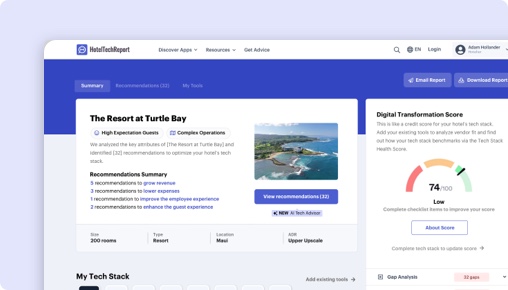
Sorry, this functionality is only available for verified hoteliers
The project dashboard is a free tool that is only available to verified hoteliers to make adopting new technology easier by streamlining their research and simplifying their communication workflow.

Social Tables vs. Tripleseat:
Which Is Right for You?

TLDR
We analyzed 293 verified hotelier reviews, compared feature sets, pricing, and real-world case studies to break down where each platform delivers. The right choice depends on your property type and priorities:
Social Tables stands out with exclusive features like Diagramming & Floorplanning.
Tripleseat shines in training, onboarding, and support quality — especially for casino properties (4.8/5), with exclusive features like Contact Management/CRM and PCI Compliant Payments.
How Does Social Tables Compare to Tripleseat?
Side-by-side ratings based on 293 verified hotelier reviews on HTR.
| HTScore |
|
|
| Likelihood to Recommend |
|
|
| Ease of Use |
|
|
| Customer Support |
|
|
| Value for Money |
|
|
| Starting Price | Contact sales | From $400/mo |
| Verified Reviews | 7 | 286 |
What Are the Pros and Cons of Social Tables vs Tripleseat?
After analyzing 293 verified reviews, Social Tables users most value its , while Tripleseat users highlight training, onboarding, and support quality, user-friendly workflows and ease of use, centralized event and booking management. Click any theme to see what reviewers say.
|
Social Tables
|
Tripleseat
|
|---|---|
| Pros | |
|
+
Training, onboarding, and support quality
▾
|
|
|
+
User-friendly workflows and ease of use
▾
|
|
|
+
Centralized event and booking management
▾
|
|
|
+
Document and proposal customization
▾
|
|
| Cons | |
|
−
Payments, invoicing, and contracts
▾
|
|
|
−
Integrations with PMS, billing, and other systems
▾
|
|
|
−
Reporting and forecasting
▾
|
|
Social Tables vs Tripleseat: Rankings by Hotel Segment
How each product ranks among Event Management Software vendors for different property sizes, types, and regions — based on verified reviews from hoteliers in each segment.
By Hotel Size
| Segment |
Social Tables
|
Tripleseat
|
|---|---|---|
| Small (10-24 rooms) ▾ | #8 1 reviews | #1 70 reviews |
| Mid-Size (25-74 rooms) ▾ | #8 2 reviews | #2 144 reviews |
| Large (75-199 rooms) ▾ | #8 2 reviews | #2 38 reviews |
| X-Large (200+ rooms) ▾ | #8 1 reviews | #2 10 reviews |
By Property Type
| Segment |
Social Tables
|
Tripleseat
|
|---|---|---|
| Boutique ▾ | #8 2 reviews | #2 177 reviews |
| Luxury ▾ | #8 2 reviews | #2 109 reviews |
| Branded / Chain ▾ | #8 4 reviews | #2 63 reviews |
| Extended Stay ▾ | #6 1 reviews | #2 15 reviews |
By Region
| Segment |
Social Tables
|
Tripleseat
|
|---|---|---|
| North America ▾ | #11 6 reviews | #1 252 reviews |
| Europe ▾ | — | #4 12 reviews |
| Asia Pacific | #7 1 reviews | #4 1 reviews |
Is Social Tables or Tripleseat Better for Hotels?
Social Tables and Tripleseat both serve event management needs but diverge sharply in scope and target hotel types. Social Tables focuses primarily on event diagramming and floorplanning, appealing to event planners needing precise room layouts. Tripleseat offers an all-in-one event management and CRM platform tailored for hotels, integrating group sales, contract management, guest communication, and payments.
Both products address the challenge of coordinating events across multiple departments, reducing miscommunication, and improving event execution. However, Social Tables acts mainly as a design tool enhancing event setup accuracy, whereas Tripleseat manages the entire event lifecycle, from lead capture to contract signing and payment processing.
Social Tables vs Tripleseat: Which Should Your Hotel Choose?
If your property prioritizes detailed, scalable floorplan and seating diagramming with occasional event coordination needs, Social Tables fits best; this is supported by its 2D and 3D layout capabilities praised in 5-star reviews for ease of use. However, Social Tables’ limited review count (7, none recent) and lower overall rating (3.9/5) indicate narrower adoption and potential stability issues.
If your hotel requires a comprehensive event management solution that integrates CRM, document workflows, task management, and payment processing, Tripleseat is the superior choice. Its 278 reviews with a strong recent rating of 4.3/5 and consistent high scores across ease of use, support, and value indicate a mature platform trusted by a wide range of hotels, from boutique to luxury. Tripleseat’s verified integration with 16 hospitality systems further supports operational synchronization in larger or multi-department hotels.
Data is limited for properties outside North America and Europe for Tripleseat but still spans 17 countries compared to Social Tables’ presence in 2 countries, suggesting wider global adoption. For properties needing only design tools without CRM or payment features, Social Tables may suffice but with trade-offs in broader event management capabilities.
Is Social Tables or Tripleseat Easier to Use?
Tripleseat scores 4.5/5 for ease of use and 4.4/5 for onboarding across 278 reviews, highlighting strengths in intuitive workflows and training resources like Tripleseat University. Users report straightforward navigation of calendars, documents, and communication within the platform.
Social Tables’ ease of use rating is 3.8/5 with onboarding at 4.1/5 from 7 reviews. Positive feedback cites the simplicity of creating accurate floorplans, but negative reviews mention crashes during basic tasks such as dragging objects, indicating stability concerns that impact daily use.
Despite Tripleseat’s larger user base and higher ratings, the gap does not reach the 0.3 threshold for a definitive edge. Both products require training but Tripleseat appears better suited for teams adopting comprehensive event workflows, while Social Tables caters to planners focused on layout creation.
Edge: Even.
Which Has Better Features: Social Tables or Tripleseat?
Social Tables offers one unique feature: advanced diagramming and floorplanning with 2D and 3D capabilities, enabling event planners to produce detailed, to-scale layouts. This benefits properties emphasizing spatial accuracy and event design but lacks broader event management tools.
Tripleseat provides 11 exclusive features beyond diagramming, including contact management and CRM for lead tracking, content and file management, a client communication portal, task management with reminders, lead forms for inquiry capture, customizable BEO, proposal and contract documents, eSignatures, PCI-compliant payments, itinerary printouts, and seating management. These features transform event workflows by centralizing sales, operational tasks, and guest interactions, reducing manual follow-up and improving revenue capture.
Tripleseat’s feature set supports multiple hotel departments—from sales and catering to F&B and operations—facilitating cross-functional coordination. Social Tables’ sole focus on diagramming limits its operational scope.
Edge: Tripleseat.
Which Has Better Customer Support: Social Tables or Tripleseat?
Social Tables holds a customer support rating of 3.4/5 with onboarding at 4.1/5 from 7 reviews. While some users praise fantastic customer service, others report software instability that complicates support experiences.
Tripleseat scores 4.5/5 in both support and onboarding from 278 reviews. Reviewers commonly describe responsive support teams and helpful training resources but note occasional difficulties with setup for complex workflows.
Neither product’s support rating gap exceeds 0.3 with sufficient review volume, so no clear edge emerges. Both vendors provide training and assistance, but Tripleseat’s larger user base and consistent support satisfaction suggest a more reliable experience for hotels needing extensive onboarding.
Edge: Even.
Which Has More Integrations: Social Tables or Tripleseat?
Social Tables has no verified integrations listed, limiting its connectivity to other hospitality systems. This absence constrains synchronization with property management systems (PMS), billing, and other operational tools.
Tripleseat integrates with 16 verified partners, including major hospitality platforms like WebRezPro, SEVENROOMS, Stayntouch, Oracle Hospitality, Infor, Tripadvisor, and payment processor Stripe. These integrations enable data flows between event management and room reservations, billing, and guest services, reducing duplicate entry and improving operational efficiency.
Hotels aiming to align event management with other systems benefit significantly from Tripleseat’s integration ecosystem, especially larger properties or groups requiring synchronization.
Edge: Tripleseat.
Which Do Hoteliers Rate Higher: Social Tables or Tripleseat?
Social Tables has an overall rating of 3.9/5 from 7 reviews, with no recent reviews in the last six months. Ratings for branded hotels average 3.6/5 (4 reviews), city center and airport/conference hotels rate it higher at 4.7/5 (3 and 4 reviews respectively), but boutique hotels and extended stay segments report poor satisfaction (2.3/5 and 0.5/5).
Tripleseat’s overall rating is 4.5/5 across 278 reviews, with 35 recent reviews maintaining a solid 4.3/5. Segment ratings are consistently high: boutique hotels at 4.5/5 (177 reviews), branded hotels 4.6/5 (65 reviews), airport/conference hotels 4.4/5 (74 reviews), and luxury hotels 4.4/5 (110 reviews). Even niche segments like casinos and hostels rate it above 4.5.
Tripleseat’s review volume and recency provide a more reliable reflection of current performance. Social Tables’ limited and dated review set reduces confidence in its rating.
Edge: Even.
How Much Do Social Tables and Tripleseat Cost?
Social Tables does not publicly publish pricing, nor offer a freemium or trial option. Its pricing model details are unavailable, which complicates budgeting.
Tripleseat charges a base price of $400 per month, with no freemium or trial. This fixed fee covers access to its comprehensive event management features and integrations.
Hotels preferring transparent pricing and budgeting ease will find Tripleseat more straightforward. Social Tables’ undisclosed pricing requires direct vendor consultation.
What Type of Hotel Should Use Social Tables?
- Hotels that require precise, scalable 2D and 3D event diagramming and floorplanning for complex event spaces.
- Teams focusing on event design aesthetics rather than full event lifecycle management.
- Properties with smaller event portfolios that do not need integrated CRM, document workflows, or payment processing.
- Event planners who prioritize visual layouts to communicate setups to operations.
Not ideal if:
- Your hotel requires integrated group sales management, contract handling, or guest communication tools.
- You need seamless integration with PMS, payment gateways, or other hospitality systems.
- Stability and software reliability are critical, as some reviews report crashes during basic tasks.
- You rely on a platform supported by a broad user community with frequent updates and support.
What Type of Hotel Should Use Tripleseat?
- Hotels of all sizes needing a centralized platform for group sales, event management, and CRM.
- Properties requiring integrated contract generation, electronic signatures, and PCI-compliant payment processing.
- Teams managing multiple event spaces, room blocks, and cross-departmental communication.
- Hotels seeking integration with hospitality systems like PMS, billing, and online booking engines.
- Properties aiming to automate reminders, task management, and improve lead capture through customizable forms.
Not ideal if:
- Your hotel only needs event diagramming without broader sales or operational features.
- You require fully customized reporting beyond Tripleseat’s current capabilities, as some users find limits.
- Your team is unable or unwilling to invest time in onboarding and training for a comprehensive system.
Social Tables vs Tripleseat: The Bottom Line for Hotels
Social Tables and Tripleseat solve different problems within event management. Social Tables excels at creating detailed, to-scale event diagrams that help planners visualize and communicate event layouts. Tripleseat offers a complete event management ecosystem that centralizes lead tracking, sales workflows, contract management, payments, and team communication.
Choose Social Tables if your primary need is for sophisticated floorplanning tools and your event management processes are supported by other systems. Its focused feature set benefits planners who design event spaces but do not require integrated CRM or payment solutions.
Choose Tripleseat if your hotel demands an all-in-one event management platform that replaces multiple disconnected tools. Its broad feature set, extensive integrations, and positive user ratings across diverse hotel segments make it suitable for properties aiming to enhance sales conversion, operational coordination, and guest communication within one system.
How Much Do Social Tables and Tripleseat Cost?
Event Management Software pricing is rarely straightforward. Here is what we know from each vendor's public pricing data. Always request a custom quote for your property size.
|
Social Tables
|
Tripleseat
|
|
|---|---|---|
| Starting Price | — | From $400/mo |
Feature Comparison: Social Tables vs Tripleseat
These are the features each vendor has configured, organized by feature group — the same data shown in the vendor dashboard. Expand a group to compare features side by side.
| Feature |
Social Tables
|
Tripleseat
|
|---|---|---|
|
▾
Prospecting & Lead Gen
|
|
|
| Contact Management/CRM | ||
|
▾
Inquiry Management
|
|
|
| Lead Forms | ||
|
▾
Proposal Management
|
|
|
| Customizable BEO, Proposal and Contract Documents | ||
| eSignatures | ||
| Content & File Management | ||
| Diagramming & Floorplanning | ||
|
▾
Workflow Automation
|
|
|
| Task Management (Tasks & Reminders) | ||
| Client Communication Portal | ||
| Content & File Management | ||
|
▾
Contracts & Approvals
|
|
|
| eSignatures | ||
| Customizable BEO, Proposal and Contract Documents | ||
| Contact Management/CRM | ||
| Diagramming & Floorplanning | ||
|
▾
Communication & Collaboration
|
|
|
| Client Communication Portal | ||
| Itinerary Printouts | ||
| Content & File Management | ||
| Attendee Messaging | ||
| Contact Management/CRM | ||
|
▾
Payments & Compliance
|
|
|
| PCI Compliant Payments | ||
|
▾
Attendee Management
|
|
|
| Event Checkin Management | ||
| Contact Management/CRM | ||
| Meal Planning | ||
| Seating Management | ||
|
▾
Event Planning
|
|
|
| Meal Planning | ||
| Seating Management | ||
| Diagramming & Floorplanning |
Real-World Results: Social Tables vs Tripleseat by Business Goal
We analyzed 2 verified case studies to compare what hotels actually achieve with each platform across four key business objectives.
Social Tables
No published case study for this goal yet.
Hotel Hartness
Small
"Tripleseat has been an essential part of our event and catering operation at Hotel Hartness for the past four years. From the moment we transitioned away from our management compan..."
 Social Tables
No published case study for this goal yet.
Stoney Creek Hospitality
Mid-Size
"Tripleseat provides the best ROI of any system."

Social Tables vs Tripleseat: The Bottom Line
Unique capabilities
What hoteliers love
Experiences with onboarding and support are mixed but important. Some reviewers praise responsive teams, helpful training, and Tripleseat University,... Experiences with onboarding and support are mixed but important. Some reviewers praise responsive teams, helpful training, and Tripleseat University, while others say setup was insufficient or that they had to figure out complex workflows without enough guidance.
Many reviewers describe Tripleseat as intuitive, easy to learn, and straightforward for day-to-day event work. They say it helps teams move faster whe... Many reviewers describe Tripleseat as intuitive, easy to learn, and straightforward for day-to-day event work. They say it helps teams move faster when updating details, managing calendars, and finding information, though some large-event workflows can still become cumbersome.
Users repeatedly say Tripleseat keeps leads, bookings, contracts, BEOs, tasks, and communication in one place, making event operations easier to coord... Users repeatedly say Tripleseat keeps leads, bookings, contracts, BEOs, tasks, and communication in one place, making event operations easier to coordinate. This centralization reduces missed details and helps hotel teams stay aligned across sales, operations, and servicing.
Where hoteliers push back
Reviewers mention that Tripleseat supports payments, signed contracts, and invoice workflows that speed up closing business. However, several point ou... Reviewers mention that Tripleseat supports payments, signed contracts, and invoice workflows that speed up closing business. However, several point out friction around ACH setup, invoice numbering, tax-exempt handling, credit card authorization forms, and other manual finance steps.
Integration is a recurring concern, especially with hotel PMS, rooming systems, billing tools, and revenue management platforms. Reviewers like the va... Integration is a recurring concern, especially with hotel PMS, rooming systems, billing tools, and revenue management platforms. Reviewers like the value when systems connect well, but several describe one-way syncs, glitches, or missing connections that create double entry and delay workflows.
Ranks higher for
Unique capabilities
Frequently Asked Questions About Social Tables vs Tripleseat
Can Social Tables replace Tripleseat?
It depends on your requirements. Social Tables and Tripleseat share many core Event Management Software features, but each has unique capabilities. Social Tables offers 0 verified integration partners, while Tripleseat offers 16. Review the feature comparison above to see where they differ before switching.
Which is better for small or independent hotels?
Small hotels should prioritize ease of use and fast onboarding. Tripleseat leads in ease of use at 4.5/5 vs 3.8/5. Look for transparent pricing and a trial or demo option. Filter reviews on each product page by property size to hear from hotels like yours.
Do Social Tables or Tripleseat offer a free plan?
Social Tables: No. Tripleseat: No. Neither product currently offers a free tier. Most Event Management Software vendors offer demos or trials — request one from each to evaluate before committing.
How Does HTR Evaluate and Rank Social Tables and Tripleseat?
The HT Score is a composite ranking that considers 4 criteria groups and over a dozen variables to help hoteliers objectively compare hotel technology products. Social Tables has an HT Score of 0 and Tripleseat has 96. Here is how the score is calculated.
| Criteria Group | Weight | What It Measures |
|---|---|---|
| Customer Ratings & Reviews |
|
How highly do users recommend this product? Ratings Score, Review Volume, Share of Voice, Review Depth, Review Recency, Success Stories ▾ The most heavily weighted factor. Analyzes average satisfaction ratings (likelihood to recommend, ease of use, support, ROI), total review count relative to category peers, review recency (at least 20 reviews in the trailing 6 months), and share of voice across unique hotel clients to detect selection bias. |
| Partner Ecosystem |
|
How highly do tech partners recommend this company? Partner Recommendations, Integration Quantity, Integration Quality ▾ Evaluates partner recommendations as expert votes of confidence, the number of verified integrations, and ecosystem quality — the average HT Scores of integration partners. Products with higher-quality integration ecosystems are more likely to deliver a connected tech stack. |
| Customer Centricity |
|
How customer-centric is this organization? Certified Support, Review Consistency, Profile Completeness ▾ Assesses whether the company has earned HTR Customer Support Certification, maintains consistent review collection over time (an indicator of feedback-driven culture), and keeps product profiles complete with capabilities, screenshots, pricing, and features. |
| Reach, Staying Power & Resources |
|
How extensive is this company's reach and resourcing? Geographic Reach, Staying Power, Company Resources, Trending Score ▾ Measures global presence (countries and regions served), years in business as a stability proxy, team headcount as a resource proxy, and a trending score based on trailing-twelve-month buyer inquiries, reviews, partner recommendations, and press activity. |
Customer ratings and reviews are by far the most important factor in the HT Score algorithm. HTR does not accept payment for higher rankings. All reviews are verified — only hotel industry practitioners with confirmed affiliations can submit ratings. View full HT Score methodology →
What Other Event Management Software Comparisons Are Hoteliers Reading?
Explore more head-to-head comparisons based on verified hotelier reviews.



Get Your Free AI Analyst Report
Custom recommendations tailored to your property


