


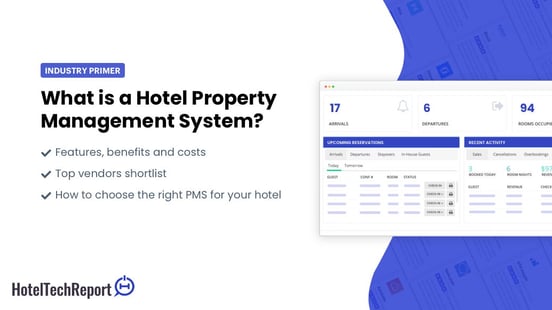
A hotel PMS is the central software system a hotel uses to manage reservations, guest records, room inventory, billing, and daily operations. Short for property management system, a hotel PMS acts as the operational backbone connecting front desk workflows, housekeeping, payments, and reporting into a single platform. If a hotel runs on one system of record, the PMS is almost always it.
Hotel Tech Report has collected over 60,000 verified reviews from hoteliers across 150 countries evaluating PMS software. The analysis below draws on that data alongside HTR's 2026 PMS Impact Study — a survey of 450 hotel operators with 8+ years of experience — to give you an independent, evidence-based guide to hotel PMS software.
What a hotel PMS manages:
Reservations, room inventory, and rate configuration
Check-in, check-out, and guest profile storage
Billing, folios, and payment processing
Housekeeping status and task coordination
Operational reporting (occupancy, ADR, RevPAR)
Integrations with channel managers, revenue tools, POS, CRM, and guest messaging
According to HTR's 2026 PMS Impact Study, 89% of hoteliers report saving 2–10+ hours per week with their PMS — and 91% report direct revenue growth linked to PMS tools including automated upsells, smart pricing, and embedded payments.
Choosing the right PMS depends on property type, operational complexity, integration needs, and total cost of ownership, not just the subscription price.
Check out these top PMS options
Here are 10 of the top Property Management Software worth checking out:
 Join 100k+ executives from world's leading hotel brands and get the latest insights delivered to your inbox once a week
What is a hotel PMS?
A hotel PMS is the operational system of record for a lodging property. It stores and manages the data every department touches: reservation details, guest profiles, room availability, rate configurations, folios, and housekeeping status. When other hotel systems need authoritative guest or inventory data, they pull it from the PMS.
Hotel PMS definition
The term "property management system" originally described front-office software for handling reservations and check-ins. That definition no longer holds. Today, hotel PMS software functions as a critical business operations platform covering payments, housekeeping, maintenance, reporting, and integrations with the broader hotel tech stack.
In practice, a hotel PMS is the operating system that keeps a property running day to day. It holds the single version of truth for who is staying in which room, what they owe, and what operational tasks need to happen before, during, and after their stay. When a front desk agent, a housekeeping supervisor, and the GM all need to answer a question about today's operations, they're looking at PMS data.
What does PMS stand for in hotels?
PMS stands for property management system. In hospitality, the term refers specifically to hotel management software that handles room inventory, guest records, and operational workflows across the stay lifecycle.
Why a PMS is the core operating system for hotels
Every hotel department depends on data that originates in or flows through the PMS. A front desk agent checks a guest in against a PMS reservation. A housekeeping supervisor receives room status updates from it. A revenue manager pulls occupancy and booking pace data to inform pricing decisions. A controller reconciles charges against PMS folios at month-end.
HTR's 2026 PMS Impact Study found that 86% of hoteliers rank their PMS as the single most important system for day-to-day operations — ahead of revenue management systems, channel managers, and guest-facing tools. That centrality is why PMS selection carries operational consequences that ripple across departments. A GM evaluating a new PMS isn't just choosing software; they're deciding how their teams will coordinate every shift.
What does a hotel PMS do?
A property management system for hotels manages workflows spanning the full guest stay lifecycle, from reservation creation through final billing and checkout.
Reservations and room inventory
All reservation records live in the PMS, whether they originate from direct bookings, OTA channels, or walk-ins entered at the desk. The system tracks room availability in real time, assigns rooms based on type and preference, and prevents overbookings when properly connected to distribution channels. Inventory control, rate assignment, and stay date management all run through this layer. Revenue managers set pricing decisions here. Front desk agents pull the night's arrivals list here.
Front desk operations
Check-in, check-out, room moves, early departures, and late arrivals are all managed inside the PMS. Front desk agents use guest profiles to view stay history, preferences, and folio details during service interactions. Walk-in bookings, group blocks, and reservation modifications happen here in real time. A well-designed PMS lets a new front desk hire handle a standard check-in confidently within their first few shifts, not after weeks of training.
Billing and payments
Guest folios track room charges, incidental charges, taxes, and payment activity. When integrated with a payment processor, the PMS handles authorization, settlement, and reconciliation. Split folios, group billing, and direct-bill arrangements are common billing scenarios most systems support. PMS billing accuracy directly determines how much time the finance team spends chasing discrepancies at month-end versus analyzing actual performance.
Housekeeping and operations coordination
Room status updates (dirty, clean, inspected, out of order) flow between housekeeping and the front desk through the PMS. Some systems support task assignment and mobile status updates so housekeeping teams can work from real-time room boards rather than printed lists. How well a PMS handles status changes directly affects the delay between when a room is ready and when the front desk knows it's ready. That delay is what creates guest wait times at check-in.
Reporting and analytics
Most hotel PMS software includes operational reports covering occupancy, ADR, RevPAR, revenue by segment, and housekeeping productivity. GMs and owners use these dashboards for daily decision-making and longer-term performance analysis. Weak PMS reporting often means leadership spots problems or revenue opportunities days later than they should, turning a same-day fix into a quarterly post-mortem.
Core hotel PMS features
Essential features checklist
When evaluating hotel PMS features, expect most modern platforms to cover the following:
Reservation management and room inventory control
Guest profile storage and stay history
Check-in and check-out workflows
Room assignment and room type configuration
Rate management and rate plan setup
Folio management, billing, and invoicing
Payment processing integration
Housekeeping status and task coordination
Group booking and block management
Reporting dashboards (occupancy, revenue, operational KPIs)
Multi-property support (for hotel groups)
User permissions and role-based access
Audit trails and data export
API access or integration marketplace
Not every property needs every feature at the same depth. A 20-room boutique hotel with a two-person front desk has different feature priorities than a 300-room full-service resort running group business across multiple outlets.
Integrations with other hotel systems
A PMS that operates in isolation limits a hotel's ability to automate and scale. Common integration categories include:
Channel manager: syncs rates and availability with OTAs and booking platforms
Central reservation system (CRS): manages reservation distribution across channels
Revenue management system (RMS): pulls PMS occupancy data to optimize pricing
Point of sale (POS): posts restaurant, spa, or retail charges to guest folios
CRM: uses guest profile data for marketing, segmentation, and loyalty programs
Payment gateway: handles secure card processing and settlement
Guest messaging: enables pre-arrival, in-stay, and post-stay communication
Integration quality matters as much as integration availability. A PMS with a published API and an active partner ecosystem will typically connect more reliably than one that depends on flat-file exports or manual data entry. If your revenue manager is re-keying occupancy data into a pricing tool because the integration keeps breaking, the PMS is creating work instead of eliminating it.
Cloud-based vs on-premise PMS
Cloud hotel PMS deployments have become the default for most new installations, but the choice between cloud and on-premise still involves real operational tradeoffs.
Factor | Cloud PMS | On-premise PMS |
|---|---|---|
Access | Browser-based, accessible from any device with internet | Requires local network or VPN access |
Updates | Vendor-managed, automatic | Manual, often requires downtime and IT coordination |
Infrastructure | No local servers needed | Requires on-site hardware and maintenance |
Integrations | Typically API-first with broader partner ecosystem | May depend on older connector protocols |
Upfront cost | Lower, subscription-based | Higher, with hardware and licensing fees |
Internet dependency | Requires stable internet connectivity | Operates on local network |
Customization | Standardized, with configuration options | May allow deeper custom development |
Hotels with unreliable internet or deeply customized legacy workflows should evaluate cloud readiness before committing. For corporate teams overseeing multiple properties, a cloud PMS makes it far easier to standardize configurations and pull portfolio-level data without waiting for each site to export reports manually.
Hotel PMS: What the data shows
HTR's 2026 PMS Impact Study surveyed 450 hotel operators across 47 countries — all with 8+ years of industry experience, direct hands-on PMS experience, and responsibility for properties with 50+ rooms. Key findings:
89% of hoteliers save 2–10+ hours per week because of their PMS
17% save more than 10 hours weekly — over 500 hours of reclaimed labor annually per hotel
92% reduce staff onboarding time from weeks to days with modern PMS interfaces
91% report direct revenue growth linked to PMS tools (automated upsells, smart pricing, direct booking optimization, embedded payments)
88% report measurable cost savings; 42% call those savings "significant"
86% rank their PMS as the single most important system for day-to-day operations
48% say they would consider switching vendors over system reliability issues alone
Source: HotelTechReport 2026 PMS Impact Study (n=450, ±4.9% margin of error at 95% confidence)
Benefits of hotel PMS software
The benefits a property realizes depend on how well the system fits existing workflows and how consistently staff actually use it. A feature that exists in the software but never gets adopted delivers nothing.
Benefits for front desk teams
A well-configured PMS reduces the number of screens, spreadsheets, and manual steps front desk agents need during check-in and check-out. Guest profiles with stay history and preferences allow agents to personalize service without digging through paper files or asking the guest to repeat information. Integrated payment handling also cuts transaction times during peak check-in windows, which matters most on a sold-out Friday when the lobby is full.
Benefits for housekeeping and operations
When housekeeping status updates flow through the PMS in real time, front desk teams can assign rooms faster and guests wait less at arrival. Task visibility reduces the back-and-forth phone calls and radio chatter that slow down room turns. Properties using mobile housekeeping workflows within the PMS often see tighter coordination between departments without adding supervisory overhead. A housekeeping manager checking real-time room status on a tablet instead of walking the floor with a clipboard simply makes better decisions faster.
Benefits for managers and owners
Centralized reporting gives GMs and owners a clearer view of occupancy trends, revenue performance, and operational bottlenecks. Multi-property operators benefit from standardized data structures across locations, making portfolio-level analysis possible without manual consolidation from each site. Audit trails and user-level permissions also support compliance and accountability, which becomes increasingly important as a group scales.
Benefits for guests
Guests rarely interact with PMS software directly, but they feel its effects at every touchpoint. Faster check-in, accurate billing, and consistent service across stays all trace back to a well-run PMS. Properties that integrate guest messaging or mobile check-in with the PMS can offer a smoother arrival experience without sacrificing operational control. When the system works well, guests never think about it. When it doesn't, they notice immediately.
Hotel PMS vs other hotel systems
The PMS is often confused with adjacent systems that serve different functions. Understanding the boundaries between these tools prevents duplicate spending and clarifies what each system should actually do.
PMS vs CRS
A PMS manages on-property operations: reservations, guest stays, billing, and housekeeping. A central reservation system (CRS) focuses on distributing room inventory and rates across booking channels. Many hotels use both, with the CRS feeding reservations into the PMS for fulfillment. Revenue managers think in terms of CRS distribution strategy; front desk agents live inside the PMS.
PMS vs channel manager
A channel manager distributes rates and availability to OTAs and third-party booking sites. Once those bookings arrive, the PMS manages them through the full stay. Channel managers face outward (pushing inventory to external platforms); the PMS faces inward (managing the guest stay from booking to checkout). If your front desk team is manually entering OTA reservations, the connection between these two systems is broken or missing.
PMS vs RMS
A revenue management system (RMS) analyzes demand signals and recommends or sets optimal room pricing. It depends on occupancy, booking pace, and segment data that the PMS provides. The PMS is the data source; the RMS is the pricing optimization layer. Neither replaces the other.
Do hotels need all of these systems?
Property complexity should drive that answer. A small independent hotel with limited OTA distribution might operate effectively with a PMS and a basic channel manager. A larger hotel or multi-property group with dynamic pricing needs and multiple booking channels will likely need a PMS, CRS, channel manager, and RMS working together. Let distribution strategy and operational volume guide the decision, not a vendor's product bundle.
How to choose a hotel PMS
Start with hotel type and operational complexity
A limited-service property with 50 rooms and a lean staff needs a different PMS than a 250-room resort with multiple outlets, group business, and spa operations. Before comparing vendors, define your property type, service model, and which departments will rely on the system daily. A GM running a select-service hotel cares about speed and simplicity. A corporate VP overseeing ten properties cares about data consistency and rollout risk.
Evaluate workflows before feature lists
Feature lists look comparable on paper but diverge sharply in practice. A better approach: map your daily workflows (check-in, room assignment, housekeeping turnover, night audit, group management) and evaluate how each PMS handles those specific processes. Have your front desk lead and housekeeping supervisor watch the demo, not just the IT director. A PMS that matches your operational reality will outperform one with a longer feature list every time.
Check integration depth and ecosystem fit
Ask vendors about API documentation, partner coverage, and the reliability of two-way data syncs with your existing tools. A PMS that connects cleanly with your channel manager, payment processor, and revenue management tools will reduce manual rework. Integration depth is often the difference between a PMS that works in a demo and one that works in production. If you're a multi-property group, confirm that the same integrations are supported and stable at every location, not just the pilot site.
Review implementation, training, and support
Software capability means little if rollout is poorly planned. Ask about onboarding timelines, dedicated implementation support, training resources for different staff roles, and ongoing support availability. Properties that underestimate implementation effort often end up with partially adopted systems and frustrated teams. Front desk agents using the PMS eight hours a day need different training than the GM who checks reports weekly.
Compare total cost, not just subscription price
Monthly subscription price is only one component of total cost of ownership. Factor in implementation fees, training costs, integration fees, payment processing rates, add-on module pricing, and contract terms. A system that costs more per month but eliminates manual workarounds or reduces integration friction may be cheaper over a two-year window. Owners and finance leads should model the fully loaded cost, not just the line item on the vendor quote.
Hotel PMS pricing
Common pricing factors
Hotel PMS pricing is typically influenced by several variables:
Room count: most vendors price per room per month
Number of properties: multi-property deployments often involve volume or enterprise pricing
Modules included: housekeeping, reporting, guest messaging, and revenue tools may be bundled or sold separately
Implementation and onboarding: one-time setup fees vary by complexity
Support tier: basic email support vs. dedicated account management
Integrations: some PMS vendors charge for marketplace or API connections
Payment processing: bundled processing may carry different rates than third-party gateways
Entry-level hotel PMS pricing can start around $5 per room per month, though lower-cost options may come with limitations in integration depth, reporting, or support. Avoid comparing systems on subscription price alone without understanding what is included and what requires add-on fees. A $3 per room difference might look minor on a vendor comparison spreadsheet, but for a 200-room hotel, that's $7,200 a year before you account for what is and isn't included.
Questions to ask vendors about pricing
What is included in the base subscription, and what costs extra?
Are there implementation or onboarding fees?
How is payment processing priced, and is it required to use the bundled processor?
What are the costs for connecting third-party integrations?
Are there minimum contract lengths or early termination fees?
How does pricing change if we add properties or rooms?
Best hotel PMS for different hotel types
No single PMS fits every hotel. The right choice depends on how the property operates day to day, which departments touch the system, and where integration gaps would cause the most friction.
Hotel type | Top priority | Common mistake |
|---|---|---|
Boutique / independent | Ease of use, fast onboarding | Overbuying — choosing enterprise software and underusing it |
Multi-property groups | Portfolio reporting, standardized architecture | Piloting on one property without testing group infrastructure |
Resorts / full-service | POS integration, group billing, complex folios | Evaluating check-in features without testing F&B and group workflows |
Select-service / limited-service | Speed, automation, low IT overhead | Underestimating channel manager integration importance |
Boutique and independent hotels
Independent properties typically run with small teams where the same person handles check-in, billing, and guest communication. Ease of use is the single most important selection criterion, ahead of feature breadth.
Key considerations for independents:
A clean, intuitive front desk interface that new staff can learn in hours, not weeks
A built-in booking engine that supports direct reservations without requiring a separate platform
Simple two-way sync with one or two primary OTA channels
Straightforward rate management that doesn't require revenue management expertise
Consolidated billing and payment processing without complex folio structures
Independents tend to overbuy, choosing a PMS designed for larger operations and then underusing it because the team lacks time or training to configure advanced features. A simpler system adopted fully will outperform a complex one adopted halfway. If your front desk manager is also your revenue manager, the PMS needs to make both jobs easier without demanding specialist knowledge. Browse best hotel PMS software for small hotels for options sized to independent operations.
Multi-property groups
Hotel groups face a different problem. Individual properties may function fine, but inconsistent data structures across locations make portfolio-level reporting painful or impossible. A corporate team that can't compare occupancy and RevPAR across ten properties without requesting manual exports from each GM is working with one hand tied.
Key considerations for groups:
Standardized reservation, rate, and guest profile structures across all properties
Centralized dashboards for comparing occupancy, ADR, and RevPAR across the portfolio without manual consolidation
Role-based permissions granular enough to give on-site managers operational control while preserving corporate oversight
Consistent integration architecture so the same channel manager, payment processor, and RMS work reliably at every location
Multi-property rate management supporting both portfolio-wide pricing strategies and property-level overrides
Groups tend to choose a PMS that works well for one flagship property but lacks the multi-property infrastructure to scale. Evaluate the portfolio use case first, then confirm individual property fit. The VP of operations and the on-site GM need to be equally satisfied with the system, or adoption will fracture across the group.
Resorts and full-service hotels
Resorts and full-service properties generate revenue across multiple departments, and the PMS needs to handle that operational breadth without becoming a bottleneck.
Key considerations for resorts:
Deep, real-time integration with POS systems across restaurants, bars, spa, retail, and activities
Support for complex billing: split folios, package breakdowns, group master accounts, and direct-bill arrangements
Group sales tools that handle room blocks, cutoff dates, rooming lists, and event coordination
Housekeeping workflows that account for suite configurations, turndown service, and variable cleaning times
Reporting that breaks out revenue by department and segment, not just room revenue
A common mistake for resorts: assuming that strong front desk features also mean strong multi-outlet billing and group operations. These are different operational muscles. Test the POS integration and group management workflows as thoroughly as you test check-in. If your food and beverage director and your catering sales manager aren't part of the PMS evaluation, you're missing the use cases that will matter most after go-live.
Frequently asked questions
What is the difference between PMS and hotel management software?
The terms often overlap. Hotel management software is a broader category that can include PMS functionality alongside tools for revenue management, distribution, accounting, and guest engagement. A PMS specifically refers to the system managing reservations, front desk operations, billing, and room inventory. Many vendors market their PMS as hotel management software when their platform includes modules beyond core front-office operations.
Is a cloud PMS better for hotels?
A cloud hotel PMS offers advantages in accessibility, automatic updates, and integration flexibility. Staff can access the system from any device with an internet connection, and the vendor handles software updates and server maintenance. Cloud access also makes remote oversight easier for owners and corporate teams who aren't on-site every day. That said, cloud adoption depends on reliable internet infrastructure, and hotels with deeply customized legacy systems may need a phased migration rather than a hard cutover.
How much does a hotel PMS cost?
Pricing depends on room count, module selection, integration needs, implementation scope, and support level. Entry-level systems can start around $5 per room per month, while more comprehensive platforms with broader integrations and dedicated support cost significantly more. Evaluate total cost of ownership rather than comparing headline subscription rates. Ask about what's bundled, what's extra, and what the fully loaded annual cost looks like for your specific property or portfolio.
What integrations should a hotel PMS have?
At minimum, look for PMS integrations with a channel manager, booking engine, payment gateway, and reporting tools. Hotels with more complex operations should also consider connections to a revenue management system, POS, CRM, guest messaging platform, and accounting software. API access and an active integration marketplace are reliable indicators of how easily the PMS will connect with the rest of your tech stack as your needs evolve.
What is the most widely used hotel PMS?
Oracle OPERA Cloud is the most widely deployed hotel PMS globally, used across 233 countries and territories. Among independent and mid-scale properties, Mews, Cloudbeds, and Stayntouch rank among the top-rated systems based on verified hotelier reviews on Hotel Tech Report. The "most used" and "highest rated" answers differ significantly by property segment — see HTR's annual PMS rankings for current ratings by hotel type.
How long does it take to implement a hotel PMS?
Implementation timelines vary by system complexity and property size. A cloud-based PMS for a small independent hotel can go live in days to a few weeks. A multi-property deployment with deep integrations and custom configurations typically takes 2–4 months. The most common cause of delayed implementations is insufficient staff training time, not technical setup. Budget as much time for training as for configuration.
What is the difference between a PMS and an HMS?
A PMS (property management system) manages core operational functions: reservations, front desk, housekeeping, billing, and reporting. An HMS (hotel management system) is a broader term some vendors use when their platform bundles additional modules — booking engine, channel manager, revenue tools, or CRM — into a single suite. The distinction matters when comparing pricing: a PMS may appear cheaper until you add the modules that come bundled in an HMS.
Can a small hotel use a PMS?
Yes — and most small hotels should. Modern cloud PMS platforms designed for independent properties start around $5 per room per month and require no on-site hardware or IT infrastructure. The operational benefits (accurate room inventory, integrated billing, faster check-in) apply regardless of property size. The key for small hotels is choosing a system scaled to their complexity rather than a platform built for large chains.
What should I look for in a hotel PMS demo?
Focus on the workflows your staff will run daily: a full check-in from walk-in to key card, a room move mid-stay, a housekeeping status update, a billing correction, and a night audit. Bring your front desk lead and housekeeping supervisor to the demo — not just the GM or IT director. Ask the vendor to show you what happens when something goes wrong: a payment fails, a room is double-booked, or a channel sync breaks. How the system handles exceptions reveals more than how it handles ideal flows.
How do I know when it's time to switch hotel PMS?
Common triggers include: your team has built manual workarounds for basic tasks, integrations with your channel manager or payment processor are unreliable, reporting requires manual data export and consolidation, or the vendor has stopped releasing meaningful updates. According to HTR's 2026 PMS Impact Study, 48% of hoteliers say they would consider switching vendors over system reliability issues alone. If your PMS is creating work instead of eliminating it, that's the clearest signal to evaluate alternatives.
A hotel PMS is an operational decision, not just a software purchase. The system you choose shapes how your front desk, housekeeping, revenue, and finance teams work every day. Start by mapping your actual workflows, then evaluate how each candidate handles those workflows in practice. Get input from the people who will use the system most, not just the people signing the contract. Prioritize integration depth, implementation quality, and total cost of ownership over feature checklists and demo impressions. The right property management system fits your operations today and scales with your business as it grows.
Ready to find the right PMS for your property? Browse HTR's verified PMS rankings — filtered by hotel type, region, and integration — built on 60,000+ reviews from hoteliers like you.