


This article is for you if:
-
Your business is running on decades old technology and you need a modern POS
-
Your current system isn't giving you access to customer data and real time sales reports
-
You want a way for customers to quickly checkout via touch screen POS terminals
-
Your current setup won't allow you to efficiently integrate with customer loyalty programs, customer relationship management software (CRM) or accounting software like Quickbooks
-
Your employees tell you that your current system isn't user-friendly
Let's dive in!
What is a (Point of Sale) POS System?
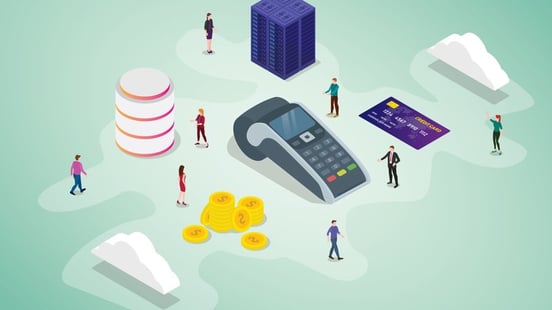
A point-of-sale system, or POS system, is a tool that allows your hotel to accept payments. There are three basic components to today’s POS systems:
-
Hardware: there are a couple of different parts of POS hardware. A card terminal is needed to accept credit cards, debit cards, and mobile wallet payments. Other tools include a receipt printer, cash drawer, and scanner to ring up items with bar codes.
-
Software: the software on your POS allows you to choose from a database of items for which to charge. Ring up a sale, view customer transaction records, manage your inventory, and get analytics and reporting through a POS platform.
-
Payment transfers: the POS sends money from the guest’s account to your hotel’s linked bank account after each sale.
These are the main components of a POS system – but they come together in all shapes and sizes.
 Join 100k+ executives from world's leading hotel brands and get the latest insights delivered to your inbox once a week
A Hotel POS is NOT a Booking Engine or Property Management System
A point of sale (POS) system is a vital component in the hospitality industry, specifically in hotel management. It streamlines transactions, inventory management, and pricing within revenue-generating outlets like hotel restaurants and bars. It integrates with a property management system (PMS) to ensure real-time updates and efficient guest experiences. The POS software is user-friendly, often cloud-based, and compatible with various devices like iPads, mobile apps, and self-service kiosks. It supports payment processing, loyalty programs, and back-office functionalities. The system includes features such as touch screens, barcode scanners, receipt printers, and offline capabilities. Hoteliers can enhance their operations with add-ons and upgrades to meet specific business needs, such as online ordering, self-ordering, and contactless payments. Overall, a hotel POS system plays a crucial role in enhancing the guest experience, optimizing hotel operations, and boosting revenue in the hospitality business.
A point of sale (POS) system in hotels, a booking engine, and a property management system (PMS) are all crucial components of hotel operations, but they serve different functions and focus on different aspects of the hotel management process. Here's an explanation of how they differ:
- Point of Sale (POS) System: A point of sale system is primarily used for processing and managing transactions within a hotel's various revenue-generating outlets, such as restaurants, bars, gift shops, spa facilities, and other amenities. It acts as a centralized platform to handle sales and payment transactions efficiently. Key features of a POS system in hotels may include:
- Registering sales: A POS system allows hotel staff to process orders, generate invoices, and manage payments for products and services offered within the hotel.
- Inventory management: It tracks inventory levels, monitors stock movement, and provides alerts when supplies need to be replenished.
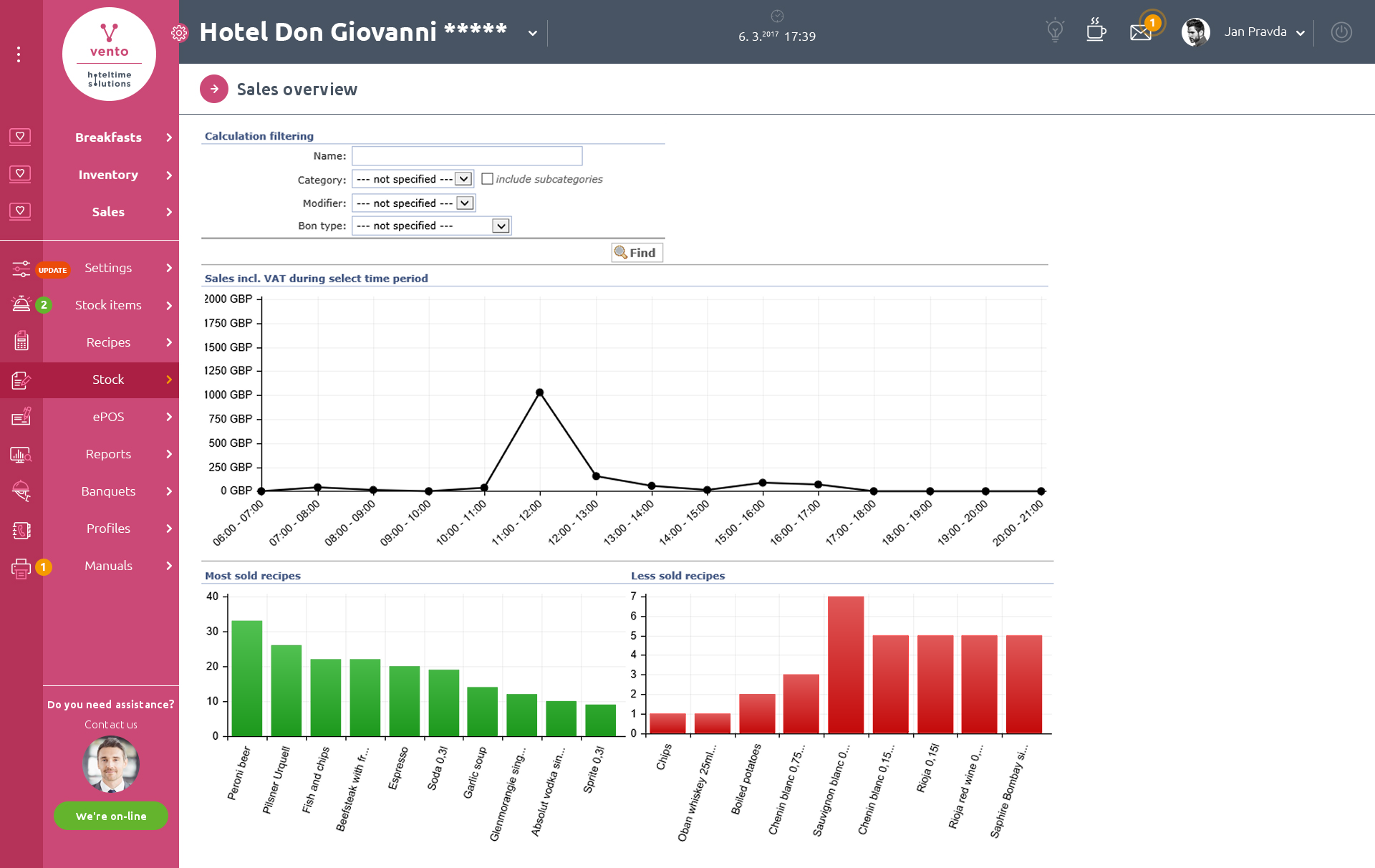
- Reporting and analytics: POS systems generate detailed reports on sales, revenue, and inventory, providing valuable insights to analyze business performance.
The primary purpose of a POS system is to facilitate smooth and accurate transactions within the hotel's various outlets, ensuring efficient revenue management.
- Booking Engine: A booking engine is an online reservation system that enables guests to directly book accommodations and services offered by the hotel through the hotel's website or other online distribution channels. It acts as an interface between guests and the hotel, providing real-time availability and pricing information. Key features of a booking engine include:
- Room availability and pricing: It displays up-to-date information on room availability, rates, and promotions, allowing guests to make reservations based on their preferences.
- Online reservations: The booking engine enables guests to make bookings, select room types, and provide payment details securely.
- Integration with distribution channels: It integrates with various online travel agencies (OTAs) and global distribution systems (GDS), ensuring that inventory and rates are synchronized across multiple platforms.
The primary purpose of a booking engine is to streamline the reservation process, increase direct bookings, and maximize revenue by providing an easy and convenient way for guests to book hotel accommodations.
- Property Management System (PMS): A property management system serves as the central hub for managing all aspects of hotel operations. It is designed to automate and streamline daily tasks related to guest management, reservations, room assignments, billing, and other operational processes. Key features of a PMS include:
- Guest management: It stores guest profiles, maintains guest history, and facilitates personalized guest services.
- Reservation management: The PMS handles all aspects of reservations, including bookings, modifications, and cancellations.
- Front desk operations: It manages check-in and check-out processes, assigns rooms, and handles guest requests.
- Billing and accounting: The PMS tracks guest charges, generates invoices, and interfaces with financial systems.
- Reporting and analytics: PMS systems provide detailed reports on occupancy, revenue, guest preferences, and other key metrics.
The primary purpose of a PMS is to centralize and automate hotel operations, streamline guest services, and optimize efficiency and guest satisfaction.
While a point of sale (POS) system focuses on managing transactions within the hotel's revenue-generating outlets, a booking engine facilitates direct online reservations, and a property management system (PMS) oversees various aspects of hotel operations, including guest management, reservations, and front desk operations. These systems work together to enhance the overall efficiency and guest experience within a hotel.
What are the Benefits of a POS Solution?
If you don’t have a POS system at your hotel, you’re missing out on the opportunity to capture more sales, help your team run efficiently, and improve guest satisfaction. Here are a few key benefits to implementing a POS system at your property.
Accept all payment options
Research shows that only 17% of global card payments will be made using cash by 2022. The pandemic has caused a sharp upswing in the adoption of contactless payment and mobile wallets. Your guests expect to be able to pay using whatever method they prefer: EMV chip, Apple Pay, gift card, and any other digital wallet option. A POS with fully integrated credit card processing gives you the ability to accept any form of payment. It’s a win-win: your property never misses a sale, and your customer is able to check out conveniently using their preferred payment method.
Improve your guest loyalty program
Many POS systems allow you to gather and organize guest information more effectively. Transaction records are stored in a database that tells you what a guest purchased, their contact information, when they last interacted with your hotel, and any other pertinent details you can use for marketing purposes. Go beyond basic sales data and integrate your POS with your hotel CRM and email marketing and your other platforms to get a complete picture of a guest’s preferences and customer insights.
Better inventory management
Managing a lobby shop or trying to cut down on restaurant waste? Instead of dedicating staff time to ordering inventory, keeping an eye on the supplies, and monitoring sales, your hotel POS system can be set up to manage inventory for you. Use the tool in your on-site restaurant to see when supplies are low and set up alerts when it’s time to put in a re-order.
“Manually reconciling inventory across all the places you sell and store your products is tedious and prone to human error. When your inventory syncs automatically, you know exactly how much stock you have and where it is at any given time,” explained Shopify. “It’s also easy to understand how well each product is selling and create purchase orders based on performance and updated stock levels.”
Track and analyze your sales
Unlike a simple cash register, a POS system can tell you how well your hotel is doing financially in real-time. Many POS systems are equipped to provide daily reports on your sales, customer behaviors, and even employee productivity. The same terminal you use to process credit cards can also become the hub for employees to clock in and clock out. Analyze how your sales compare to the previous month, quarter, or same time last year.
Hotel POS System Features
POS systems can do more than just process transactions. They integrate with your existing hotel technology to help your property run smoothly. Look for a POS that has these features.
POS Hardware
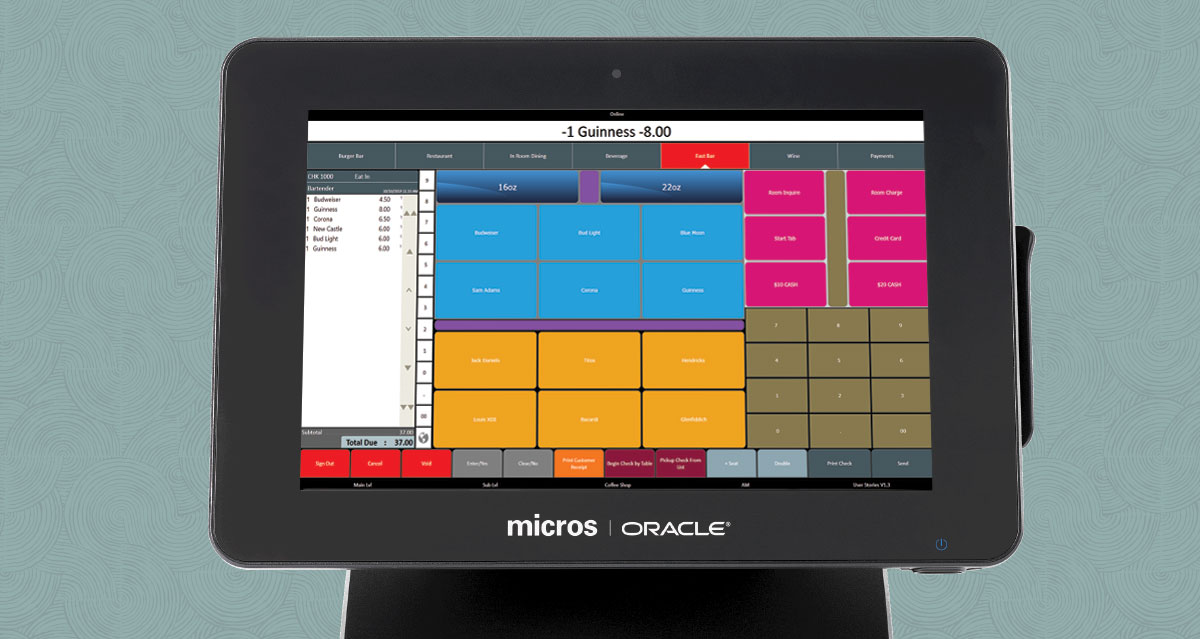
The terminal and other equipment that makes up your point-of-sale can be as small as a dongle that attaches to a phone or iPad, or as big as a computer screen. Think about where you are using your point-of-sale: if you wish to add a POS system to your room service team to allow guests to pay when their order is delivered to their door, a mobile POS might be the best option. If you’re looking for something to use in your restaurant, a terminal like the Clover Station or Square Register might be a better fit.
-
Barcode scanner: Retail POS systems need a barcode scanner where hotel and F&B outlets may not
-
Credit card readers: All POS systems must include a card reader to accept major credit cards
POS Software
Each POS provider offers its own platform through which to run your hotel’s sales and operations. Look for a cloud-based system that allows the provider to send updates through without any lag time or effort needed from your team. Other software features to look for include:
-
Inventory data: does the software have robust and actionable analytics?
-
Security: is the tool PCI DSS compliant and can it accept EMV?
-
Integrations: can the POS speak to other software in your hotel technology stack? Does it have the right payment processor integrations?
-
Automation: can the POS platform be set up to save your team time?
-
Flexibility: can the software be set up to grow with your hotel’s needs?
Some tools, like Clover, offer a host of third-party apps that you can add to make your POS even more powerful. These apps configure your POS for whatever aspect of your hotel you’re trying to improve. For instance, the employee schedule can be run through the Homebase app. The KitchenDisplay app fires orders to the kitchen and organizes tickets to reduce error and help your team serve guests efficiently. Gusto’s Payroll app automates your payroll and takes out your federal, state, and local payroll taxes to reduce admin and human error. There are lots of things a POS can do beyond simply accepting payments and tracking sales.
Top Rated Hotel POS Systems
When selecting a point of sale system for their food and beverage outlets, restaurant owners should consider a variety of factors to ensure they find the best fit for their business. One important aspect to consider is pricing, as different providers may have different upfront and ongoing costs. Additionally, it's important to evaluate the payment processing options, including credit card and contactless payments, as well as any associated processing fees.
Another important consideration is the functionality of the POS software, including inventory management, menu management, and employee management. Many modern POS systems also offer online ordering, floor plan management, tableside ordering and kitchen display system, which can be beneficial for full-service restaurants and quick service restaurants.
Integrations with other systems, such as QuickBooks or gift card providers, should also be taken into account. Additionally, hotel restaurant owners should consider if they want a cloud-based or in-house POS solution, as well as the ease of use and customer support provided by the POS provider. Some popular POS systems in the industry include Vento, Oracle Micros, Toast POS, TouchBistro, Lightspeed, Square and Clover POS.
It's also important to optimize for contactless payments, curbside and takeout. It is also important to have real-time reporting and inventory tracking to manage the back-of-house and front-of-house operations.
Overall, when selecting a point of sale system for their food and beverage outlets, hotel restaurant owners should carefully evaluate their specific needs and preferences, and choose a POS provider that offers the best combination of pricing, functionality, and customer support for their business.
 HT Score

Learn More

 ×
×
 HT Score
Learn More

 ×
×
 HT Score
Learn More

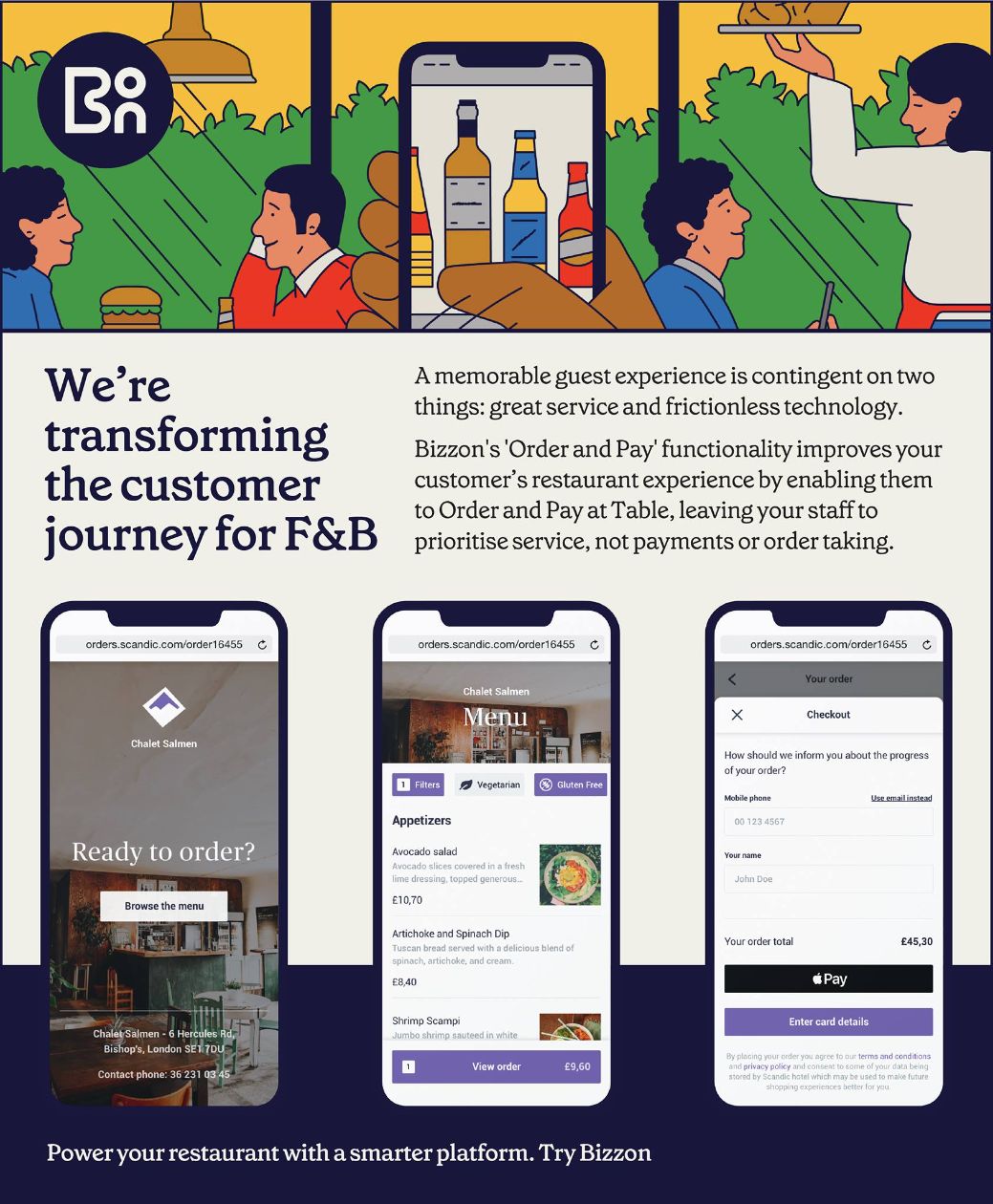 ×
×
How to Choose a POS System (Feature Functionality)
There are many, many POS vendors on the market, each offering their take on sales software and hardware that can help your hotel run better. Consider the following factors when choosing a POS partner.
-
Security: any system that stores guest information and payment data is going to be at risk. Ask vendors what processes and tools are in place to keep your guest data secure. Your POS system should be compliant with the data security standards established by the Payment Card Industry (PCI). Look for something that encrypts payment data and can accept EMV cards.
-
Adaptability: when the pandemic hit, many restaurants began offering delivery for the first time – and the POS became a critical component of making that shift. Look for a partner that can offer online ordering, delivery, and other ancillary services as your hotel business scales and grows.
-
Cost: pricing your POS requires estimating two components. The hardware is usually sold as either an all-in-one POS or a pre-configured kit with add-ons. For instance, you may wish to get a receipt printer, stand, or reader in addition to a card processing terminal. POS partners also charge ard processing fees – a percentage of the total sale amount, plus a nominal flat fee. Make sure to ask each vendor how much these fees will be per transaction. When considering cost it's important to also factor payment processing fees as they can far outweigh the subscription price on hardware and software combined.
-
Flexibility: the best POS options are cloud-based so that your hotel team can see sales data and accept payments on multiple devices throughout the property. “An added benefit of cloud-based POS software is that it eliminates the need for costly upgrades and minimizes security risks traditionally associated with client-server systems,” adds Shopkeep.
-
Customer Support: find out if the partner has 24/7 support. In case of technical issues, you want to be able to reach a live person through email, phone, or live chat.
Of course, you should also ask how the POS system integrates with your existing website CMS, PMS, booking engine, and more.
Hotel POS Systems (vs Retail and Restaurant POS System)
There are a few different parts of your property where you can install a POS: the hotel gift or lobby shop, your on-site restaurant, or the spa. Anywhere where you need to ring up guest payments is where you will need a POS.
However, unlike most retailers, hotel POS systems are most effective when they connect with your PMS. It’s very common for guests to post bills to their rooms when staying at a hotel, and while this could be manually done, a purpose-built hotel POS will have an automatic interface to your property management system (PMS).
Hotel technology is meant to make your team’s job easier. A POS built for hotels can integrate easily with your existing systems to automatically add a charge to a guest’s final payment, rather than making your team manually add in expenses throughout that person’s stay.