
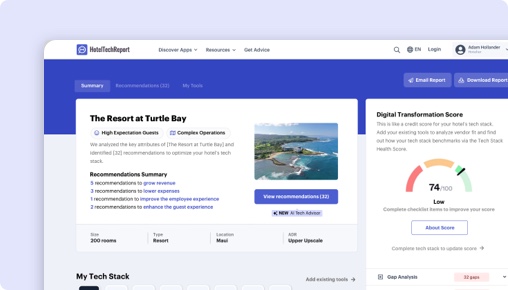
Sorry, this functionality is only available for verified hoteliers
The project dashboard is a free tool that is only available to verified hoteliers to make adopting new technology easier by streamlining their research and simplifying their communication workflow.

10 Best Mobile Ordering Software for Hotels in 2026

By Jordan Hollander
Last updated on April 14, 2026

Jordan Hollander
CEO @ Hotel Tech Report
Jordan is the co-founder of HotelTechReport, the hotel industry's app store where millions of professionals discover tech tools to transform their businesses. He was previously on the Global Partnerships team at Starwood Hotels & Resorts. Prior to his work with SPG, Jordan was Director of Business Development at MWT Hospitality and an equity analyst at Wells Capital Management. Jordan received his MBA from Northwestern’s Kellogg School of Management where he was a Zell Global Entrepreneurship Scholar and a Pritzker Group Venture Fellow.
-
517
articles contributed
Our reviewers evaluate software independently. Learn how we stay transparent, read our review methodology, and tell us about any tools we missed.
This list is based on research we’ve conducted since 2017, analyzing dozens of Mobile Ordering Software for Hotels using verified hotelier reviews, product deep dives, and our proprietary HTScore.
Mobile Ordering Software Software Shortlist
Here are 10 of top Mobile Ordering Software platforms that are covered in this in-depth guide:
- 1.
- 2.
- 3.
- 4.
- 5.
- 6.
- 7.
- 8.
- 9.
- 10.
Over 2M+ Leading Hotel Professionals Trust Our Advice




Get Your Custom Mobile Ordering & Room Service Analyst Report
- Ranked recommendations for your property
- Real operator reviews & pricing data
- Tailored to your size, market & integrations
Trusted by thousands of hoteliers worldwide
Takes 2 min · No credit card needed
LAST UPDATED
APPS TESTED




CONTRIBUTING EXPERTS


How to Choose the Right Mobile Ordering Software Provider
This list is already tailored to your hotel’s size, service model, and operational complexity. Looking to refine it further? Use the filters to narrow your shortlist by region, property type, and existing systems like your POS or PMS—so you can focus on the mobile ordering solutions that best align with how your hotel actually operates.
Best Mobile Ordering Software Solutions by Property Type
These rankings are based on real performance data, not vendor positioning. By analyzing verified hotelier reviews, product usage patterns, and satisfaction signals across different property types, we’re able to identify which mobile ordering platforms consistently deliver results in real-world operations.
Rather than a one-size-fits-all list, these recommendations reflect what works best for hotels with similar service models, team structures, and operational complexity—helping you quickly narrow down the options that are most likely to fit your property.
Q4 2026 Mobile Ordering & Room Service Survey Rankings
Based on HTR's Q4 2026 quarterly Mobile Ordering & Room Service survey insights, these are the products that are currently most recommended by each size of hotel.
Q4 2026 Mobile Ordering & Room Service Survey Rankings
Based on HTR's Q4 2026 quarterly Mobile Ordering & Room Service survey insights, these are the products that are currently most recommended by each size of hotel.
| Best for | Hoteliers | Recommended | |
|---|---|---|---|
Best Mobile Ordering & Room Service for Small Hotels (up to 49 rooms)
Small
up to 49 rooms
|
76 Hoteliers |
1 products recommended
|
|
|
|
|||
Best Mobile Ordering & Room Service for Mid-sized Hotels (50-99 rooms)
Mid-sized
50-99 rooms
|
69 Hoteliers |
1 products recommended
|
|
|
|
|||
Best Mobile Ordering & Room Service for Large Hotels (100-499 rooms)
Large
100-499 rooms
|
285 Hoteliers |
1 products recommended
|
|
|
|
|||
Best Mobile Ordering & Room Service for Enterprise Hotels (500+ rooms)
Enterprise
500+ rooms
|
91 Hoteliers |
1 products recommended
|
|
|
|
|||
Best Mobile Ordering & Room Service for Small Hotels (up to 49 rooms)
Best Mobile Ordering & Room Service for Mid-sized Hotels (50-99 rooms)
Best Mobile Ordering & Room Service for Large Hotels (100-499 rooms)
Best Mobile Ordering & Room Service for Enterprise Hotels (500+ rooms)
Create Free Account
Join 1.5M+ hoteliers making data-driven decisions



By proceeding you agree to our Terms of Service and Privacy Policy
What you'll get




Best Mobile Ordering & Room Service Reviews
Mobile Ordering Software for Hotels Features & Comparison


 100 HT Score
18 HT Score
15 HT Score
14 HT Score
100 HT Score
18 HT Score
15 HT Score
14 HT Score
Discover popular comparisons
How We Evaluate Mobile Ordering Software Solutions
Mobile ordering solutions can look similar on the surface, but perform very differently once they’re live in a hotel. The real differences show up in day-to-day operations—how orders flow, how much staff intervention is needed, and where things break down. That’s why it’s critical to understand how similar hoteliers experience these systems in real use, where inefficiencies, workarounds, and missed outcomes become clear. Hotel Tech Report evaluates solutions through an operator lens—focusing on revenue impact, efficiency, ease of use, and workflow fit—using verified reviews and hands-on analysis to separate tools that sound good from those that actually work.
Mobile ordering platforms can look similar on the surface, but they differ meaningfully in how they’re deployed, who owns them internally, and how deeply they connect to hotel operations. The following vectors are what actually change buying decisions:
Channel ownership: whether ordering is tied to a guest app, web-based interface, QR code flow, or messaging channel
Operational integration depth: how tightly the system connects to POS, PMS, and kitchen workflows versus operating as a standalone layer
Workflow complexity: whether the platform supports simple menu ordering or more complex fulfillment like scheduling, multi-outlet routing, and service coordination
Control model: whether the system is managed primarily by F&B teams, IT, or centralized operations across properties
Using these vectors, most hotel mobile ordering solutions fall into four core types:
Comparison Preview
Type | Primary Differentiator | Best For | Team Involvement / Control Model | Typical Integration Requirements | Tradeoffs |
|---|---|---|---|---|---|
QR Code & Web-Based Ordering | No app required, instant access via browser | Limited-service hotels, fast casual F&B | F&B-led, low IT involvement | Light POS integration | Limited personalization, basic workflows |
App-Based Guest Ordering | Embedded within hotel guest app | Resorts, branded properties | Marketing + IT ownership | PMS, POS, app ecosystem | Requires app adoption |
POS-Integrated Ordering Systems | Deep integration with kitchen and POS workflows | Full-service hotels with complex F&B | F&B + Ops ownership | Tight POS + KDS integration | Higher setup complexity |
Messaging & Chat-Based Ordering | Orders placed via chat or messaging platforms | Service-focused hotels prioritizing convenience | Front office / guest services | Messaging + PMS integration | Less structured ordering flow |
QR Code & Web-Based Ordering
These platforms allow guests to scan a QR code or click a link to access a mobile-friendly menu and place orders instantly, without downloading an app.
Category | Details |
|---|---|
Best fit for | Select-service hotels, boutique properties, and hotels with simple food and beverage operations such as grab-and-go, poolside service, or basic room service |
Typical buyer | F&B manager or GM, with minimal IT involvement |
Strengths | Fast to deploy with minimal training or infrastructure; no app download required which lowers guest friction; flexible across locations like rooms, pool, and lobby; reduces phone orders and manual entry errors |
Tradeoffs | Limited personalization or guest recognition; basic workflow capabilities; often relies on manual coordination for fulfillment |
When this type is the wrong fit | Hotels with high-volume room service or complex kitchen operations; properties looking to unify ordering with broader guest journey data |
App-Based Guest Ordering
These solutions are embedded within a hotel’s branded mobile app, allowing guests to order alongside other services like check-in, messaging, or concierge requests.
Category | Details |
|---|---|
Best fit for | Resorts, luxury hotels, and branded properties with an existing guest app strategy and strong digital engagement goals |
Typical buyer | Marketing or digital teams, with IT involvement |
Strengths | Enables personalized experiences tied to guest profiles; integrates with other in-app services; supports upselling and targeted promotions; strengthens brand consistency across the guest journey |
Tradeoffs | Requires guests to download and use the app; higher implementation and maintenance effort; adoption depends on guest behavior |
When this type is the wrong fit | Hotels without an existing app or low app adoption rates; properties prioritizing speed of deployment over brand experience |
POS-Integrated Ordering Systems
These platforms are tightly integrated with the hotel’s POS and kitchen display systems, ensuring that mobile orders flow directly into operational workflows without manual intervention.
Category | Details |
|---|---|
Best fit for | Full-service hotels, resorts, and properties with multiple dining outlets or high room service volume |
Typical buyer | F&B leadership with support from operations and IT |
Strengths | Seamless order routing directly to kitchens or bars; supports complex menus and modifiers; reduces errors and improves speed of service; enables real-time inventory and menu control |
Tradeoffs | More complex to implement and configure; requires alignment with existing POS infrastructure; less flexible for rapid changes |
When this type is the wrong fit | Smaller hotels with limited F&B operations; properties looking for a lightweight, standalone solution |
Messaging & Chat-Based Ordering
These solutions allow guests to place orders through SMS, WhatsApp, or in-app chat, often as part of a broader guest messaging platform.
Category | Details |
|---|---|
Best fit for | Hotels that emphasize high-touch service and want to blend ordering into conversational guest interactions |
Typical buyer | Front office or guest services teams |
Strengths | Highly convenient and familiar for guests; enables personalized, service-driven interactions; works well for custom or off-menu requests; integrates naturally with concierge workflows |
Tradeoffs | Less structured ordering flow can increase staff workload; harder to standardize menus and upsells; may require manual coordination with kitchen or POS |
When this type is the wrong fit | High-volume environments where automation and speed are critical; hotels seeking fully standardized, self-service ordering |
How to choose the right type
The right type depends less on features and more on how your hotel operates day-to-day. If your priority is speed and simplicity, lightweight web-based tools may be enough. If you’re managing complex F&B operations, deeper POS integration becomes essential. Hotels with strong digital ecosystems may benefit from app-based approaches, while service-driven properties might lean toward messaging.
Ultimately, the best choice aligns with your operational workflows, team ownership, and how your guests prefer to engage—not just what the software can do on paper.
Mobile ordering software enables guests to browse menus, place orders, and request services directly from their own devices—whether through QR codes, web links, apps, or messaging channels. It acts as a digital ordering layer that connects guest demand with hotel operations in real time.
Instead of relying on phone-based ordering or manual processes, mobile ordering streamlines how requests are captured, routed, and fulfilled across outlets like room service, poolside dining, lobby bars, and grab-and-go concepts. This not only improves convenience for guests but also reduces operational friction and unlocks incremental revenue opportunities.
Capability | Description | Operational Value |
|---|---|---|
Digital Menus & Ordering Interface | Guests can browse menus, customize items, and place orders from their own device via QR code, web app, or mobile app | Reduces reliance on printed menus and phone orders while increasing order accuracy |
Multi-Outlet Ordering | Supports ordering from different hotel outlets such as room service, pool, bar, or restaurant within a single interface | Centralizes ordering across outlets and increases cross-selling opportunities |
Order Routing & Fulfillment Workflows | Automatically sends orders to the correct kitchen, bar, or service station based on location and item type | Eliminates manual relays, reduces errors, and speeds up preparation and delivery times |
Room Charge & Payment Processing | Enables guests to charge orders to their room or pay directly via integrated payment gateways | Simplifies billing and increases capture of in-stay spend |
Scheduled & On-Demand Ordering | Allows guests to place immediate orders or schedule deliveries for a later time | Improves operational planning and smooths demand across peak periods |
Menu Management & Availability Controls | Staff can update menus, pricing, item availability, and hours in real time | Keeps offerings accurate and prevents orders for unavailable items |
Upselling & Promotions | Surfaces add-ons, upgrades, or promotions during the ordering flow | Increases average order value and drives incremental revenue |
Order Tracking & Guest Notifications | Provides status updates such as order received, in preparation, or out for delivery | Reduces guest uncertainty and inbound status inquiries |
Service Location & Delivery Logic | Captures guest location (room number, pool chair, etc.) to ensure accurate delivery | Improves delivery efficiency and reduces failed or delayed orders |
Reporting & Demand Insights | Tracks order volume, popular items, peak times, and channel performance | Enables better staffing, menu optimization, and revenue management decisions |
Unlike traditional phone-based ordering, mobile ordering platforms create a structured and trackable workflow from order placement through fulfillment. Every step—from menu selection to delivery—is digitized, reducing miscommunication and giving operators more control over service execution.
Operationally, these systems function as a bridge between guest-facing channels and backend hotel systems. When integrated with POS, PMS, and kitchen display systems, they enable real-time order injection into kitchen workflows, automatic posting to guest folios, and coordinated service delivery across departments.
This shift not only improves efficiency but also gives hotels greater visibility into guest behavior, allowing teams to refine menus, optimize staffing, and better align operations with actual demand patterns.
Mobile ordering platforms can look very similar at first glance. Most vendors offer digital menus, QR code access, and basic ordering functionality, which makes it easy to assume that differences are minimal. In reality, the gap between solutions becomes clear only when you look at how they perform in live hotel environments.
The biggest differences tend to show up operationally. How orders are routed, how well the system integrates with POS and PMS, and how much manual coordination is required behind the scenes can vary significantly. Two platforms may offer the same front-end experience but require very different levels of staff effort to manage.
That’s why a deeper evaluation is critical. Hotels aren’t just buying a guest-facing interface—they’re investing in a system that directly impacts service speed, staff workload, revenue capture, and guest satisfaction. Poorly integrated or overly manual systems often create more friction than they remove.
Our evaluation framework focuses on what actually drives results: integration depth, workflow automation, usability for both guests and staff, and the platform’s ability to scale across different outlets and properties. The goal is to help hoteliers distinguish between solutions that look good in a demo and those that deliver measurable operational value.
Evaluation Scorecard
Capability | Importance | What to Ask Vendors | What Good Looks Like | Red Flags / Weak Implementations |
|---|---|---|---|---|
PMS Integration | ★★★★★ | Does the system post charges directly to the guest folio in real time? | Seamless folio posting with room validation and minimal manual reconciliation | Orders require manual posting or batch reconciliation |
POS Integration | ★★★★★ | Are orders injected directly into the POS and kitchen workflows? | Orders flow directly into POS/KDS with full modifier support | Orders are emailed or require re-entry into POS |
Order Routing & Workflow Automation | ★★★★★ | How are orders routed across outlets and service points? | Automated routing based on item, outlet, and location with minimal staff intervention | Staff must manually assign or forward orders |
Menu & Content Management | ★★★★☆ | Can staff update menus, pricing, and availability in real time? | Intuitive backend with instant updates across all channels | Changes require vendor support or have delays |
Upselling & Revenue Optimization | ★★★★☆ | Does the system support dynamic upsells and promotions? | Contextual upsells, bundles, and prompts that increase average order value | Static menus with no built-in upsell logic |
Guest Experience & UX | ★★★★★ | How many steps does it take for a guest to complete an order? | Fast, mobile-optimized interface with minimal friction and no app download required (if web-based) | Clunky navigation, slow load times, or required downloads |
Multi-Outlet & Location Support | ★★★★☆ | Can the system handle multiple outlets with different menus and hours? | Centralized management with flexible configurations for each outlet | Requires separate systems or workarounds for each outlet |
Reporting & Analytics | ★★★☆☆ | What insights are available on order volume, timing, and revenue? | Clear dashboards with actionable insights on demand patterns and performance | Limited reporting or raw data with no context |
Payment & Billing Flexibility | ★★★★☆ | What payment options are supported (room charge, card, digital wallets)? | Multiple payment options with secure processing and easy reconciliation | Limited payment methods or unreliable processing |
Scalability & Multi-Property Management | ★★★☆☆ | Can the platform support multiple properties with centralized control? | Role-based access, centralized reporting, and consistent configurations across locations | Requires separate logins or duplicated setups per property |
Dealbreaker Questions
Does the platform post charges directly to the PMS folio in real time?
If not, staff will need to manually reconcile orders, increasing workload and the risk of billing errors.
Are orders routed automatically into the POS and kitchen workflows?
Systems that rely on email or manual entry create delays, errors, and unnecessary operational friction.
Can hotel staff update menus, pricing, and availability instantly without vendor involvement?
If updates require support tickets or delays, it limits your ability to respond to real-time demand.
Does the system support multiple outlets and service locations within a single platform?
Without this, hotels often end up managing fragmented systems, reducing efficiency and visibility.
Large Hotels & Resorts
Large hotels and resorts operate complex, multi-outlet environments with high guest expectations and significant service volume. These properties typically manage multiple dining venues, room service, poolside ordering, and events simultaneously. Staffing is specialized across departments, and technology plays a central role in coordinating operations at scale. Mobile ordering in this context must integrate deeply into existing systems and reduce operational friction, not add to it.
Defining Characteristics
Multiple F&B outlets with distinct menus and workflows
High order volume across different service locations
Dedicated teams for F&B, IT, and operations
Strong reliance on POS, PMS, and kitchen systems
Guest expectations for speed, accuracy, and personalization
Common Needs & Preferences
Prioritizes automation and seamless system integration
Requires centralized control across outlets and departments
Needs real-time visibility into operations and demand
Values scalability across multiple properties or brands
Expects minimal manual intervention in order workflows
Feature Title | Description | Why It’s Critical |
|---|---|---|
Advanced POS Integration | Direct injection of orders into POS and kitchen systems with modifiers | Ensures high-volume orders are processed accurately without manual entry |
Multi-Outlet Management | Centralized control of menus, hours, and workflows across outlets | Enables consistent operations across restaurants, bars, and room service |
Automated Order Routing | Routes orders based on outlet, item type, and guest location | Reduces delays and eliminates staff coordination bottlenecks |
PMS Folio Posting | Automatically posts charges to guest rooms in real time | Streamlines billing and reduces reconciliation workload |
Enterprise Reporting & Analytics | Aggregated insights across outlets and properties | Supports staffing, menu optimization, and revenue decisions at scale |
Boutique & Independent Hotels
Boutique and independent hotels focus heavily on guest experience, brand identity, and service differentiation. Operations are less complex than large resorts but still require flexibility across dining and service touchpoints. Teams are typically smaller and more cross-functional, so technology needs to be intuitive and adaptable. Mobile ordering is often used as a way to enhance the guest journey while driving incremental revenue.
Defining Characteristics
Smaller footprint with curated F&B offerings
Strong emphasis on brand and guest experience
Lean teams with overlapping responsibilities
Mix of on-property and local guest demand
Less rigid operational structure than large hotels
Common Needs & Preferences
Prioritizes guest experience and interface design
Needs flexibility to reflect brand and service style
Values ease of use for both staff and guests
Prefers configurable solutions without heavy IT reliance
Looks for revenue-driving features like upselling
Feature Title | Description | Why It’s Critical |
|---|---|---|
Customizable Ordering Interface | Ability to tailor menus and flows to match brand identity | Maintains a consistent guest experience aligned with the hotel’s positioning |
Upselling & Add-On Prompts | Suggests upgrades, bundles, or add-ons during ordering | Drives incremental revenue without increasing staff workload |
Flexible Menu Configuration | Easily adjust menus, pricing, and availability | Supports dynamic offerings and seasonal changes |
Web-Based Ordering (No App Required) | Allows guests to order without downloading an app | Reduces friction and increases adoption across diverse guest types |
Lightweight POS Integration | Syncs orders with POS without complex setup | Balances operational efficiency with ease of deployment |
Small Hotels & B&Bs
Small hotels and B&Bs operate with minimal staff and limited F&B complexity. In many cases, there is no dedicated F&B team, and operations are handled by a small group of generalists. Technology needs to be simple, low-maintenance, and quick to implement. Mobile ordering is typically used to reduce manual workload rather than to manage complex service operations.
Defining Characteristics
Very small teams with broad responsibilities
Limited or simplified food and beverage offerings
Low to moderate order volume
Minimal IT resources or technical expertise
Strong need for operational simplicity
Common Needs & Preferences
Prioritizes ease of setup and day-to-day use
Needs automation to reduce staff workload
Prefers low-cost, low-maintenance solutions
Values intuitive interfaces with minimal training
Avoids complex integrations unless essential
Feature Title | Description | Why It’s Critical |
|---|---|---|
Simple Setup & Onboarding | Quick deployment with minimal configuration | Reduces time and effort required to get started |
Basic Digital Menu & Ordering | Straightforward interface for browsing and ordering | Covers core needs without unnecessary complexity |
Automated Notifications | Alerts staff when orders are placed | Ensures nothing is missed without constant monitoring |
QR Code Access | Guests can access ordering via a simple scan | Eliminates need for apps or complex guest instructions |
Flat or Low-Cost Pricing | Predictable and affordable pricing structure | Keeps technology aligned with limited budgets |
Budget Hotels, Motels & Limited-Service Properties
Budget and limited-service properties focus on operational efficiency and cost control. F&B offerings are typically minimal, such as breakfast, vending, or simple grab-and-go options. Staffing is lean, and processes are designed to minimize manual effort. Mobile ordering in this segment is less about enhancing experience and more about reducing operational burden and enabling self-service.
Defining Characteristics
Minimal or no full-service F&B operations
Highly cost-sensitive operating model
Lean staffing with limited specialization
Focus on speed, efficiency, and self-service
Standardized service offerings across properties
Common Needs & Preferences
Prioritizes automation and cost efficiency
Needs minimal staff involvement in order handling
Prefers simple, standardized solutions
Requires fast deployment across properties
Avoids complex customization or integrations
Feature Title | Description | Why It’s Critical |
|---|---|---|
Self-Service Ordering Flow | Guests place and complete orders without staff interaction | Reduces labor requirements and front desk workload |
Limited Menu Management | Simple tools for managing a small set of offerings | Matches the streamlined nature of F&B operations |
Payment Processing (No Room Charge Required) | Supports direct payment via card or mobile wallet | Avoids dependency on PMS integration |
Multi-Property Deployment | Ability to roll out across multiple locations quickly | Supports standardized operations across a portfolio |
Low-Cost, Scalable Pricing | Pricing that aligns with high-volume, low-margin operations | Ensures ROI in cost-sensitive environments |
Choosing the right type of mobile ordering solution comes down to operational fit, not just feature depth. A platform designed for a large resort may introduce unnecessary complexity for a small property, while lightweight tools may fall short in high-volume environments. The key is to align the system with your team structure, service model, and operational complexity—ensuring it simplifies workflows rather than adding new ones.
Everything You Need to Know About Mobile Ordering Software
Not sure where to start with mobile ordering solutions? This section is your crash course. We’ll break down what mobile ordering software actually does in a hotel environment, how it fits into your F&B and service workflows, and what capabilities to expect beyond basic digital menus.
You’ll also learn how these platforms integrate with systems like your POS and PMS, what operational impact they can have on staff efficiency and revenue, and what to consider when it comes to rollout and adoption. We’ll cover the key benefits, common pitfalls, and the trends shaping how hotels are modernizing service delivery.
It’s everything you need to get oriented—grounded in real-world insights from hotel operators managing day-to-day service operations.
What is Mobile Ordering Software for Hotels
Mobile ordering solutions allow hotels to create digital menus that can be accessed via messaging, QR codes, app or web app and allow guests to place orders for food & beverage items digitally in their room, common spaces or restaurant.
Key Features to Look For in Mobile Ordering Software for Hotels
Mobile ordering in hotels has evolved from simple digital menus into a core operational layer that connects guest demand with kitchen workflows, service delivery, and revenue systems. Early solutions focused primarily on replacing phone orders, but modern platforms now play a much broader role in automating service, coordinating across outlets, and capturing incremental spend throughout the guest journey.
These features matter because mobile ordering directly impacts both the guest experience and day-to-day operations. A well-implemented system reduces call volume, minimizes order errors, and improves speed of service—while also giving hotels new ways to drive revenue through upselling and extended service availability. At the same time, poor implementations can create bottlenecks, increase staff workload, or lead to missed orders.
Today’s platforms are expected to integrate seamlessly with core hotel systems like POS and PMS, automate workflows behind the scenes, and provide visibility into demand patterns. The difference between basic and advanced solutions often comes down to how well they connect front-end ordering with back-end execution.
Feature Evaluation Table
Capability Area | Feature | Description |
|---|---|---|
Guest Experience / Guest Engagement | Mobile-Friendly Ordering Interface | Guests can browse menus and place orders from their own devices without friction, reducing reliance on phone-based ordering. |
QR Code & Web Access | Enables instant access to ordering via QR codes or links, eliminating the need for app downloads and increasing adoption. | |
Order Customization | Allows guests to modify items, add notes, and tailor orders to preferences, improving satisfaction and reducing errors. | |
Order Status Updates | Provides real-time notifications on order progress, reducing uncertainty and inbound guest inquiries. | |
Multi-Location Ordering | Supports ordering from different service areas (room, pool, lobby), improving convenience and coverage. | |
Operations & Workflow Management | Automated Order Routing | Routes orders directly to the correct kitchen, bar, or service station based on predefined logic, reducing manual coordination. |
Kitchen & Fulfillment Integration | Sends orders into kitchen display systems or prep workflows, ensuring seamless execution without re-entry. | |
Scheduled Ordering | Allows guests to place orders for future delivery times, helping balance demand and improve planning. | |
Menu Availability Controls | Enables real-time updates to item availability and hours, preventing orders for out-of-stock items. | |
Staff Notification & Alerts | Notifies staff of new orders or updates, ensuring timely response without constant monitoring. | |
Revenue & Commercial Impact | Upselling & Cross-Selling Prompts | Suggests add-ons or upgrades during the ordering process, increasing average order value. |
Dynamic Promotions | Supports time-based or targeted offers to drive demand during off-peak periods. | |
Multi-Outlet Revenue Capture | Consolidates ordering across outlets, helping hotels capture more on-property spend. | |
Flexible Payment Options | Supports room charge, card, and digital wallet payments, reducing friction at checkout. | |
Integrations & Data | POS Integration | Ensures orders flow directly into the POS system with full detail, eliminating manual entry and errors. |
PMS Integration | Enables room validation and direct posting of charges to guest folios, streamlining billing. | |
Reporting & Analytics | Provides insights into order volume, peak times, and item performance to inform staffing and menu decisions. | |
API & Integration Flexibility | Allows connection with other hotel systems such as CRM or service platforms, supporting a more unified tech stack. |
This set of capabilities reflects the shift from simple ordering tools to fully integrated operational systems. Hotels evaluating vendors should look beyond surface-level features and focus on how well each platform supports real workflows, reduces manual effort, and contributes to measurable improvements in efficiency and revenue.
- White-label App
- Upselling
- Cross Venue Payment Splitting
- Guest Re-Ordering
- Multi-Menu Ordering
- In-Venue Ordering
- Digital Menu
- QR Codes
- Web Based (Appless)
- White-label App
- Upselling
- Cross Venue Payment Splitting
- Guest Re-Ordering
- Multi-Menu Ordering
- In-Venue Ordering
- Digital Menu
- QR Codes
- Web Based (Appless)
- Ordering Scheduling
- Loyalty Program Integrations
- Tipping
- Contactless Ordering
- Cross Venue Payment Splitting
- Guest Re-Ordering
- Multi-Menu Ordering
- In-Venue Ordering
- QR Codes
- POS Integration
- Ordering Scheduling
- Loyalty Program Integrations
- Tipping
- Contactless Ordering
- Cross Venue Payment Splitting
- Guest Re-Ordering
- Multi-Menu Ordering
- In-Venue Ordering
- QR Codes
- POS Integration
- Payments Integrations
- Google Pay
- Cross Venue Payment Splitting
- Credit Card Payments
- Apple Pay
- Near Field Contact (NFC)
- PMS Integration
- POS Integration
- Payments Integrations
- Google Pay
- Cross Venue Payment Splitting
- Credit Card Payments
- Apple Pay
- Near Field Contact (NFC)
- PMS Integration
- POS Integration
- Delivery (3rd Party)
- Delivery Logistics (In-house)
- Curbside Pickup
- Off-Property Vendor Management
- Delivery (3rd Party)
- Delivery Logistics (In-house)
- Curbside Pickup
- Off-Property Vendor Management
What are the key benefits of mobile ordering solutions?
Improve the Guest Experience: Mobile ordering and payment of food and beverages allows seamless digital interconnectivitiy for guests. In order to make guests feel at home we need to deliver the same conveniences.
Generate Revenue: Automated cross-selling and other features increases average check value for hotels by at least 30%. Mobile ordering software is built on ecommerce experiences to recommend popular or relevant pairings that guests ordinarily may not have considered and allows them to increase basket size with relevant offers.
Lighten staff workload: Computers are here to free us humans up to do the jobs that require a human touch. Listening to an order on the phone and logging it into back office systems is time consuming - cut out the middle man with room service ordering software so your team can focus on areas where they can deliver a differentiated experience for guests.
Increase Health & Safety: Guests are rightfully concerned about putting a hotel room phone next to their face. By enabling guests to order on their own devices your property can deliver safe, frictionless experiences that drive more orders and happier guests.
Deliver convenience: Your guests are used to ordering groceries and food delivery on their mobile devices when they are at home and your hotel should deliver that same convenience while on property. Afterall your job is to make them feel right at home!
Critical Integrations for Mobile Ordering Software
When evaluating mobile ordering software, it’s easy to focus on the guest-facing experience—menus, ordering flows, and design. But the real value of these platforms depends on how well they connect to the systems that power your hotel’s operations.
At a minimum, a mobile ordering solution should integrate directly with the core systems that handle transactions and service delivery. That includes your POS for order execution and your PMS for room validation and billing. Without these connections, staff often end up re-entering orders, manually posting charges, or managing workarounds that slow down operations.
These integrations shouldn’t be treated as optional add-ons. They need to be reliable, real-time, and capable of handling the complexity of hotel workflows. Some platforms rely on light integrations or middleware layers, which can introduce delays, errors, or limitations in how orders are processed.
Once those core connections are in place, the next layer of integrations becomes critical—linking mobile ordering into the broader ecosystem of your hotel’s tech stack. This is where you start to unlock real operational efficiency, better coordination across departments, and more visibility into guest behavior and revenue performance.
Mobile ordering software is typically priced as a SaaS solution, but the structure can vary depending on how the platform is deployed and how it generates value for the hotel. Some vendors charge a fixed monthly fee, while others use usage-based or transaction-based pricing tied to order volume or revenue generated through the platform.
Hotels should look beyond the base subscription cost and consider total cost of ownership. Pricing can be influenced by integrations with POS and PMS, the number of outlets or menus configured, and whether the system is deployed across multiple properties. While mobile ordering doesn’t usually require dedicated hardware, implementation complexity and ongoing support can still impact overall cost.
The most important consideration is how pricing aligns with your operational model. A low monthly fee may seem attractive, but if the system requires manual workarounds or limits revenue opportunities, the true cost can be much higher over time.
Common Pricing Models
Pricing Model | How It Works | Typical Cost Considerations |
|---|---|---|
Monthly Subscription (Per Property) | Hotels pay a fixed monthly fee per property for access to the platform | Predictable cost, but may increase with additional outlets, features, or support tiers |
Per-Outlet Pricing | Pricing scales based on the number of outlets (e.g., restaurant, bar, room service) using the system | Costs grow with operational complexity and number of service points |
Usage-Based Pricing | Fees are tied to order volume or number of transactions processed through the platform | Lower upfront cost, but expenses increase as usage grows |
Commission / Revenue Share | Vendor takes a percentage of each order or total revenue generated through the system | Aligns cost with revenue, but can become expensive at scale |
Tiered Pricing Plans | Different pricing tiers based on feature access, integrations, or reporting capabilities | Lower tiers may lack critical functionality, requiring upgrades over time |
Enterprise / Multi-Property Pricing | Custom pricing for hotel groups or portfolios with centralized management | Can offer economies of scale but often requires negotiation and longer commitments |
What Impacts Pricing the Most
Property size and number of outlets directly affect pricing, as more complex operations require additional configuration and support
Integration requirements with POS, PMS, and other systems can increase both setup costs and ongoing fees
Feature depth, such as advanced upselling, automation, or analytics, often comes at higher pricing tiers
Multi-property deployments may reduce per-unit cost but increase overall investment depending on rollout scope
Evaluating ROI
Hotels should evaluate pricing in the context of operational impact, not just subscription cost. The right platform should reduce manual workload, increase order volume, and improve service efficiency while capturing more on-property revenue.
Ultimately, ROI comes from how effectively the system streamlines workflows and drives incremental revenue—not simply how much it costs to implement.
Mobile ordering and room service software typically involves an extremely light implementation and can be installed within a matter of days. The two major bottlenecks lie around POS integration and uploading or curating your hotel’s menu into the content management system (CMS).
Hoteliers Also Ask
- Property Management System: A connection to the PMS allows your hotel to centralize guest data and enables guests to charge room service and other on property purchases to their room - F&B Point of Sale: If a hotel is interested in having a keyless experience, check-in can connect to key provider to open doors (vacation rentals use this already with access codes) - Payments: Without integrations to critical mobile payments providers such as Apple Pay and Android Pay you’ll lose critical opportunities to streamline the checkout flow. At the very least your system will need a credit card processor integration.
- Touchless QR codes: Contactless ordering and payment is becoming the new norm. Health and safety will be improved by frictionless operations. - Digitization: Digital service will replace fixed phones, paper menus, touch-screen hotel tablets, reception kiosks etc. Guest technology will replace hotel technology. - Big data: Guests can leave data for loyalty rewards and personalized service. Mobile ordering will allow vendors to provide highly personalized service suiting individual needs.
Mobile ordering solutions allow hotels to create digital menus that can be accessed via messaging, QR codes, app or web app and allow guests to place orders for food & beverage items digitally in their room, common spaces or restaurant.
Mobile ordering software typically uses barcode scanning technology via the camera of any smart phone in order to open a web app based menu that requires no download and can fully take guest orders from the convenience of their own devices. The last refuge for fixed telephones in the world right now is inside hotels, but the digital era is disrupting room service as well as other hospitality venues, particularly with the advent of mobile ordering and payment. Mobile ordering reduces contact between staff, guests and objects like menus, hence helping hospitality providers into the new Low Touch Economy. It minimizes mistakes during the ordering process, increases order volume and frequency by guests, provides upselling opportunities, and improves customer experience in general.
People use mobile ordering apps for a variety of reasons. Mobile ordering apps streamline the ordering process and allow customers to place orders online or via mobile devices, making it easy to order takeout or delivery services from their favorite restaurants. The apps often provide real-time updates on order status and payment processing, as well as notifications for order completion. Customers can also use mobile ordering apps to access menus, customize their orders, and make payments using mobile payment options.
Mobile ordering apps also provide new customers with a quick and easy way to try out a restaurant's menu items without having to visit in-store. They offer functionality such as loyalty programs, gift cards, and contactless payment options to enhance the customer experience. Mobile ordering apps can integrate with a restaurant's POS system, allowing for easy order management and offline functionality.
For restaurant owners, mobile ordering apps offer an all-in-one solution for online ordering, payment processing, and delivery services. They can use templates to create a digital menu, process credit card payments, and automate the ordering process. Third-party apps like Grubhub, UberEats, and DoorDash offer commission-free ordering services that can integrate with a restaurant's POS system.
Many mobile ordering apps also provide an online ordering platform for restaurants to add to their website or social media accounts. The apps can provide customer data and CRM integration for restaurant management. They also offer features like curbside pickup and mobile application for a better customer experience. GloriaFood, Toast POS, and Clover are examples of mobile ordering software that offer a range of features for restaurant owners to improve their online ordering system.
Restaurant-focused tools are built for fast-turn environments with limited delivery complexity, while hotel operations require room-based delivery, multi-location service, and integration with folio billing. Hotel-specific platforms are better suited to handle these nuances, especially when coordinating across departments like room service, pool, and minibar operations.
Adoption depends heavily on accessibility and visibility. QR codes placed in rooms and public areas, clear guest instructions, and a frictionless interface all play a role. Hotels that integrate ordering into the broader guest journey—rather than treating it as a standalone feature—tend to see higher usage and better overall results.
Mobile ordering typically reduces the need for staff to take orders manually, allowing teams to focus on preparation and delivery. However, it doesn’t eliminate labor—it shifts it. Hotels often redeploy staff toward fulfillment and service quality, which can improve efficiency but requires thoughtful workflow design to avoid bottlenecks.
It acts as a bridge between guest-facing interactions and backend operations. When connected properly, it feeds into POS for execution, PMS for billing, and analytics tools for reporting. This positioning makes it an important part of the service layer, rather than just a standalone ordering tool.
It tends to deliver the most value in properties with active F&B operations, multiple service locations, or high room service demand. Smaller hotels with limited dining may still benefit, but the impact is typically more modest. The key factor is whether the hotel can use the system to reduce manual work or increase revenue.
One common misconception is that all platforms deliver similar results because they offer the same front-end features. In reality, differences in integration depth, workflow automation, and operational fit have a much larger impact on performance than the guest-facing interface alone.
Success is typically measured through a combination of metrics, including order volume, average order value, reduction in phone orders, and service speed. Many hotels also track labor efficiency and guest satisfaction to understand how the system is impacting both operations and the guest experience.
Common challenges include menu management, order timing coordination, and aligning staff workflows with new processes. If not properly configured, orders can cluster during peak times or create confusion across outlets. Ongoing optimization is usually required to fine-tune routing logic, staffing, and menu availability.
It improves convenience and speed, especially for guests who prefer self-service. However, it can reduce direct interaction with staff, which may not align with all service models. Hotels need to balance efficiency with personalization, ensuring that technology enhances—not replaces—the overall service experience.
LAST UPDATED
APPS TESTED
CONTRIBUTING EXPERTS
Get Your Custom Mobile Ordering & Room Service Analyst Report
- Ranked recommendations for your property
- Real operator reviews & pricing data
- Tailored to your size, market & integrations
Trusted by thousands of hoteliers worldwide
Takes 2 min · No credit card needed
Get Your Free AI Analyst Report
Custom recommendations tailored to your property


Let´s lookup your hotel information
Still weighing your mobile ordering & room service options?
A few popular systems from our mobile ordering & room service guide — or let our AI score each one against your specific property in about two minutes.


